Project 02 — period.
Year Sept 2023 — May 2024
Context BA Final Project · University of Edinburgh
Role Sole designer · research, hardware, app

Helping women understand their cycles, not just record them.

A connected experience across physical and digital: a smart period calendar and companion app, designed together. Cycle tracking as a calmer, more educational daily ritual, anchored to a beautiful object, not a phone notification.

UX Research Industrial Design IoT App UX/UI Branding
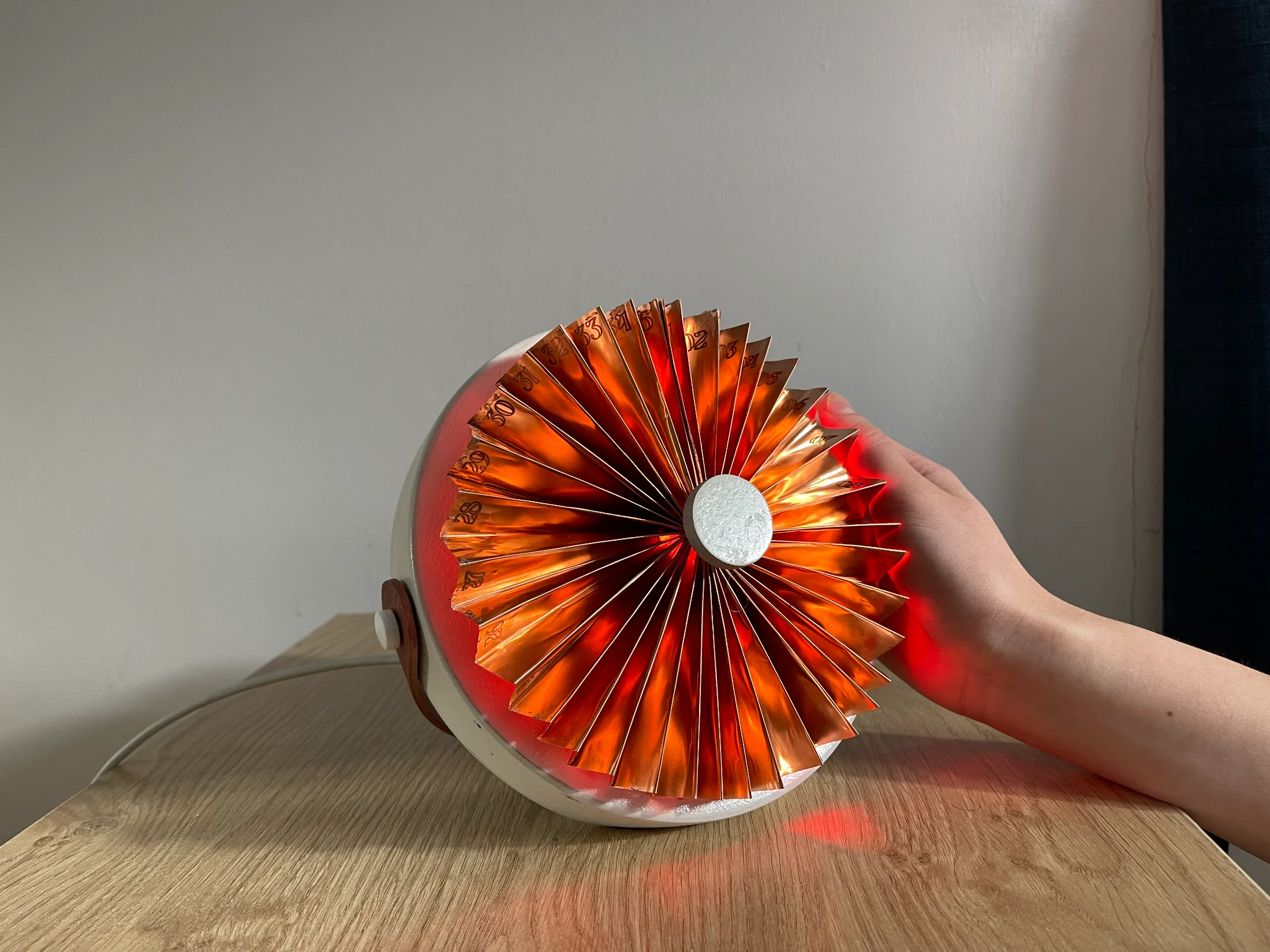
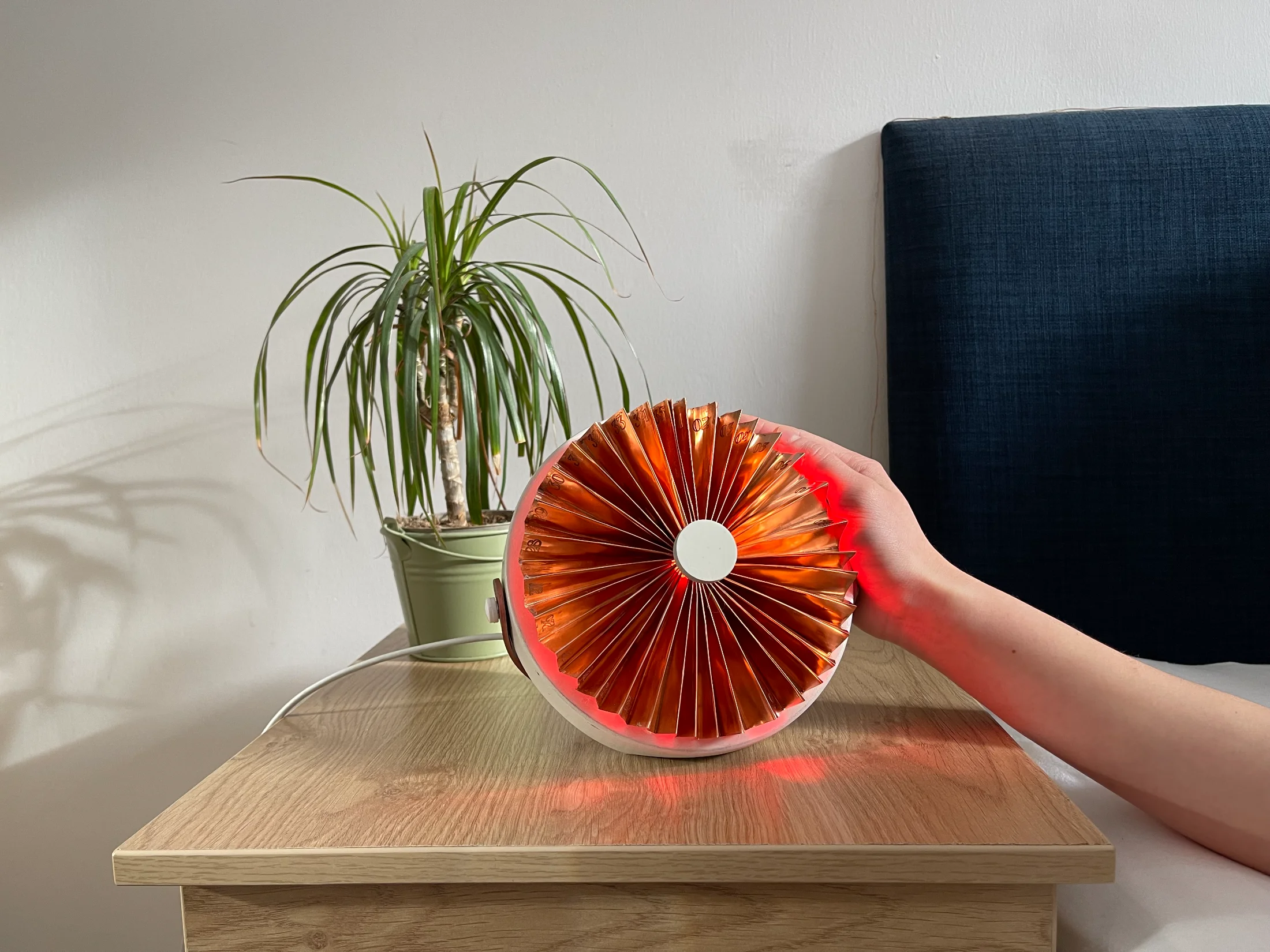
The period. device, a copper fan-shaped calendar glowing red on a bedside table
§ 01 Problem where it began

Half the world menstruates. Almost no products are designed for it.

Period tracking is dominated by apps that feel like data-entry chores: stereotyped pink interfaces, daily symptom checklists, and notifications that get ignored. They track the period, but they rarely help women understand what is happening to their bodies, and they are easy to forget.

"I keep forgetting to input my period, and even when I do, I forget to check the app."
— Survey participant · Edinburgh, 2024
~480×
Periods in a typical lifetime, ages 12 to 55
31 women
surveyed about how and why they track their cycles
48%
don't always feel their tracking app helps them understand their cycle
100%
wanted a less stereotypically gendered design
§ 02 Research

Eight months of conversations with patients, doctors, and apps.

The research split across five methods, each chosen to answer a different question: why women track, what they want a tracker to do, and how a smart device could fit into their daily lives without feeling like another chore.

A · Lit review

Three peer-reviewed papers

HCI research on menstrual self-tracking, feminist design for the changing body, and the gap between user identity and existing app personas.

B · Workshops

Two co-design sessions

One on what "woman-centred design" actually means; one with plasticine to find forms that feel calm, trustworthy, and intuitive.

C · Interviews

Gynaecologist + HCI PhD

A medical perspective on what to track and what AI should never do. A research perspective on visualising bodily data.

D · Survey

31 women, distributed via QR

Survey posters placed in campus toilets to ensure private completion. Three sections covering tracking habits, app feedback, and product wishes.

E · Probe

Public AI opinion box

An open box in the exhibition area asking what women would and would not want from an AI menstrual assistant.

Apps tested · 5 users · 1 month

"AI for understanding, not diagnosis. Doctors stay the doctors."
— Synthesised from gynaecologist interview & AI probe (33 responses)
What the research told us Women forget to log; reminders fail Users want to understand the cycle, not just track it Pink stereotypes are actively disliked Open to AI for Q&A, wary of AI for diagnosis A device on a bedside table is more memorable than an app icon Aesthetic must blend into the home, not look "medical"
§ 03 How it works one loop, two media

One daily loop, across the bedside and the pocket.

Six moments. Three on the device, three on the app. The hand-off between them is the design.
Device
ambient + ritual
01
Glance
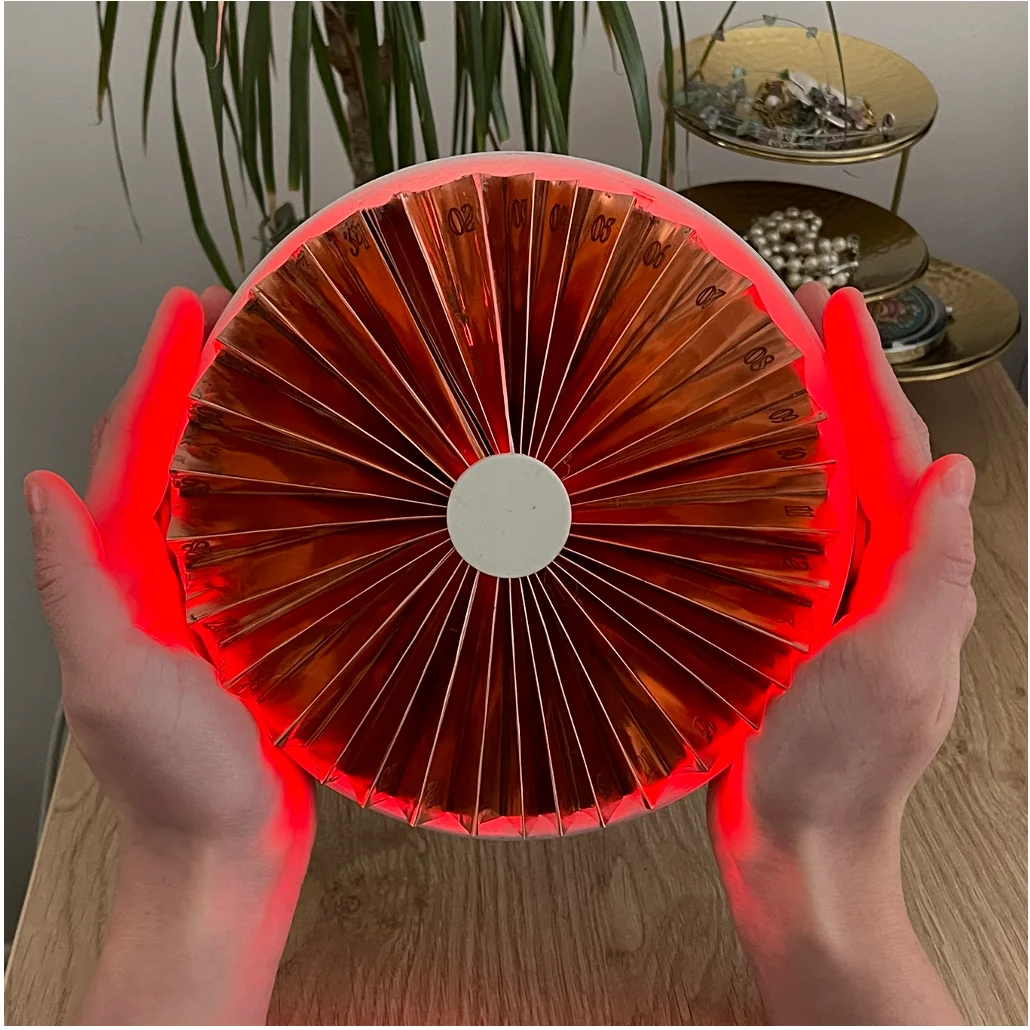
The fan glowing red on a bedside table

Colour shifts daily. Readable across the room.

02
Fold
Fingers folding away unused days on the copper fan

Each fold is one day. Tucks to fit any 21–35 day cycle.

03
Auto-turn
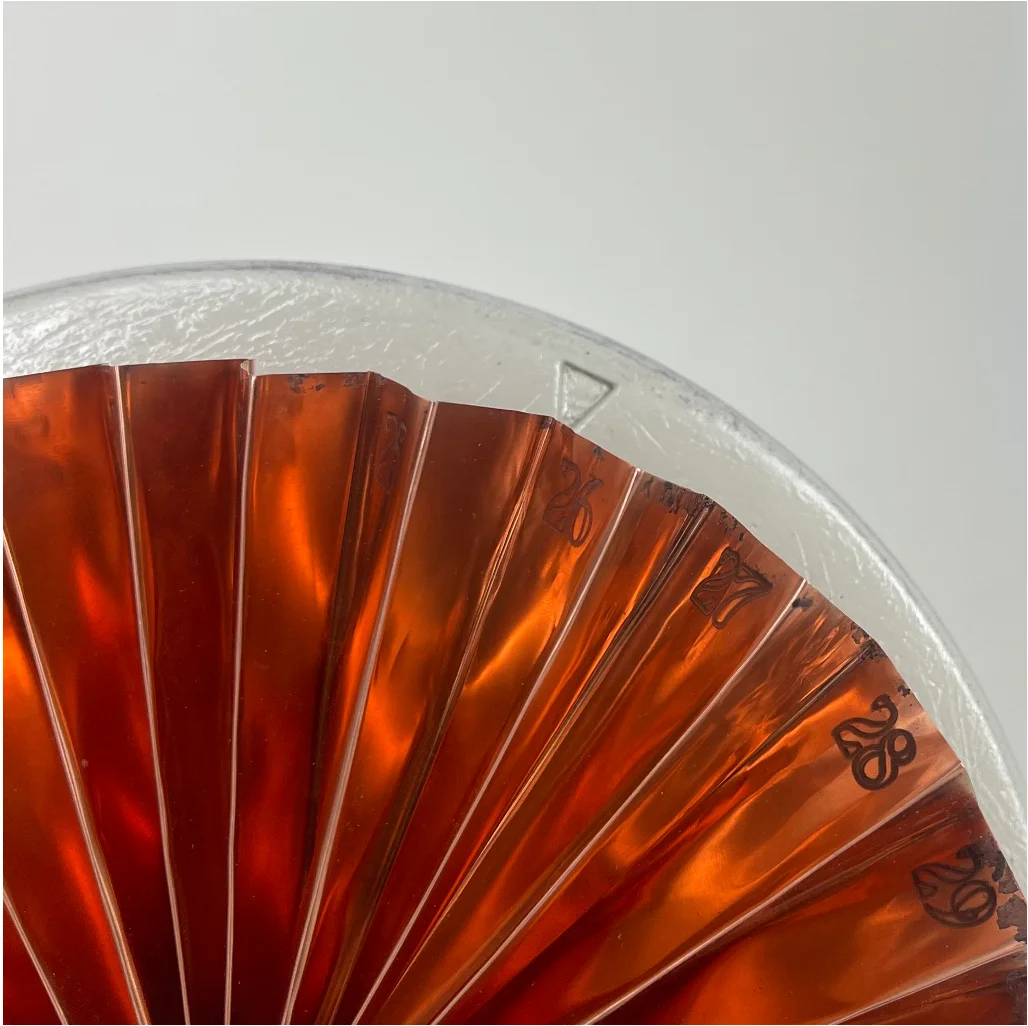
Close-up of the copper fan showing day numbers and rotating pointer

Turns one fold at midnight. Stays current even when forgotten.

App
depth + history
04
Ask device ↔ app
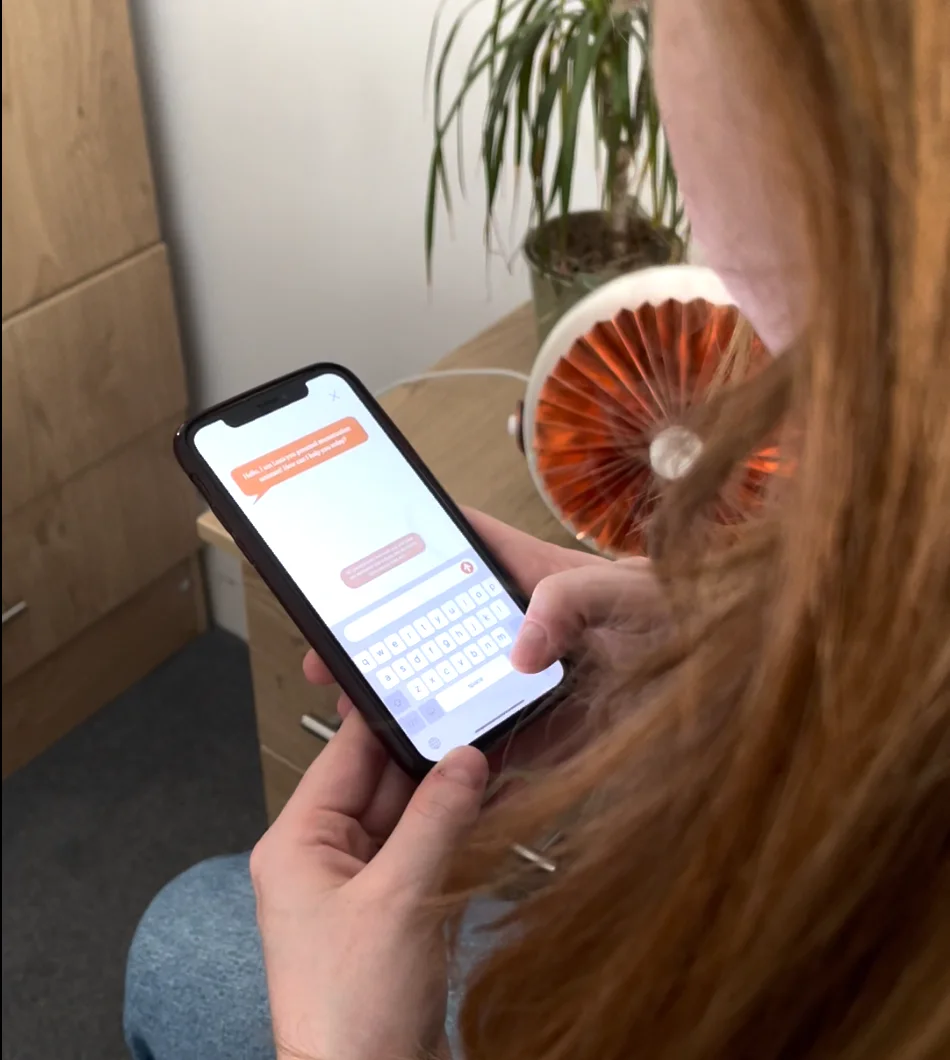
Typing a question to Luna in the app, with the copper device on the desk behind

Luna answers cycle questions. Voice at the bedside, text in the app.

05
Log & learn
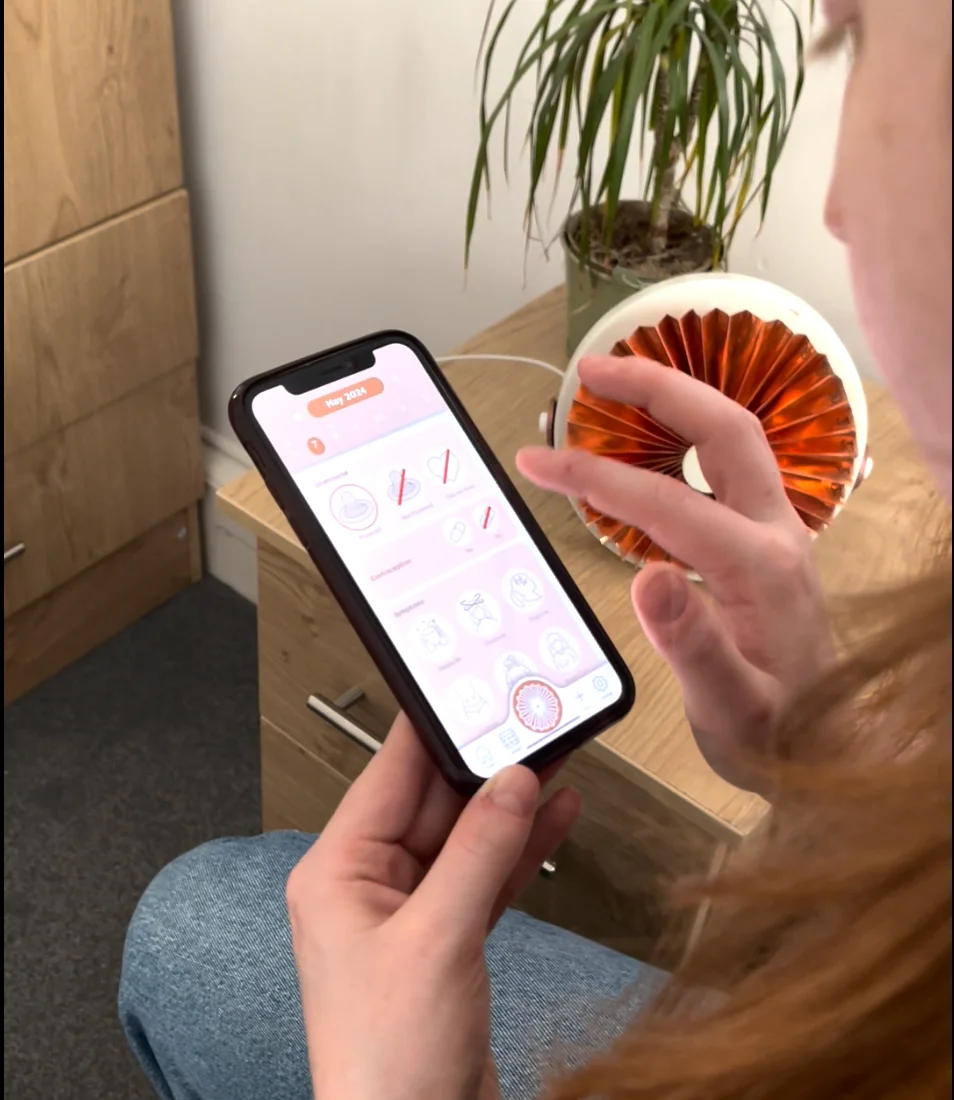
Logging symptoms on the phone while reaching for the copper device beside

Log symptoms. Read what the phase means for the body.

06
Carry
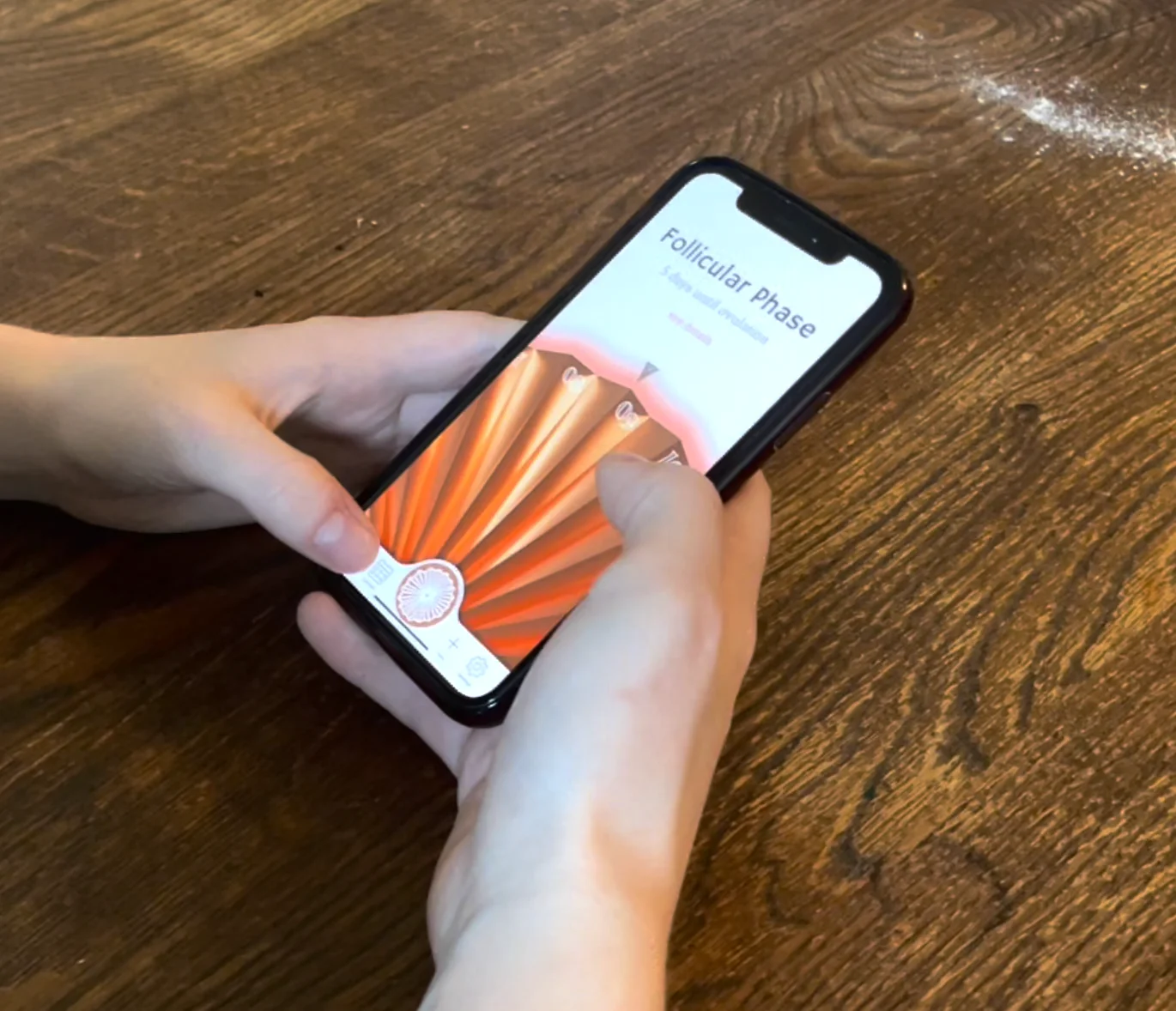
Two hands holding the phone away from the bedside, home screen open

Away from the bedside, the cycle goes with you. Same fan, same theme.

§ 04 The threading where device + app meet

Four places the device and the app are co-designed.

Not two parallel deliverables. The hand-offs are the design.

01
Device → App

Gradient chosen on the device.

Tap to see how ↻

The NeoPixel ring offers three gradients. The app reads that choice and tints every screen to match.

02
Shared form

Fan as the navigation centre.

Tap to see how ↻

The fan-shape becomes the central button on every app screen, the same anchor as the bedside object.

03
Shared type

Italic numerals, two materials.

Tap to see how ↻

The same italic display family is engraved into copper and rendered on glass.

04
Shared agent

Luna, two voices.

Tap to see how ↻

The same AI assistant. Speaks at the bedside; types in the app for when speaking out loud is not an option.

Chapter A · The device

A fan-shaped calendar that visualises the cycle through colour, motion, and light.

§ 05 Decision 01 where the form lives

Why the app couldn't be the main thing.

Every existing tracker is app-first. The research said that's exactly why women keep forgetting to log.

The default move

Build a better tracking app.

The fastest, cheapest, most fundable answer. Better notifications, friendlier copy, fewer pink hearts.

  • Notifications get muted within a week
  • App icons disappear into the third home screen
  • Out of sight on the days that matter most
  • Solves the symptom, not the cause
The choice

Anchor the experience to a physical object.

The device sits where forgetting is hardest, the bedside. The app exists for what an object can't carry: depth, history, portability.

  • Device for ritual: glanceable, ambient, present
  • App for depth: phase explanations, history, doctor export
  • Each medium chosen for what it does best
  • Forgetting becomes architecturally harder
§ 06 Concept & form how the fan emerged

From fourteen ideas to a fan.

Fourteen concepts. Three prototype stages on the way to copper. One quiet rule running through all of them: it has to look at home on a bedside or on a wall.

1 · Ideation

The calendar idea kept returning.

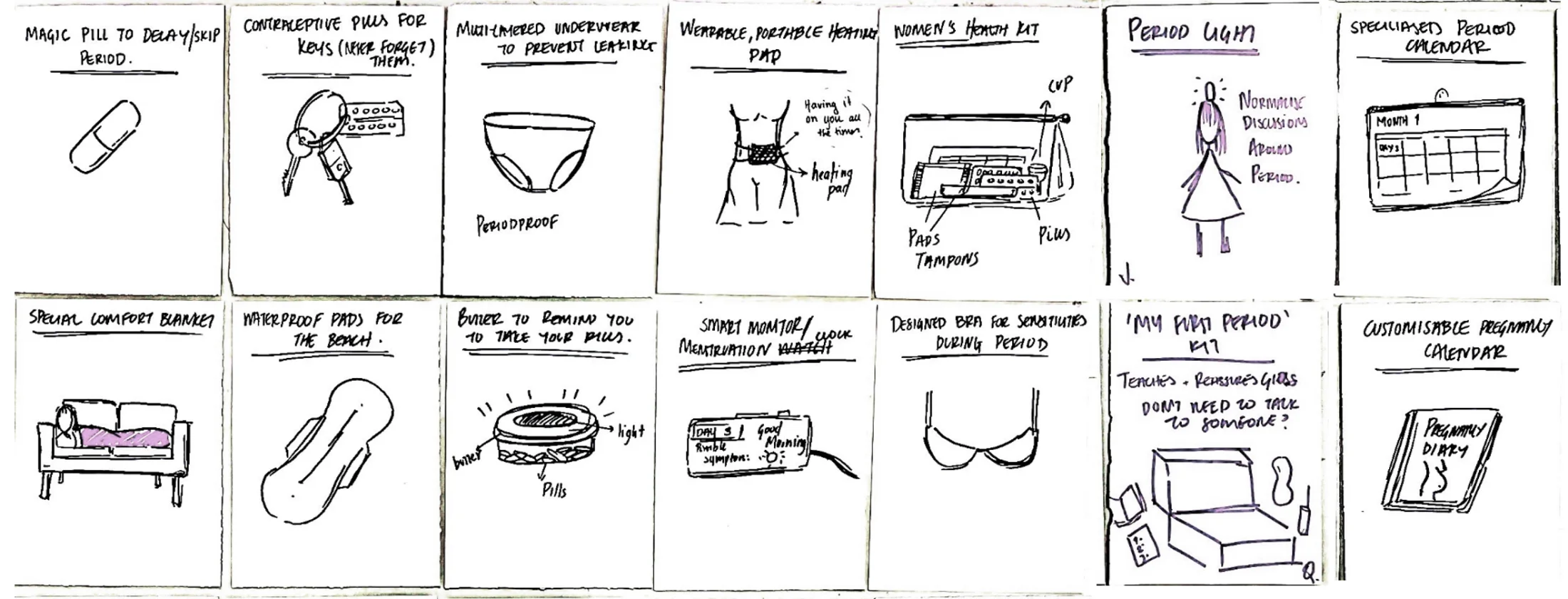
Fourteen concepts in fifteen minutes: period underwear, a heating bra, a smart pill reminder, a comfort blanket. The calendar kept winning out: physical, household, hard to ignore.

Hand-sketched grid of 14 early product concepts
Fourteen concepts.
2 · Material

Paper to brass to copper.

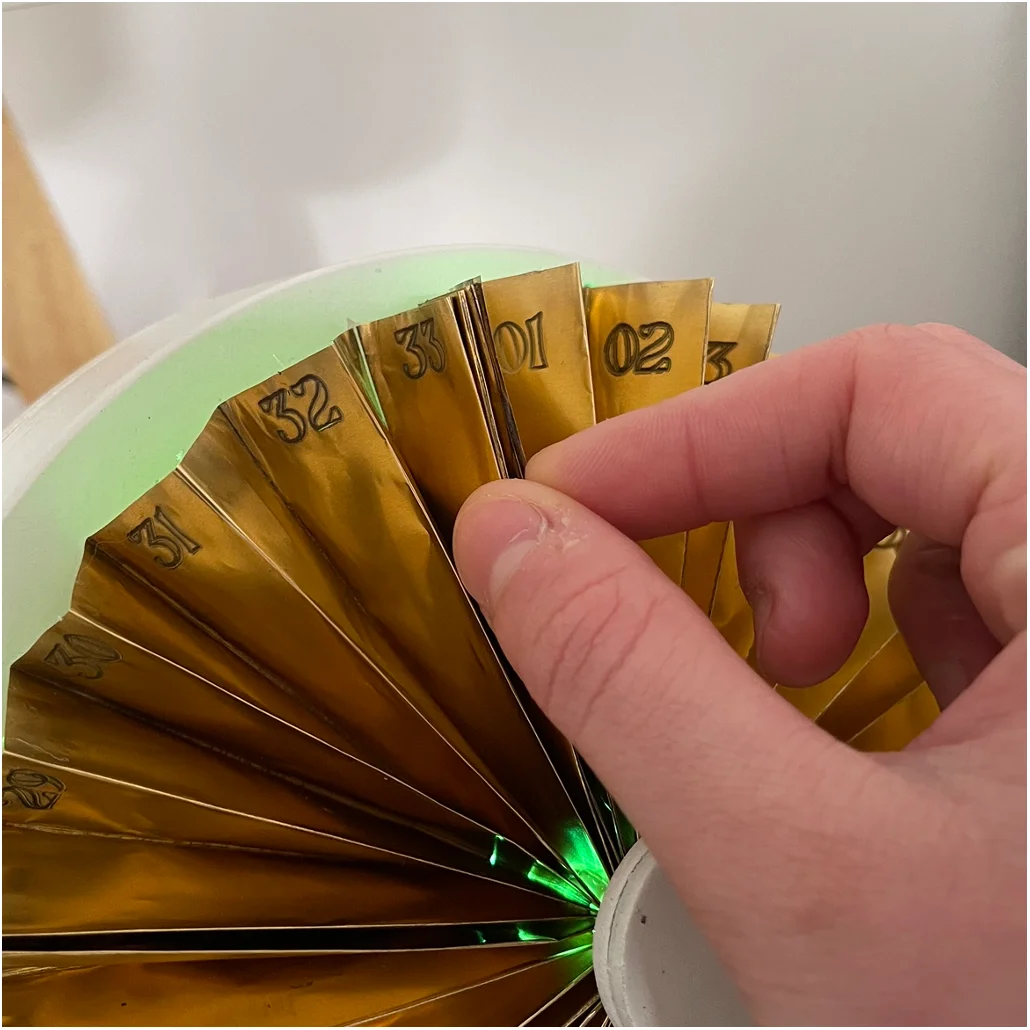
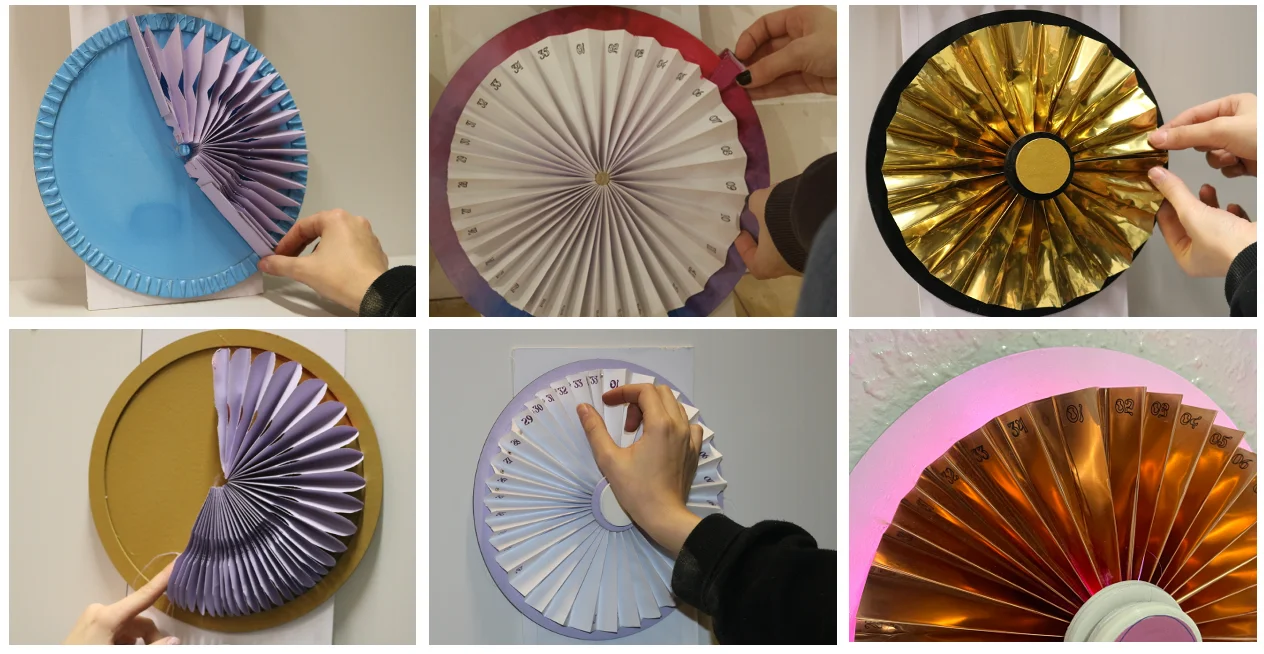
Paper handled the geometry but couldn't survive daily use. A brass-foil prototype was sturdier but creased after repeated folding. Thin copper sheet, engraved with day numbers, magnetised at the folds, gave the right balance of durability, finish, and a satisfying snap when folded away.

Purple paper and gold foil accordion fan prototypes at scale
Scale tests in paper and gold foil, then copper.
3 · Sit, or hang

One object, two affordances.

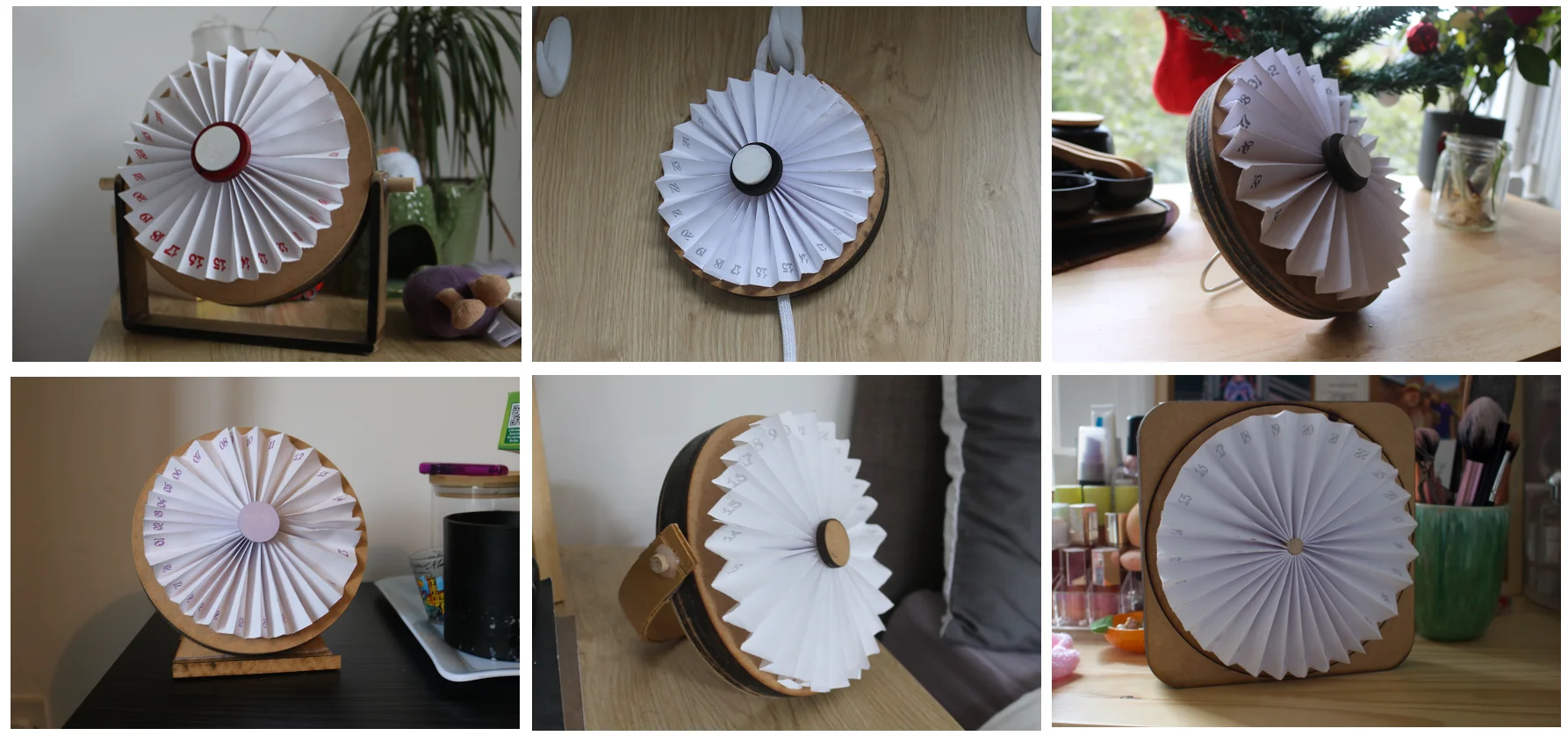
Each early iteration solved one mode and broke the other. The answer merged both: sand the base flat for tabletop, integrate a wooden handle that slides out for sitting, and a hook on the back for hanging.

Close-up of the final device showing the sanded flat base resting on a surface and the integrated copper handle wrapping the body
Final form: sanded base, slide-out handle, wall hook.
§ 07 Decision 02 the form unlock

28 folds, not 28 days.

Cycles run 21 to 35 days. Any rigid calendar erases someone.

The early prototypes

A calendar of fixed days.

Date strips, spinning discs, axis cards. Each broke the moment a cycle ran short or long.
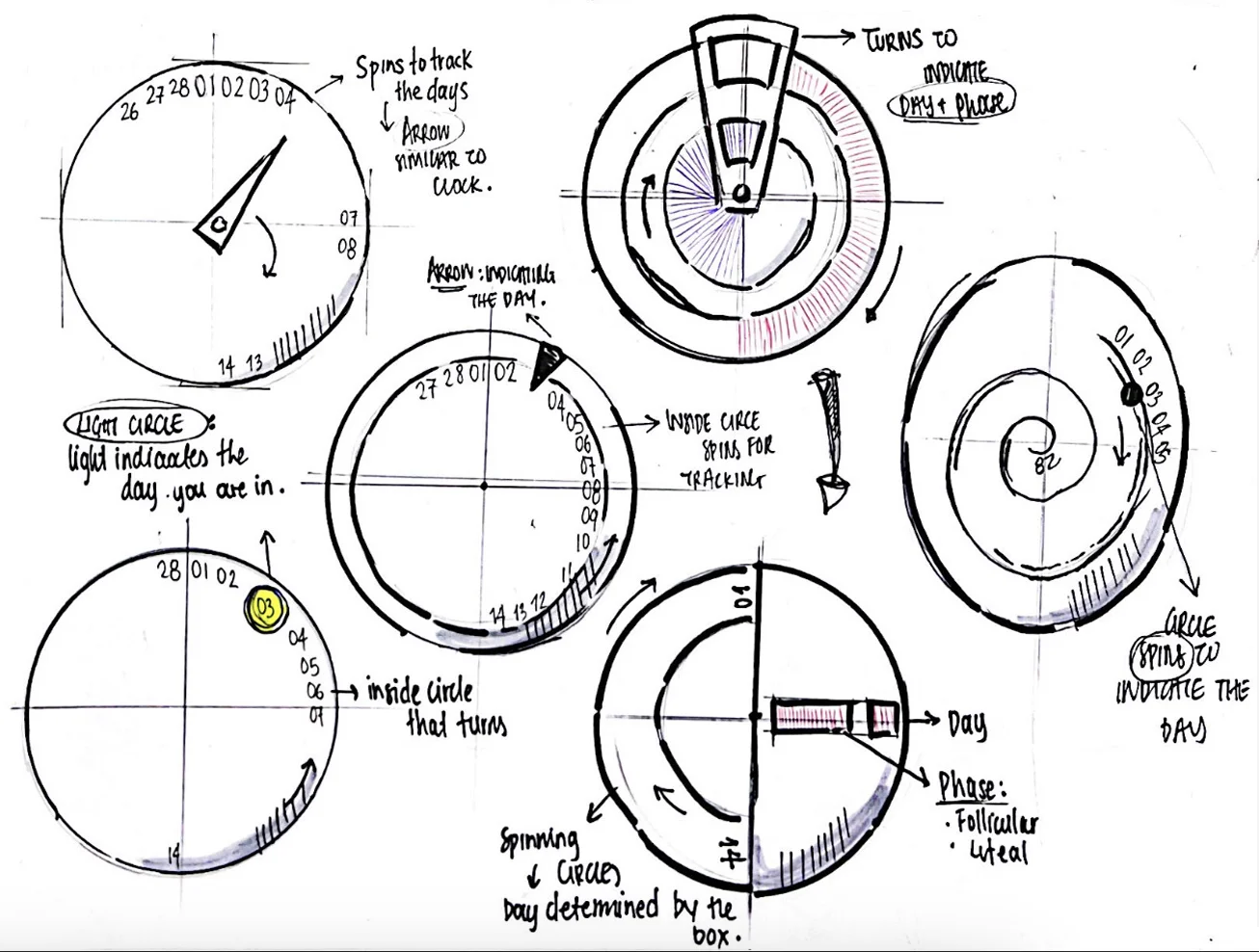
  • Locked to a 28-day assumption
  • Short cycles leave blank days; long ones run out of room
  • Treats the average user as the only user
Sketch grid of early fixed-day calendar concepts: clock-style dial with day arrow, spinning inner circles for tracking, light-circle indicator, and a spiral day layout
Early sketches: clock-face dials, spinning inner discs, light-circles, spirals — each fixed-day idea before the fan.
The unlock

Each fold is one day. Unused folds tuck away.

An accordion of 35 folds, magnetised. The form adapts to the body, not the other way round.
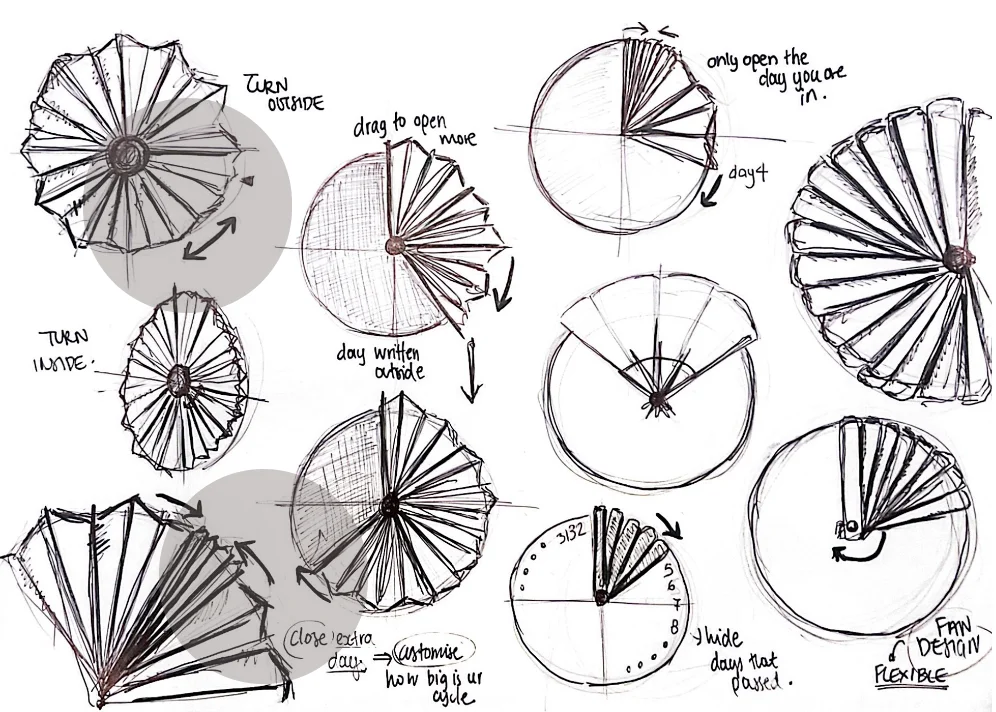
  • Fits any cycle from 21 to 35 days
  • Magnets give a tactile snap when folded
  • The form itself is the date system
the unlock Sketch grid exploring fan-fold mechanics — turning inside vs outside, drag-to-open more, hiding past days, and flexible fan designs
Fan-fold explorations: turn inside or outside, drag to open more, hide the days already passed, customise to cycle length.
§ 08 Building it for real prototype + scale

A system that actually runs, costed to scale.

Two parallel tracks: a Raspberry Pi prototype that genuinely works, and a manufacturing plan with a costed bill of materials.
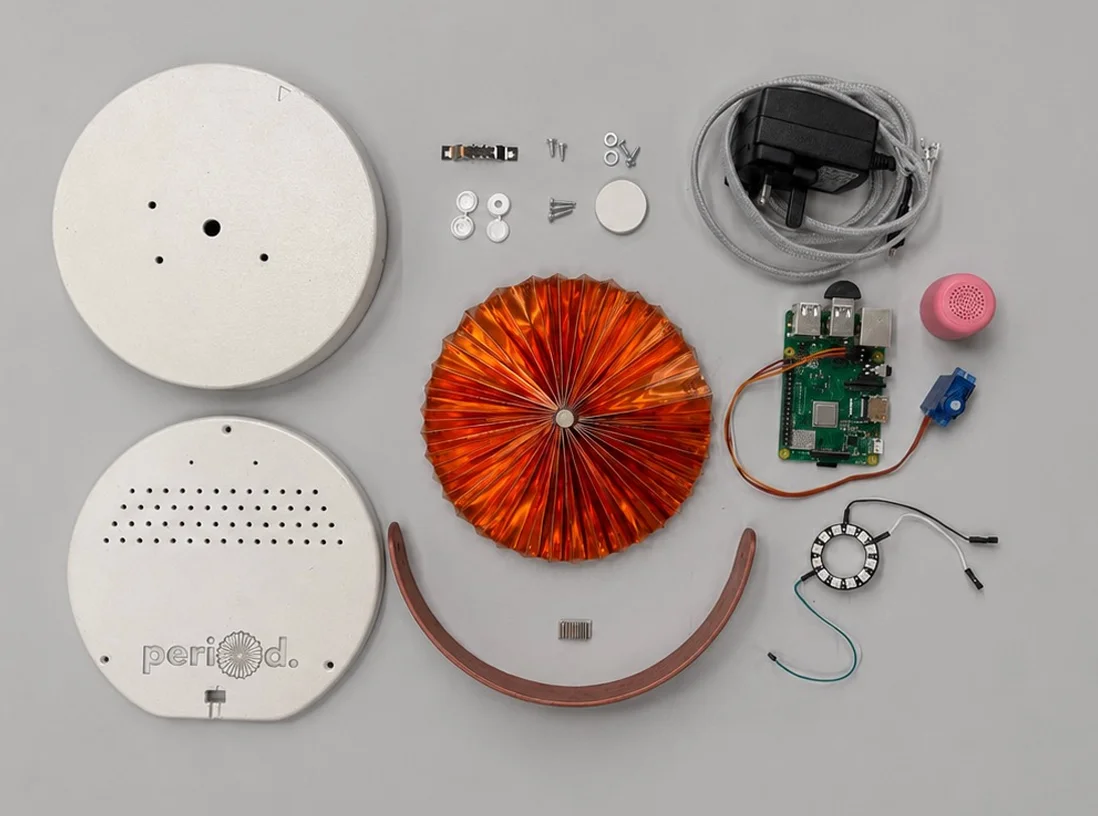
Flat lay of every component used to build the period. device, base, lid, copper fan, handle, electronics, screws, cable
Every part of period., thirteen components total.
A · The working system

Raspberry Pi, end-to-end.

Built in Python. Tracks the cycle day from a stored start date, drives a NeoPixel ring through gradient transitions, turns the metal fan on a servo, takes voice input through a microphone, replies through a speaker via OpenAI's GPT-3.5, scoped to menstrual health and forbidden from diagnoses.

Raspberry Pi 4 NeoPixel 12-LED ring SG90 servo USB mic + speaker
The five core electronic components laid out left to right: Raspberry Pi, NeoPixel LED ring, SG90 servo motor, USB microphone, and speaker
Internals: Pi, NeoPixel ring, servo, mic, speaker.
B · The production system

CNC, lamination, custom PCB.

Birch plywood base (CNC-machined). Copper or brass fan (CNC-engraved with day numbers, folded on a press brake). Brass dowel for durability. Custom PCB and ARM Cortex-A35 controller specified for production, modelled on the Amazon Echo Dot teardown.

Birch plywood base
200 × 200 × 30mm
£3.00
Copper fan sheet
1400 × 75 × 0.8mm
£3.80
Custom PCB & microcontroller
incl. memory, audio SoC
£8.00
+ 9 more components
Total unit cost
retail target £50
£21.88
Chapter B · The app

What a bedside object can't carry: depth, history, and portability.

§ 09 Sketches & iteration deciding by hand

Pen on paper, before pixels.

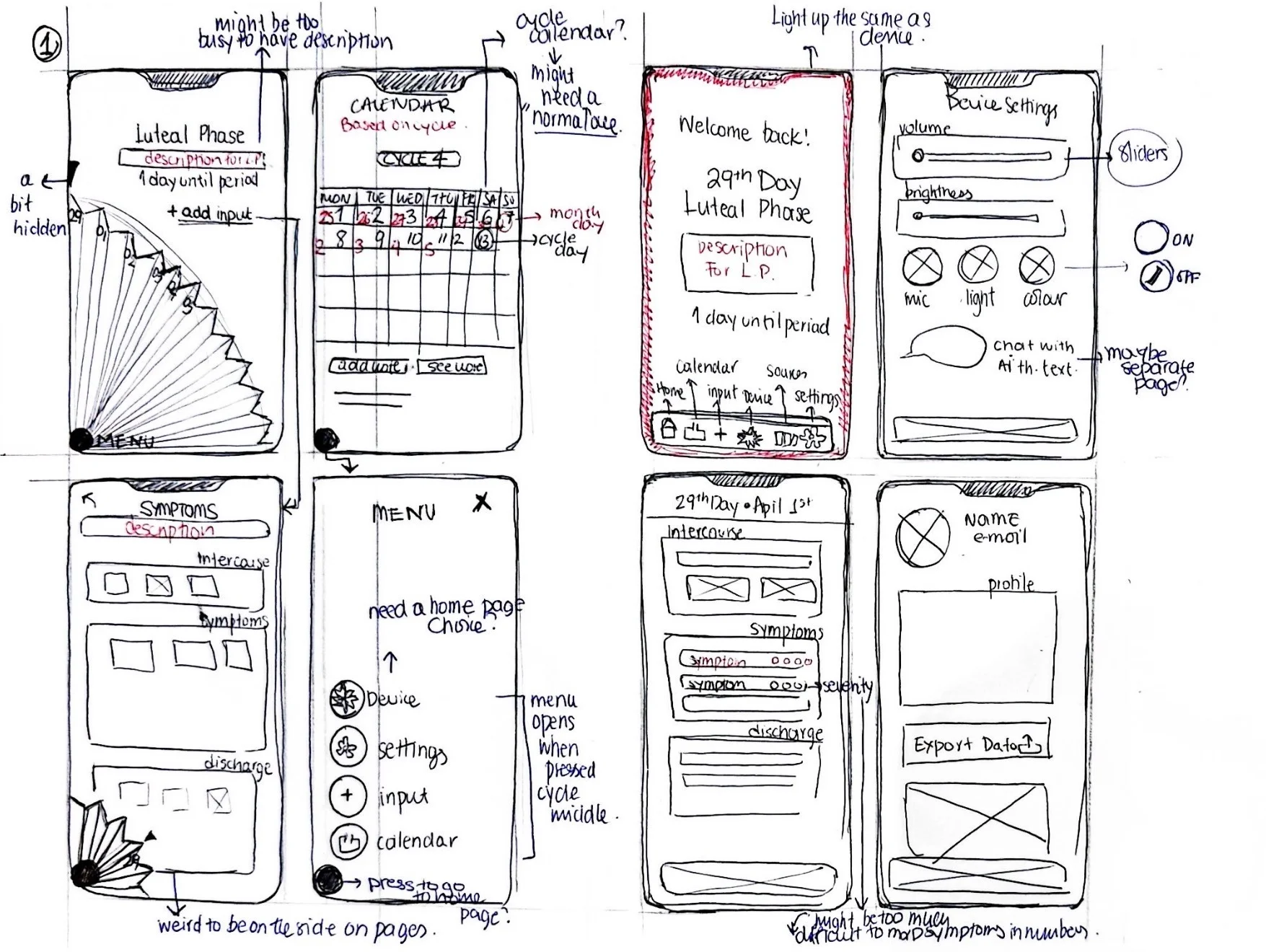
One sheet of dense iteration. Right margins are self-critique: questions about whether descriptions are too busy, whether the home page needs a calendar, where Luna should live.

Sketch sheet of eight app-screen mockups in two rows — luteal phase home, calendar, alt home with bottom-tab nav, device settings, symptom input, side menu, daily input, and profile — with handwritten self-critique in the margins
Sketch sheet 01. Eight screen states, critiqued in the margins.
Question raised

"Might be too busy to have description"

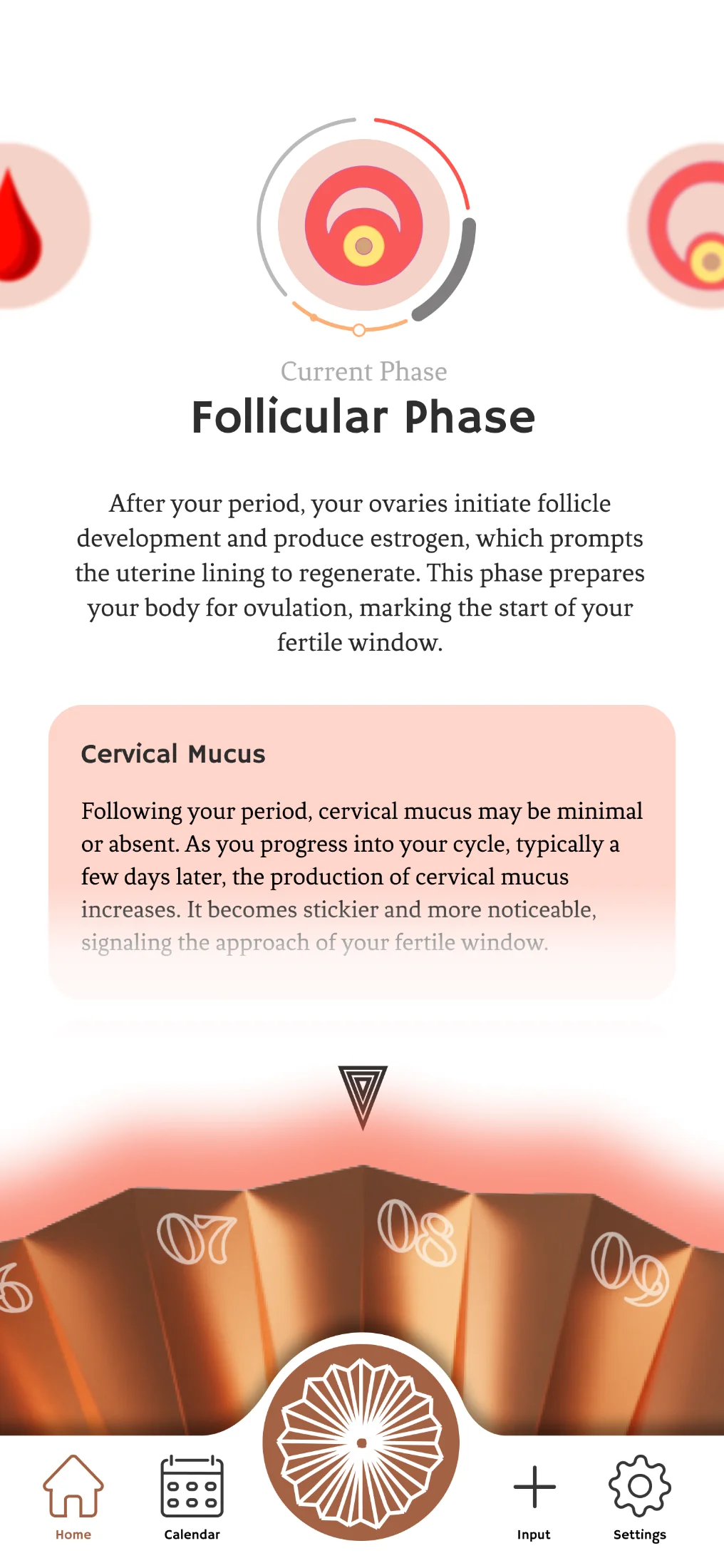
Resolved Phase descriptions move to a dedicated detail page, accessed via a "see details" link.
Question raised

"Need a home page choice"

Resolved Home is the cycle status. The menu opens from the central fan button, not a tab.
Question raised

"Light up the same as the device"

Resolved App background tints to the user's chosen NeoPixel gradient, syncing with the device.
§ 10 Decision 03 the fan, again

The fan, at the centre of every screen.

The deciding question wasn't which navigation was cleaner. It was which one was honest about what the product is, a device with a companion app, not an app with an accessory.
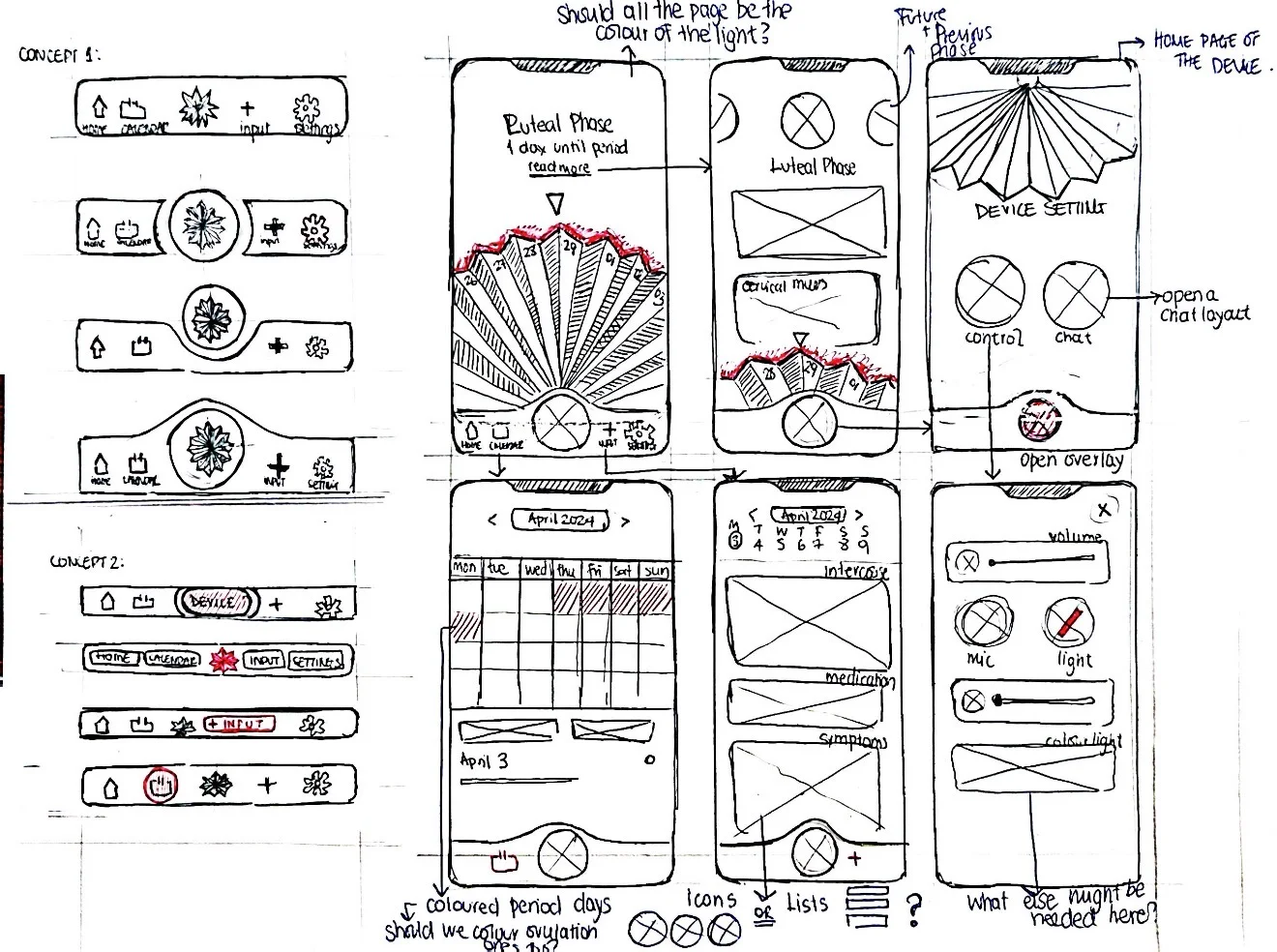
Sketch sheet exploring app navigation on the left — Concept 1 five-tab variations and Concept 2 with a raised central fan button — alongside six annotated phone-screen mockups on the right: luteal phase, device settings, calendar, input log, and device controls
Sketch sheet 02. Navigation concepts, left; annotated screen mockups, right.

This concept won because the geometry told the story. The fan-shaped central button anchors every screen the way the device anchors the user's day, placing the AI assistant at the literal centre of the app, where it lives in the room.

Three themes, chosen on the device.

The NeoPixel ring offers three gradients. The app reads that choice and tints every screen to match. Pink is one option, never the default.
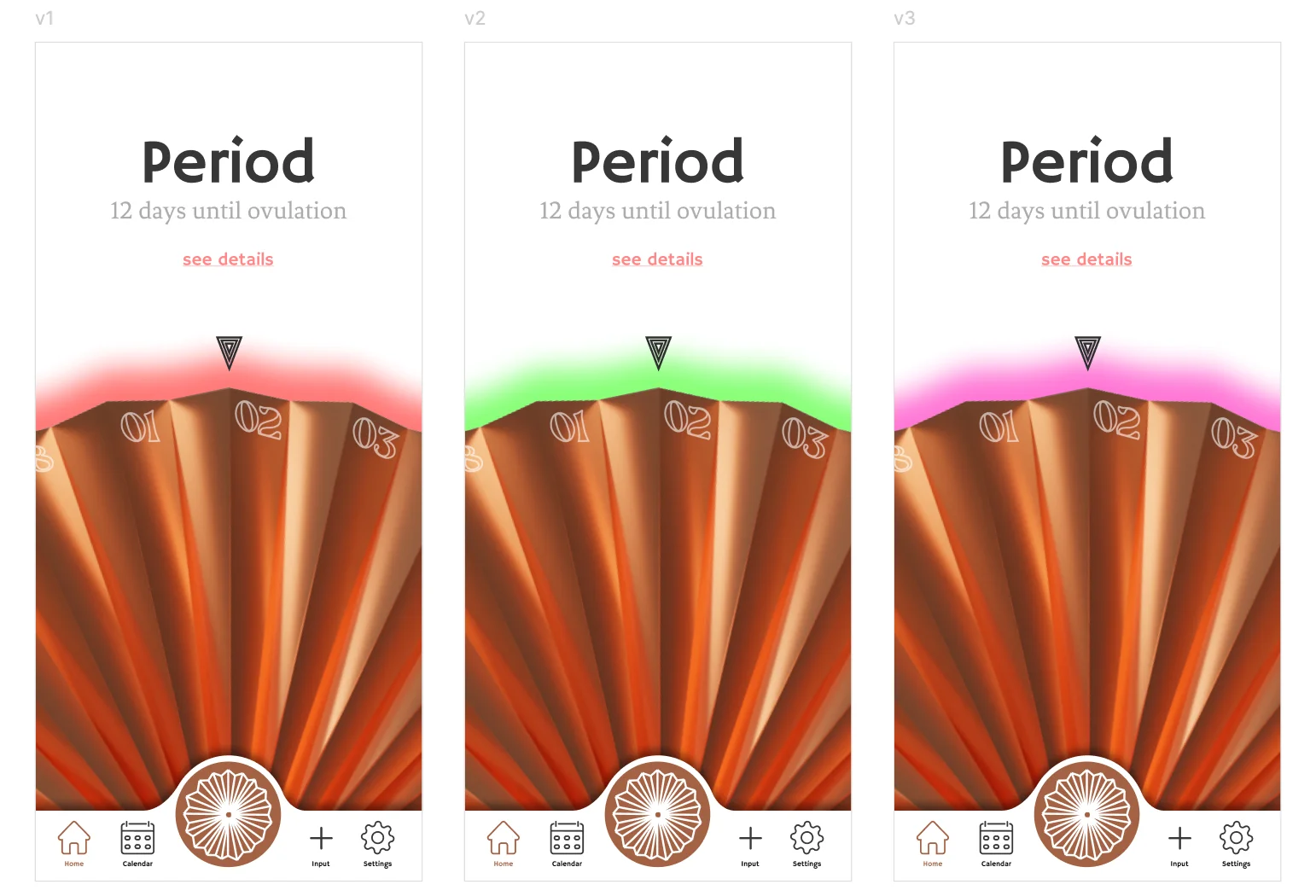
Red → Orange
Green → Yellow
Pink → Purple
Three iPhone screens showing the same Period view in white, pink, and peach background variants
Same screen, three palettes. The fan stays copper.
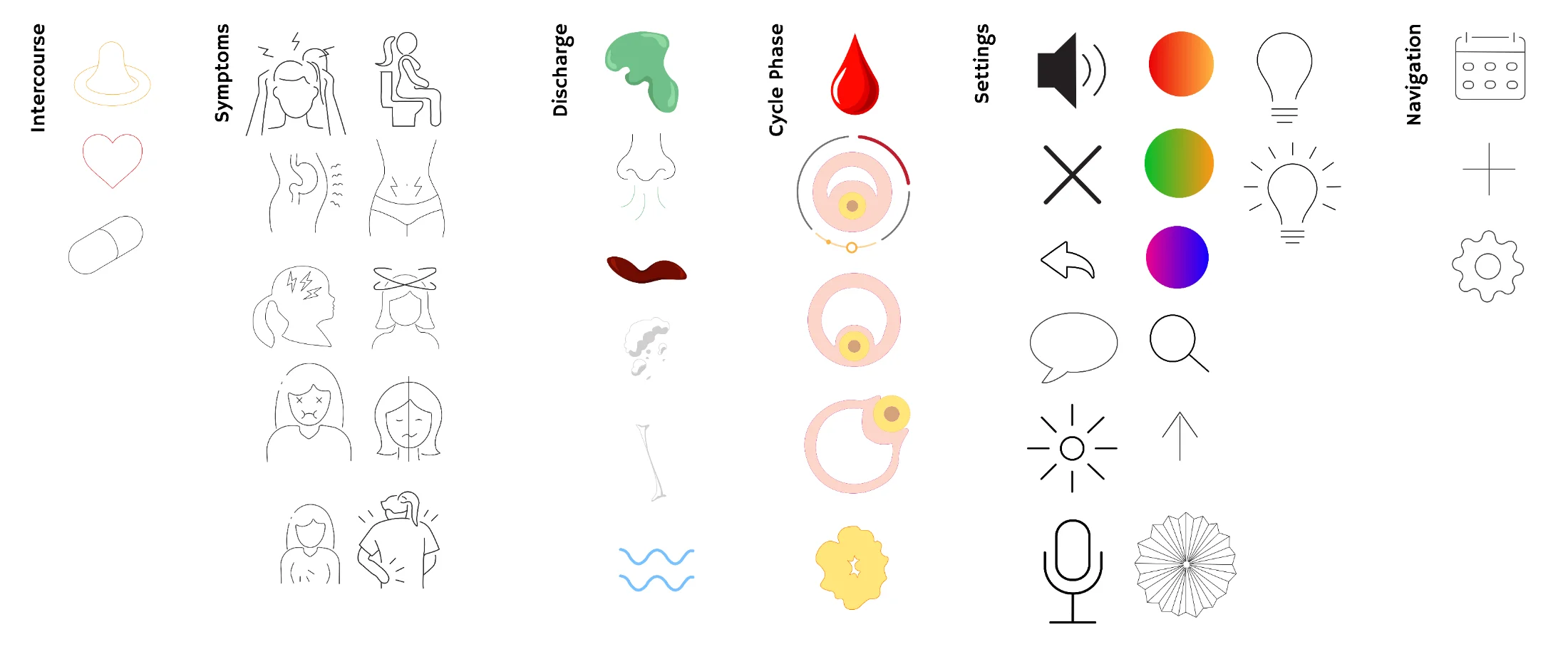
Custom icon library: symptoms, body states, cervical mucus types, gradient swatches, controls
Custom icon library, organised by category.

A custom icon library.

Drawn line by line, not pulled from a stock pack. Forty-plus marks across symptoms, cycle states, input categories, and device controls, all at one consistent stroke weight.

§ 11 Final screens the app, in motion

Built in Figma. Tested with real cycles.

Forty-plus screens across the home, calendar, input, device control, and settings flows. Below, the working prototype walking through a full cycle, then four key states pulled from the deck.

App walkthrough.
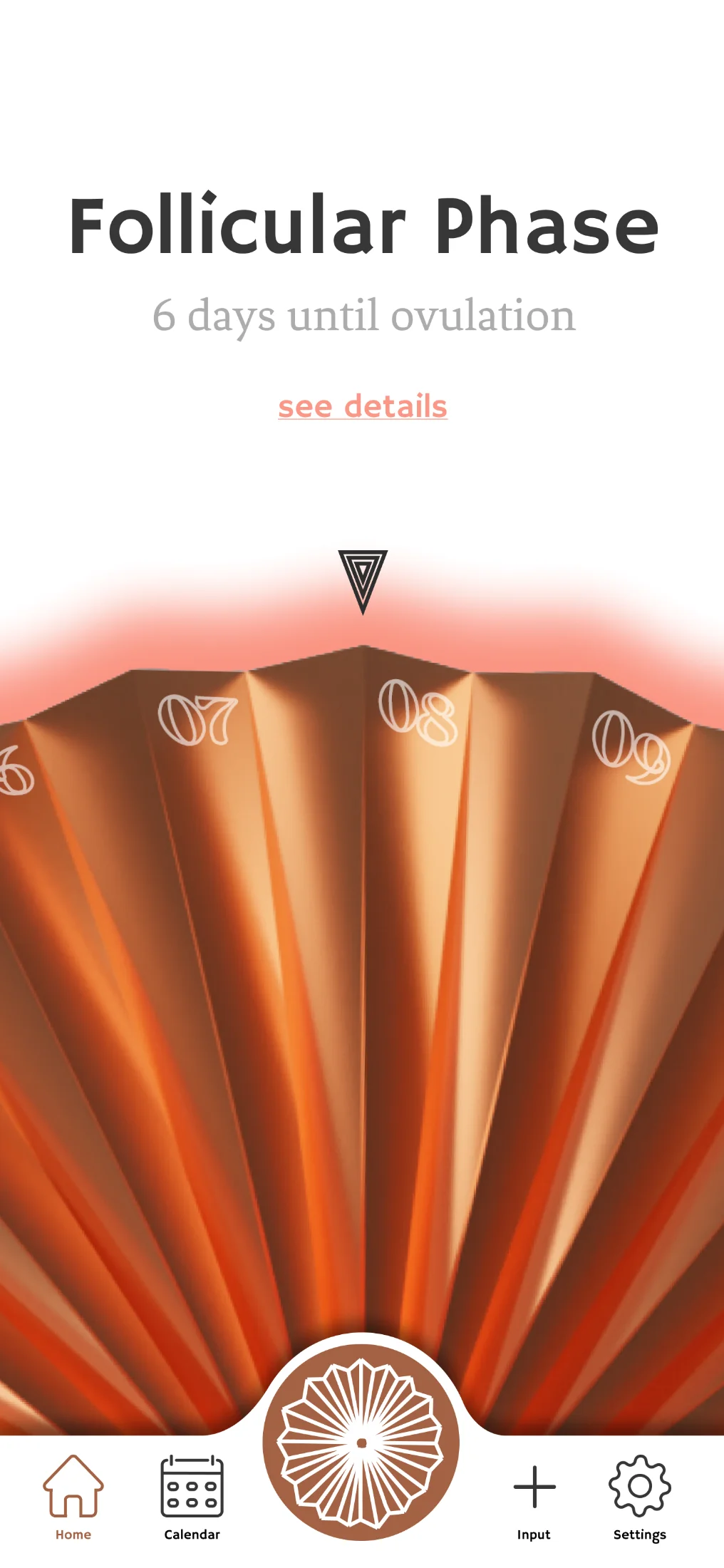
01 · Home
Home screen showing the Follicular Phase with 5 days until ovulation
Phase named first. Countdown second. Logging is one tap on the central fan.
02 · Phase detail
Period phase detail screen with explanation and possible symptoms
Plain-language explanation, symptom list, self-care guidance.
03 · Input
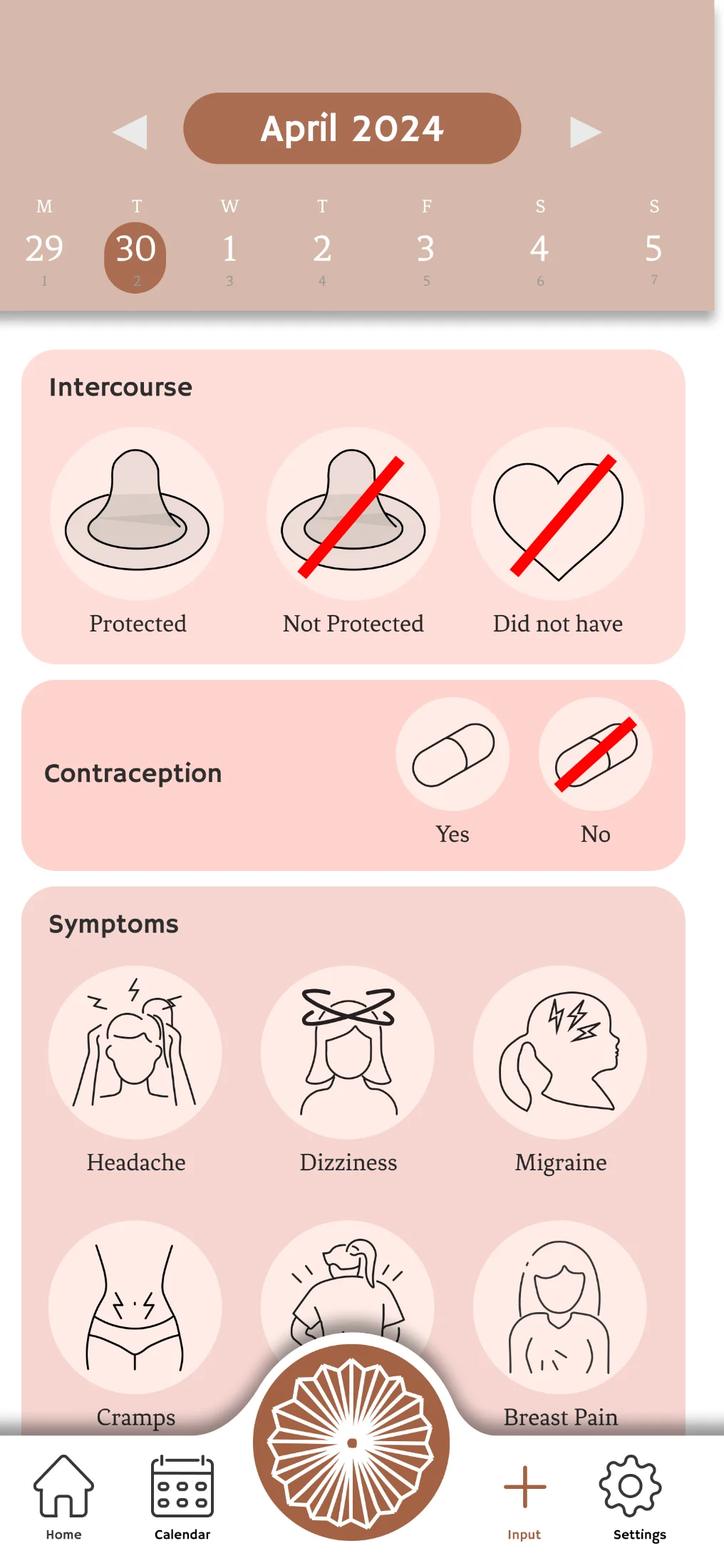
Input screen for logging symptoms, intercourse, contraception
Log symptoms, intercourse, contraception. One tap from the home screen.
04 · Luna, written
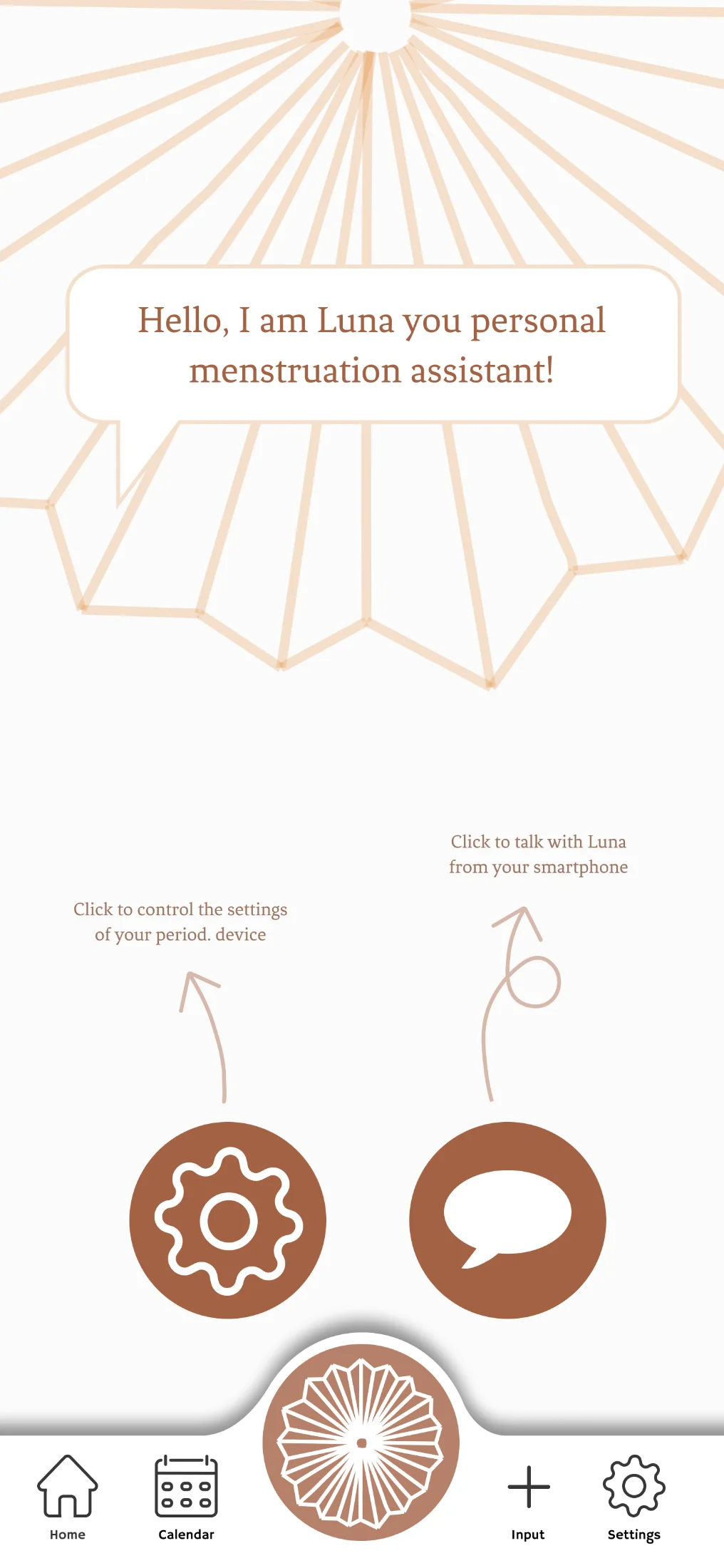
Luna AI assistant introducing herself in the app with options to access device settings or chat
The voice assistant, available as text. For when speaking out loud is not an option.
05 · Calendar
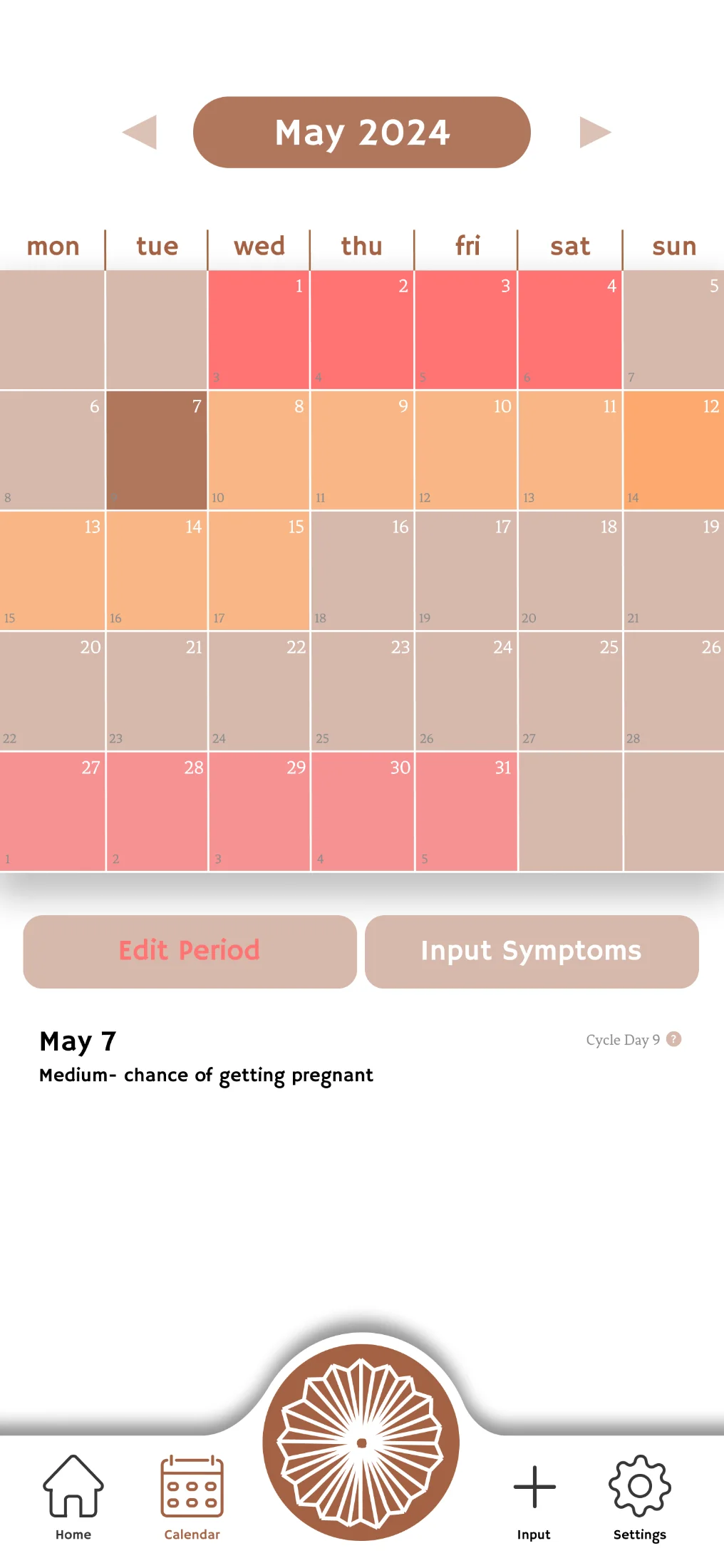
Tracker / calendar view showing logged days across the cycle
Cycle history at a glance. Exportable to share with a doctor.
06 · Device settings
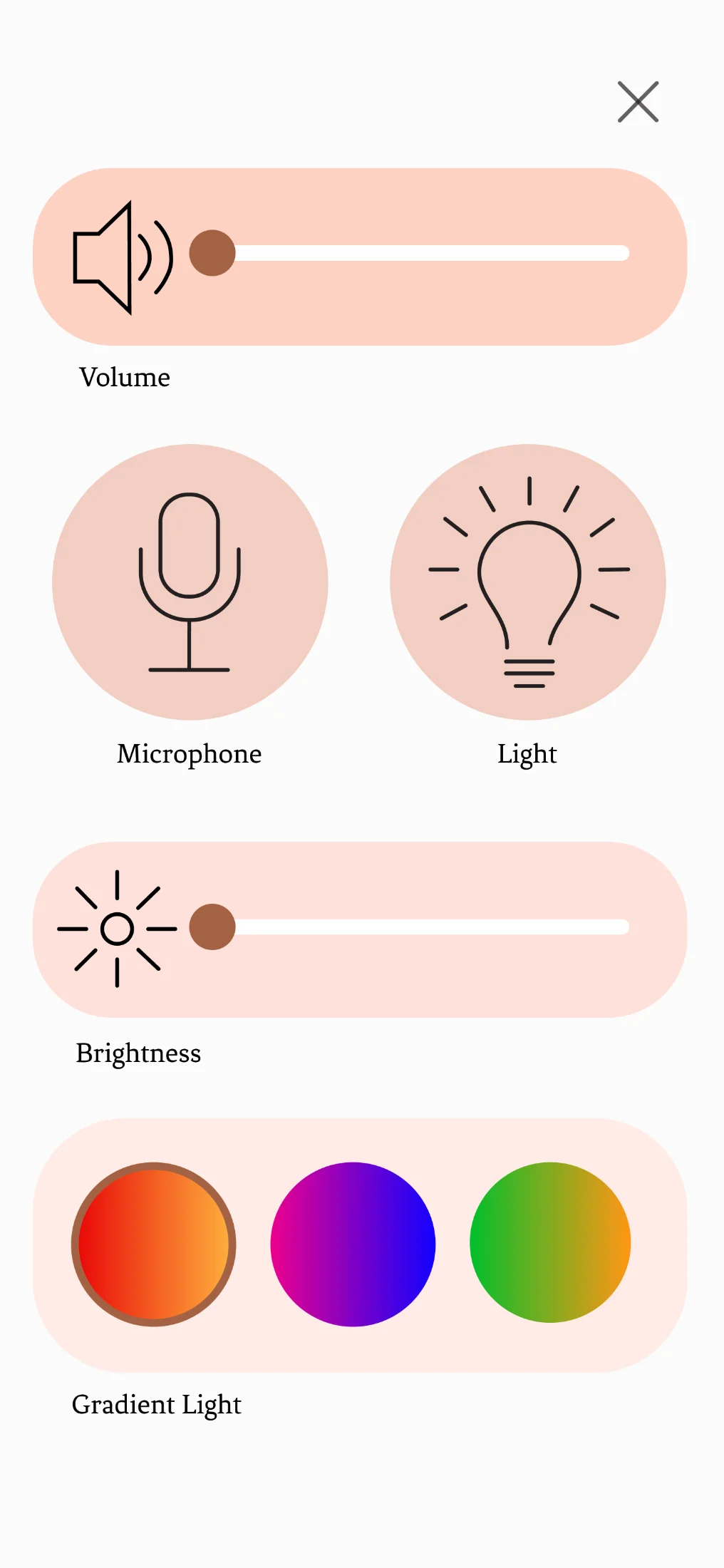
Device control screen showing volume, microphone, brightness, and gradient colour selection
Volume, microphone, brightness, and the gradient that the NeoPixel ring uses.
§ 12 Final product two finishes, one object

Two finishes. Same object.

Copper and brass: chosen so the device looks at home in any bedroom palette, and so the user's first decision (before they even open the app) is theirs to make.

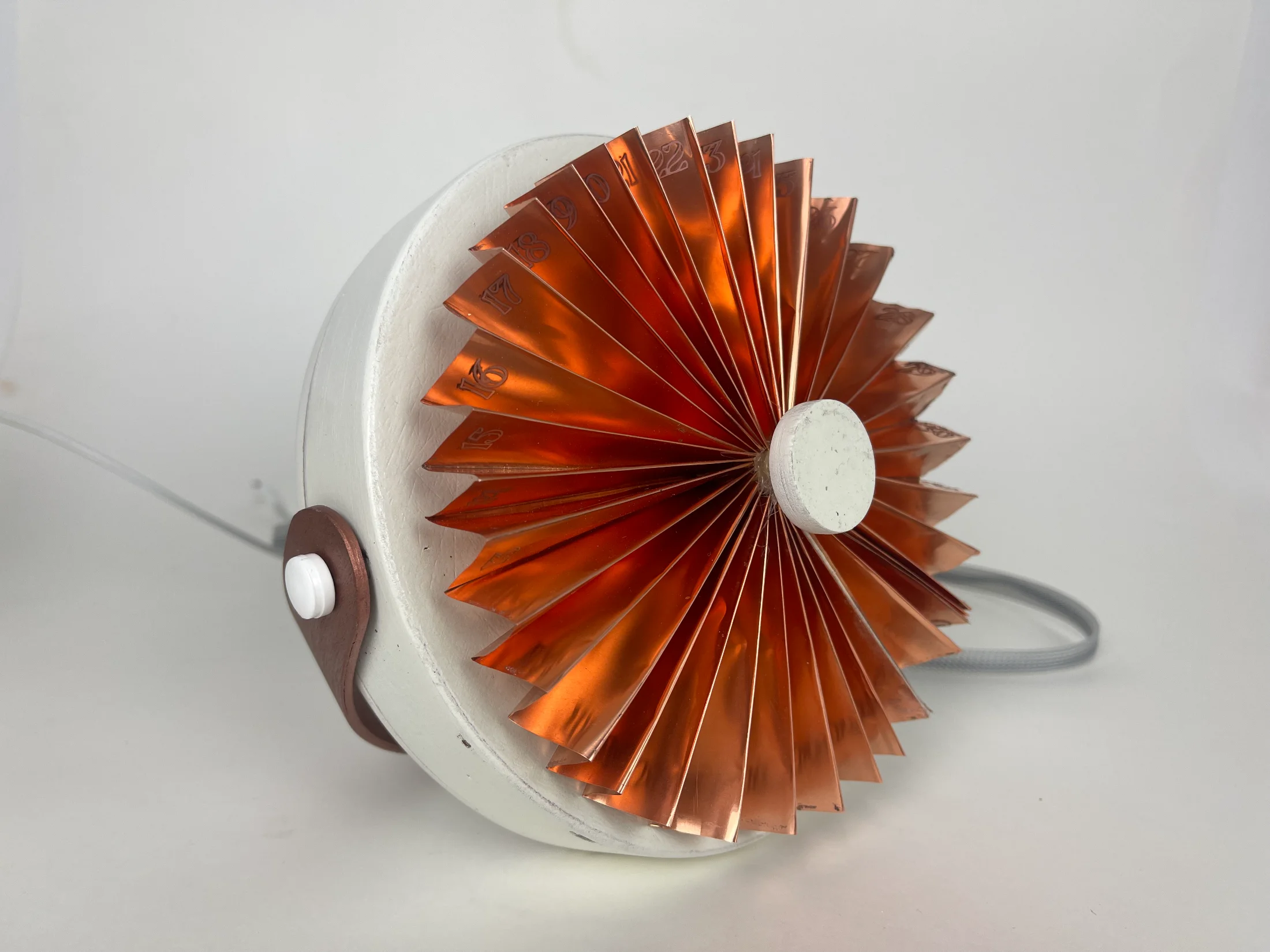
two finishes Final period. device in copper finish, photographed in studio
Copper finish, defaults to the red-orange gradient.
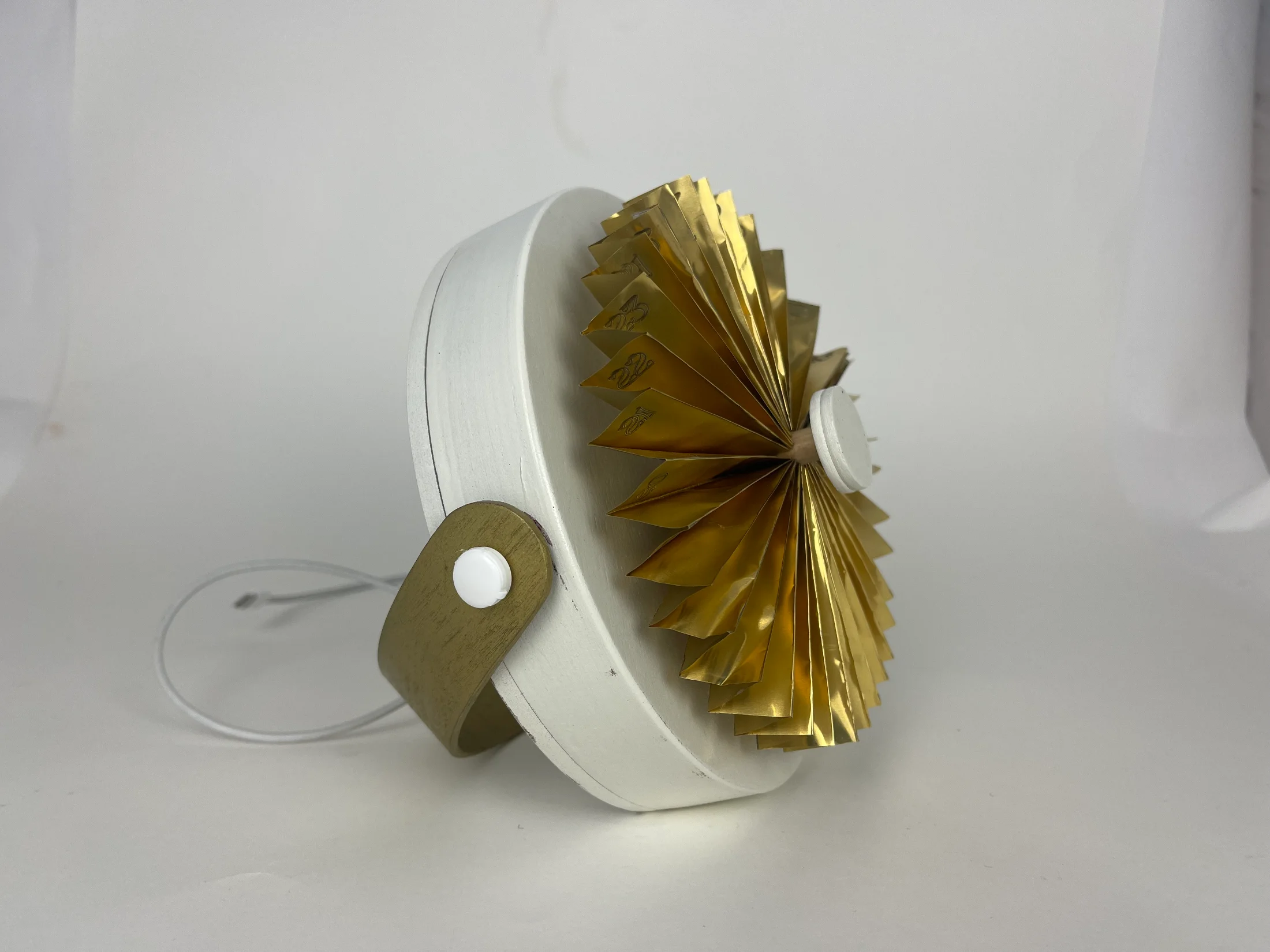
Final period. device in brass finish, photographed in studio
Brass finish, pairs with the green-yellow gradient.
Side view of the copper device on a wooden bedside table with a hand resting on its right edge, glowing red
Copper, hand touching fan.
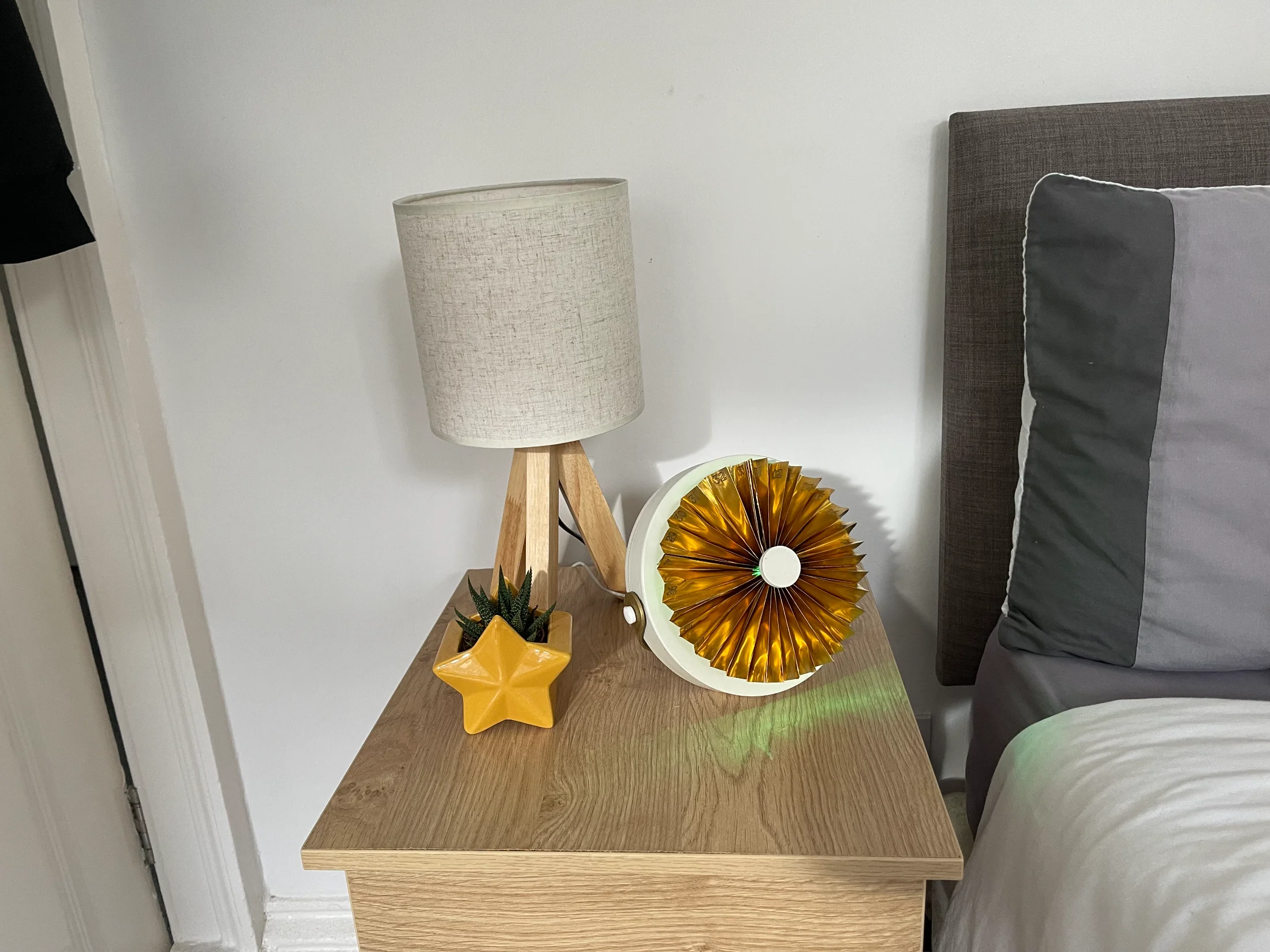
The brass device on a wooden bedside table next to a tripod lamp and a star-shaped planter, glowing green
Brass, beside the lamp.
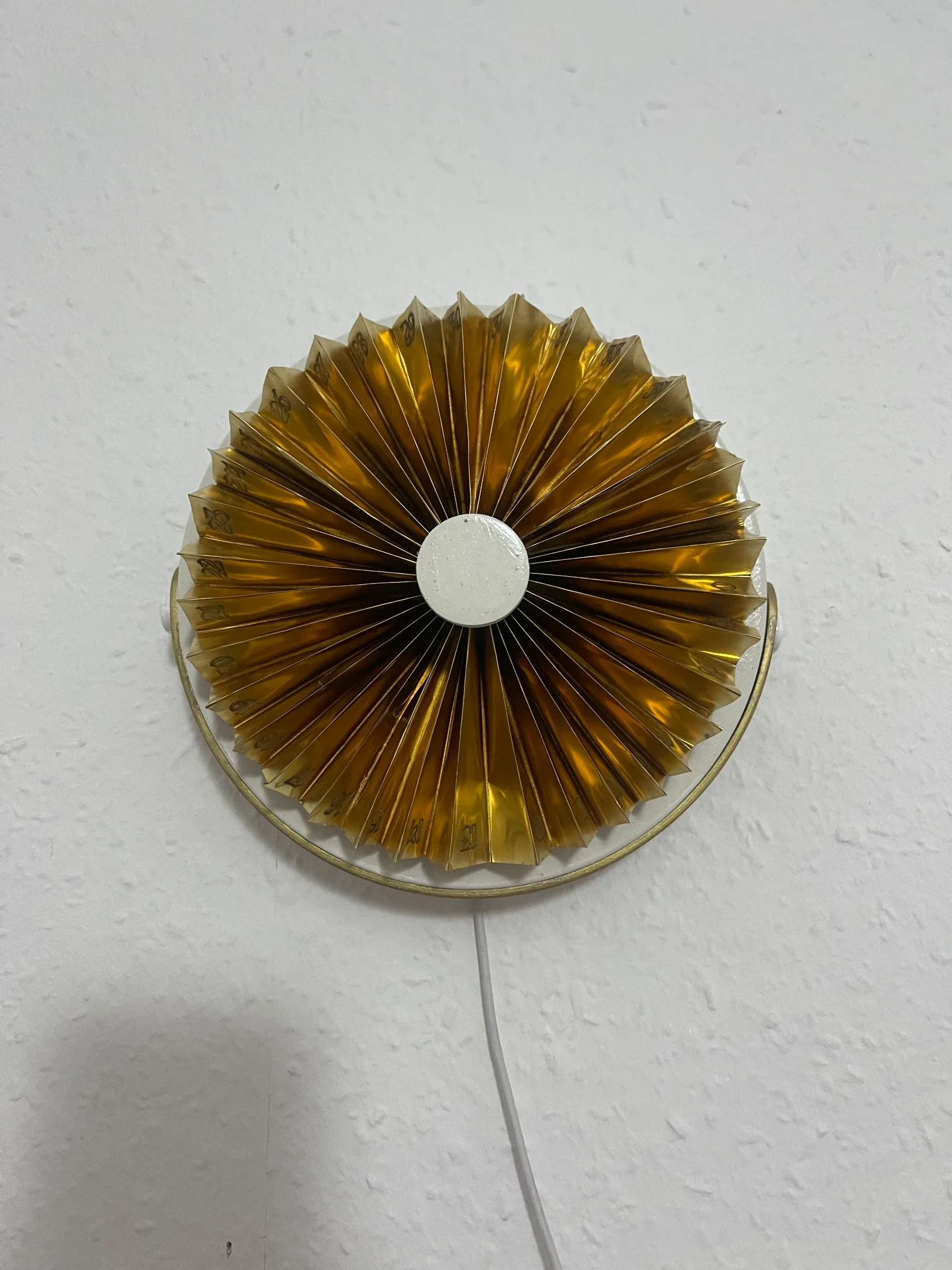
The brass device wall-mounted on a textured white wall, viewed straight on, with the power cable dropping below
Wall-mounted, brass.
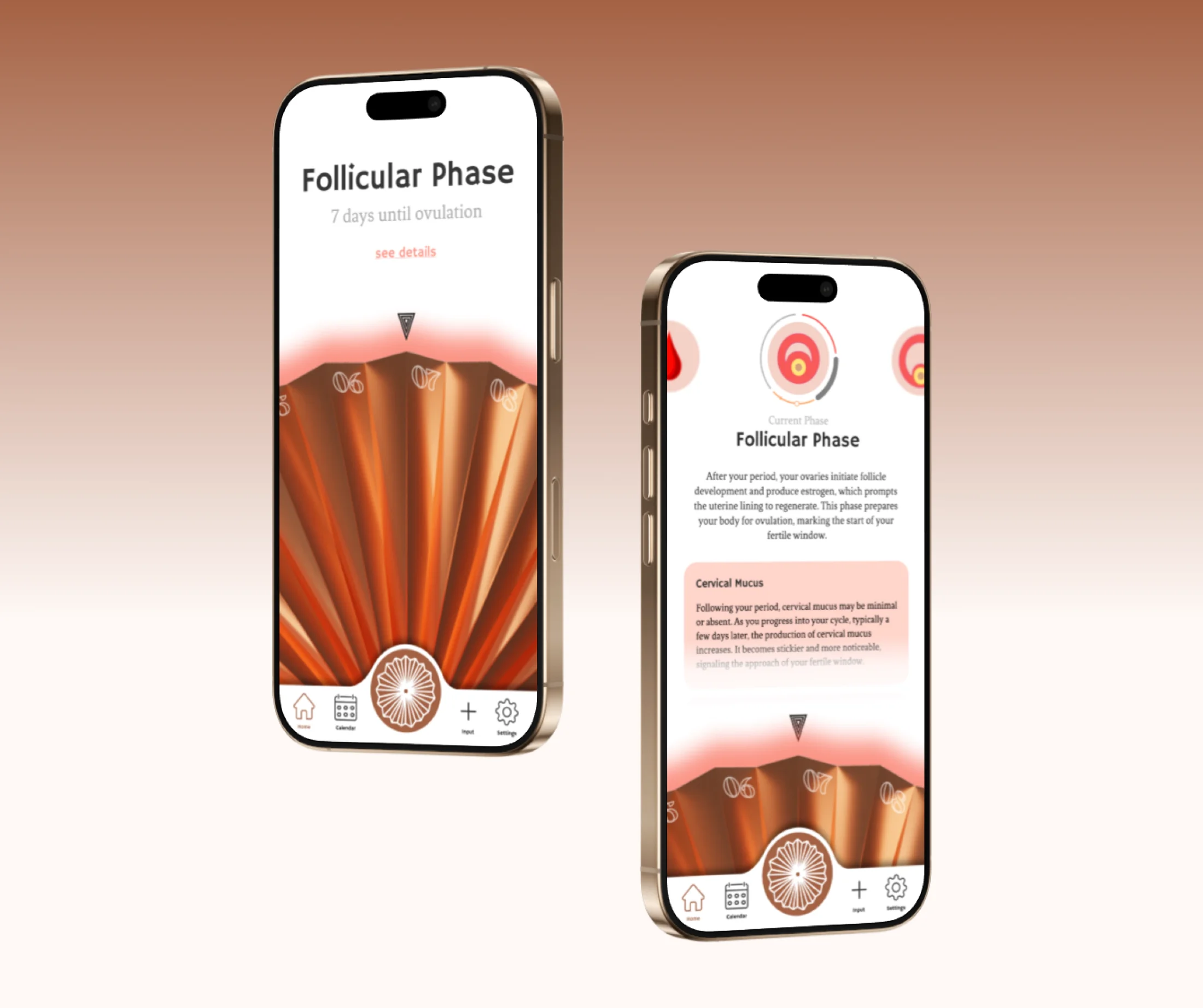
Two phones showing the period. companion app on the Follicular Phase screen — the home view with days until ovulation, and the detail view explaining the phase and cervical mucus
The companion app — Follicular Phase, home and detail.
"Aesthetic that doesn't compromise functionality, and functionality that respects the user."
— Workshop synthesis on what woman-centred design means in practice