Project 01 · onaka
Year Nov 2024 to Jul 2025
Context MA Design Products · Royal College of Art
Role Sole designer · research, hardware, app

Tracking gut health without the anxiety it causes.

A pocketable IoT device and app that lets people with chronic GI conditions log symptoms in seconds, screen-free.

UX Research Interaction Design IoT UI Design Data Design Branding
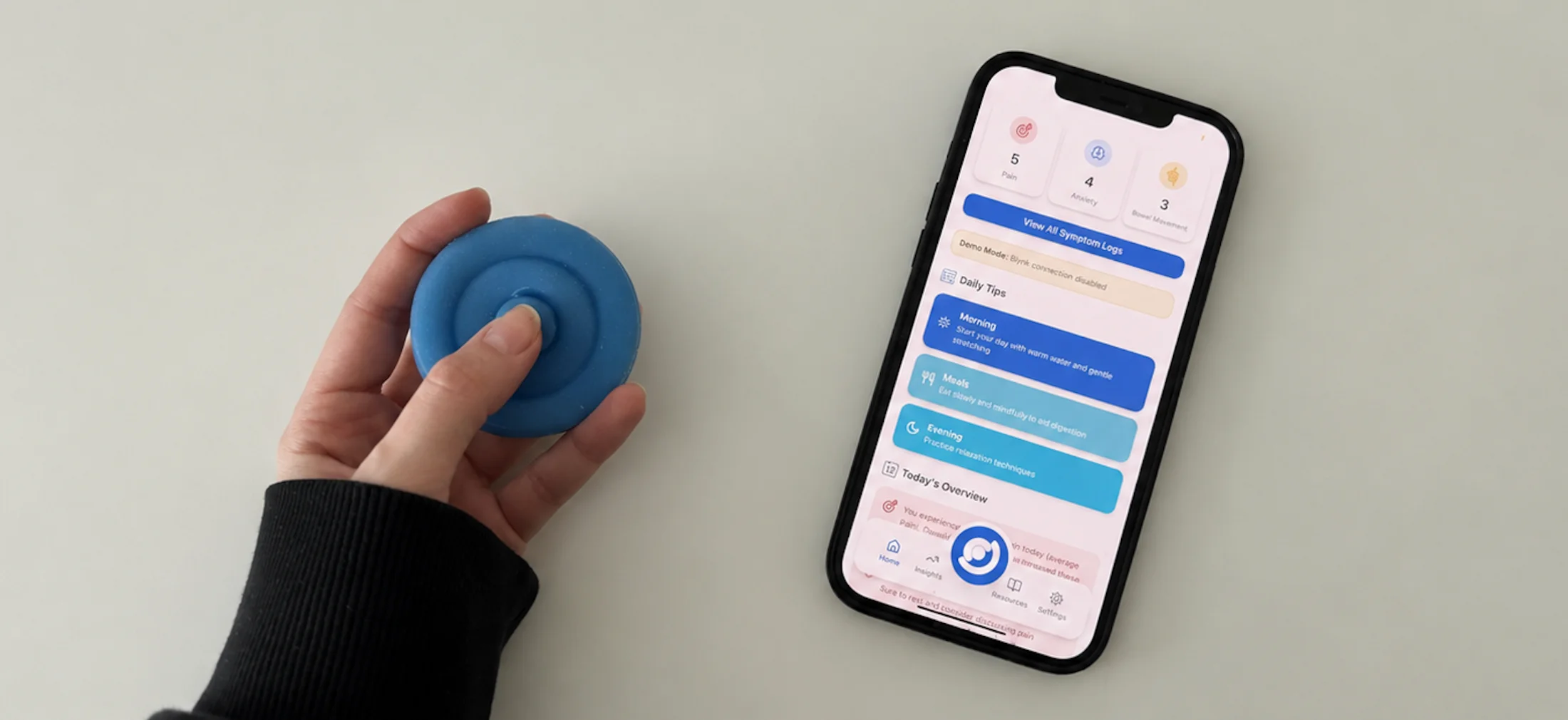
A hand pressing the blue Onaka device beside a phone showing the onaka companion app dashboard with symptom counts and daily tips
§ 01 The problem where it all began

1 in 5 people in the UK have a GI condition. The tools meant to help make things worse.

Existing apps demand constant logging, feeding the anxiety that, through the gut-brain axis, worsens the very symptoms they track.

"Existing solutions need too much effort, more stress than relief."
Patient interview · 2024
1/5
UK people with chronic GI conditions
10–20%
of UK population has IBS
3 apps
tested by 5 users over 5 days, all overwhelming
100%
wanted something faster and less effortful
Before designing

I talked to doctors and patients first.

A · Two clinician interviews

Patients can't describe symptoms without a tool.

Gastroenterologists, at project start and mid-development.

B · Patient journey mapping

Anxiety and symptoms feed each other.

Day-mapping surfaced the cycle, and the cost of current tools.

C · 5 users · 3 apps · 5 days

Rival apps breed awareness, not understanding.

Diary study across three leading GI apps.

"People need a fast, low-stress way to capture experience."
Design insight · synthesised from research
§ 02 How it works one loop, two media

One daily loop, across the pocket and the screen.

Four moments, two on the device, two in the app. The hand-off between them is the design.
Device
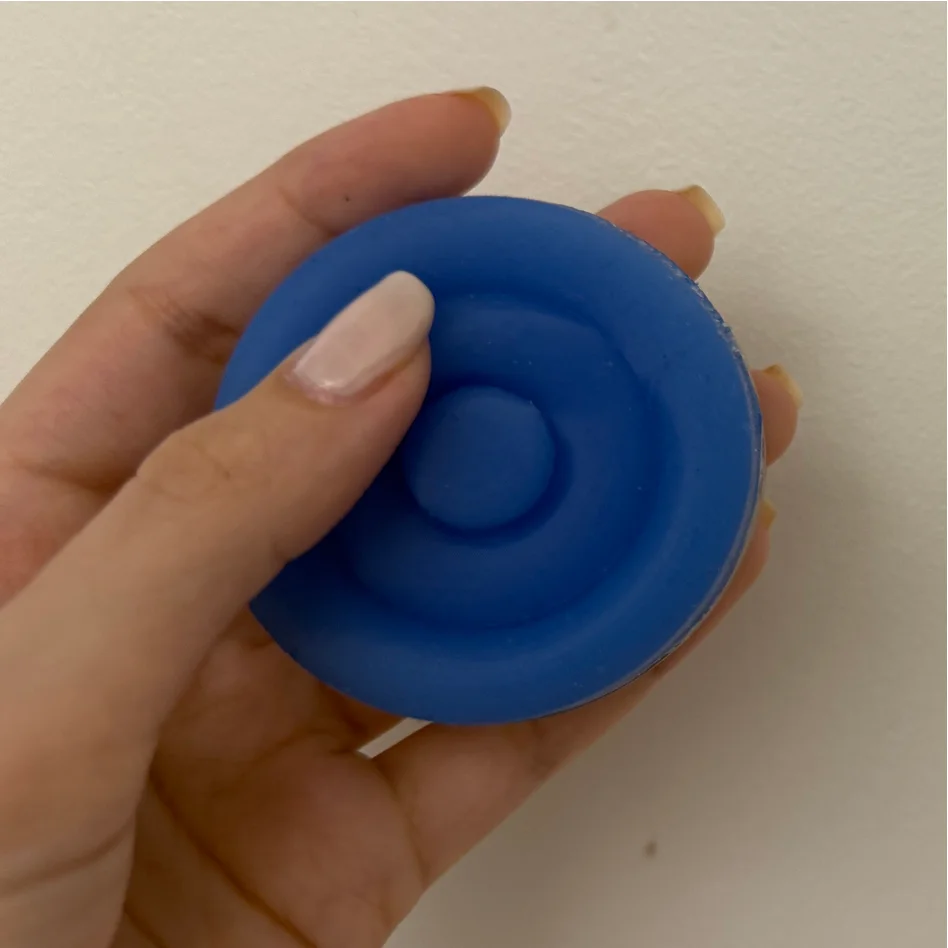
Press to log
Hand pressing the blue Onaka device

Pain, anxiety, or bowel in seconds, without opening anything.
Device
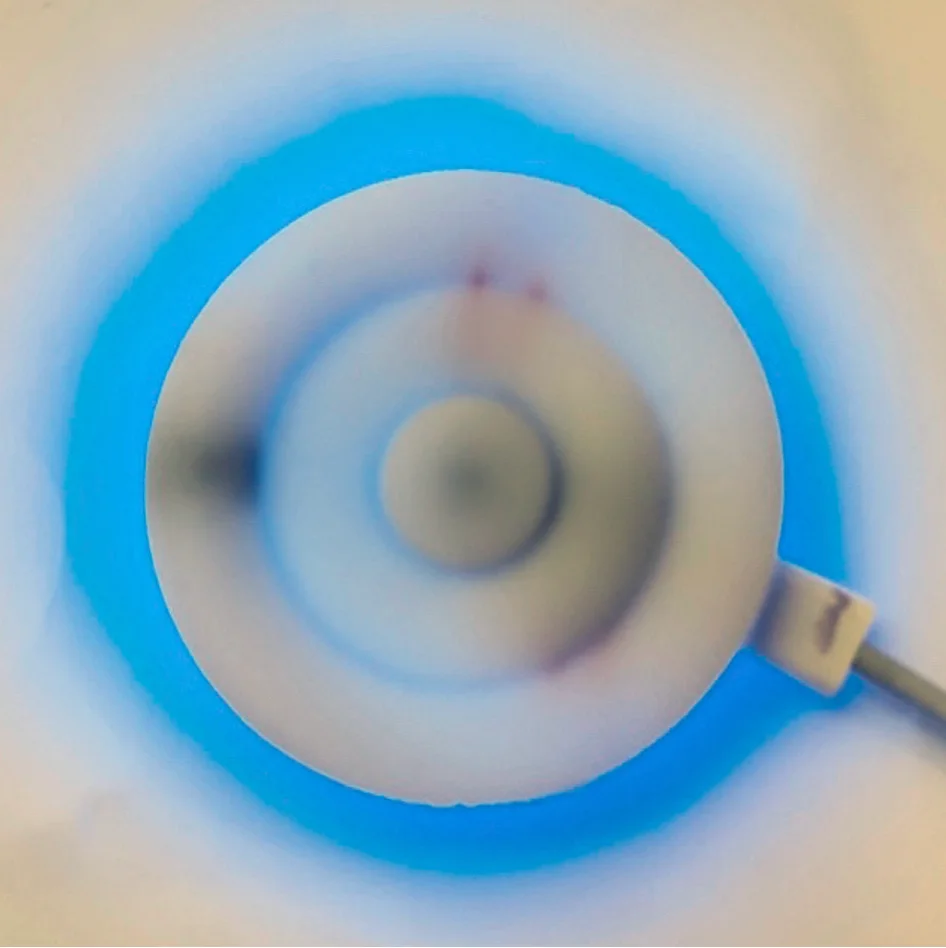
Breathe, then carry on
Onaka device emitting a blue NeoPixel breathing pulse

Press anxiety and the device pulses a 5s inhale / 5s exhale before logging.
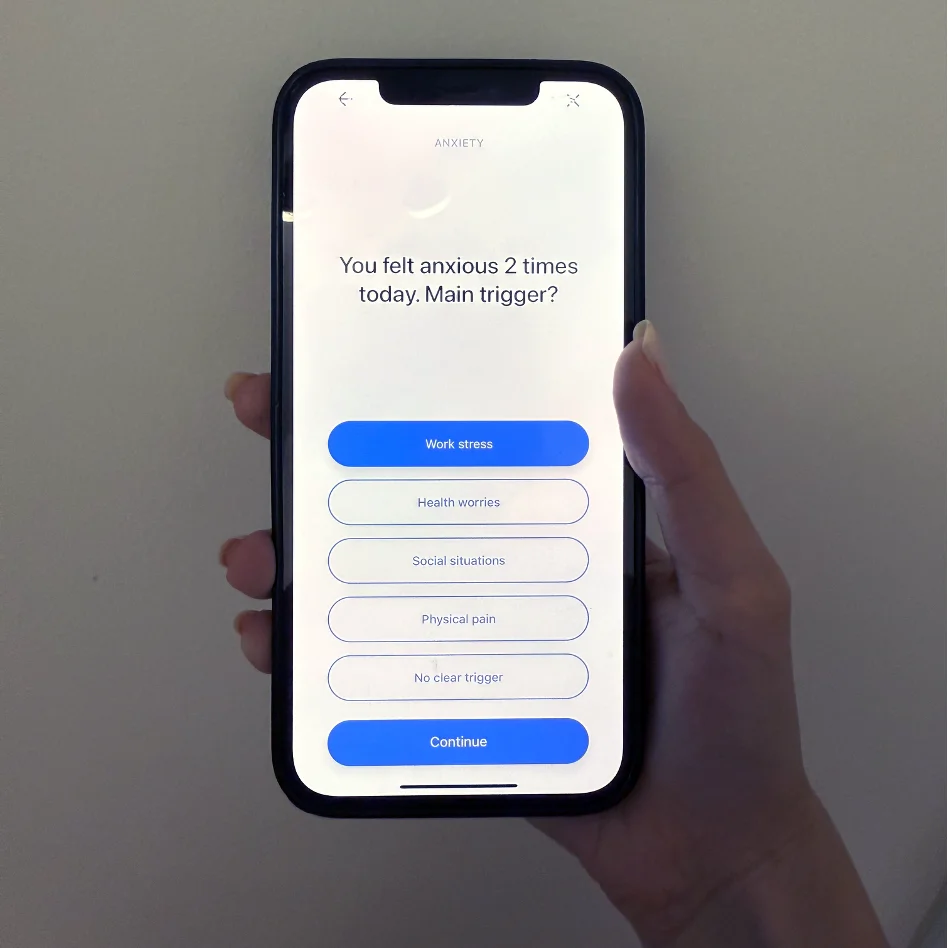
App
Reflect, once a day
Companion app asking 'You felt anxious 2 times today. Main trigger?'

One end-of-day question, generated from what was logged.
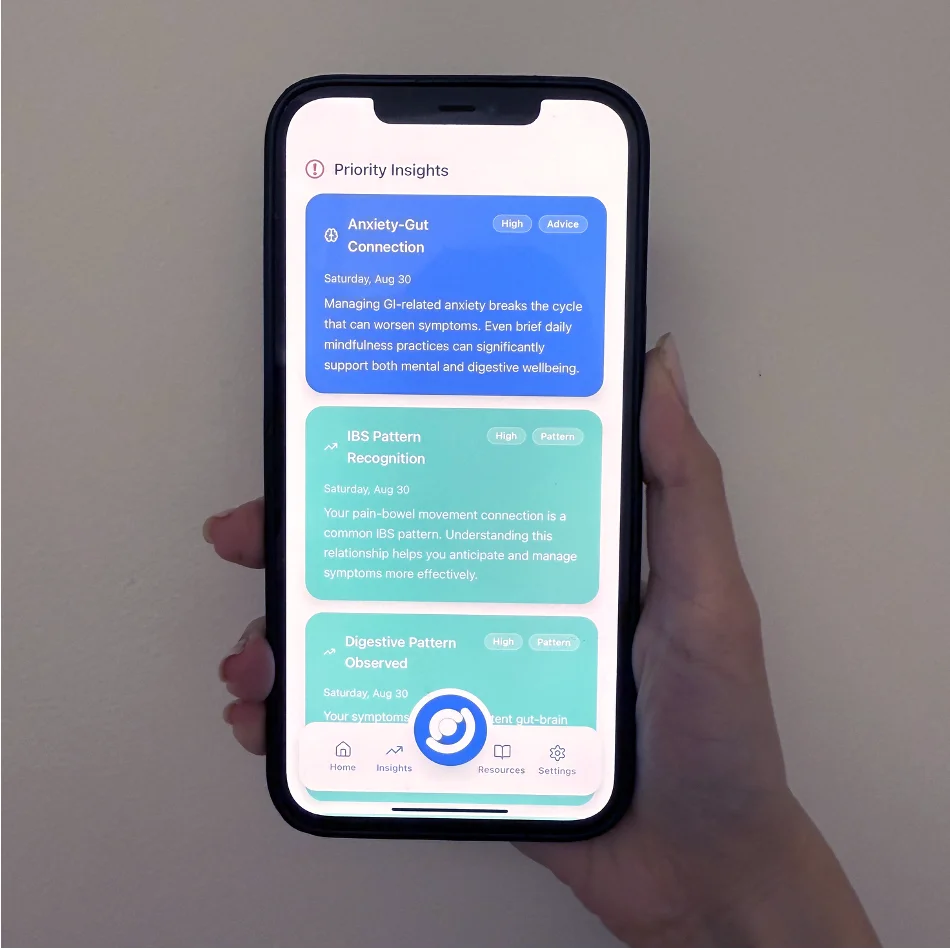
App
Read, don't decode
Priority Insights screen showing Anxiety-Gut Connection card

Patterns surfaced as plain-English insights. No charts, no jargon.

Chapter A · The device

A pocketable, tactile object for seconds-long capture, without screens.

§ 03 Decision 01 the hardest pivot

Why I abandoned gesture input.

Users loved squeezing fabric, but couldn't trust an input had registered. The data corrupted itself.

Original concept

Squeeze, twist, pinch.

Three gestures to log three symptoms: tactile, but unreadable to the device.
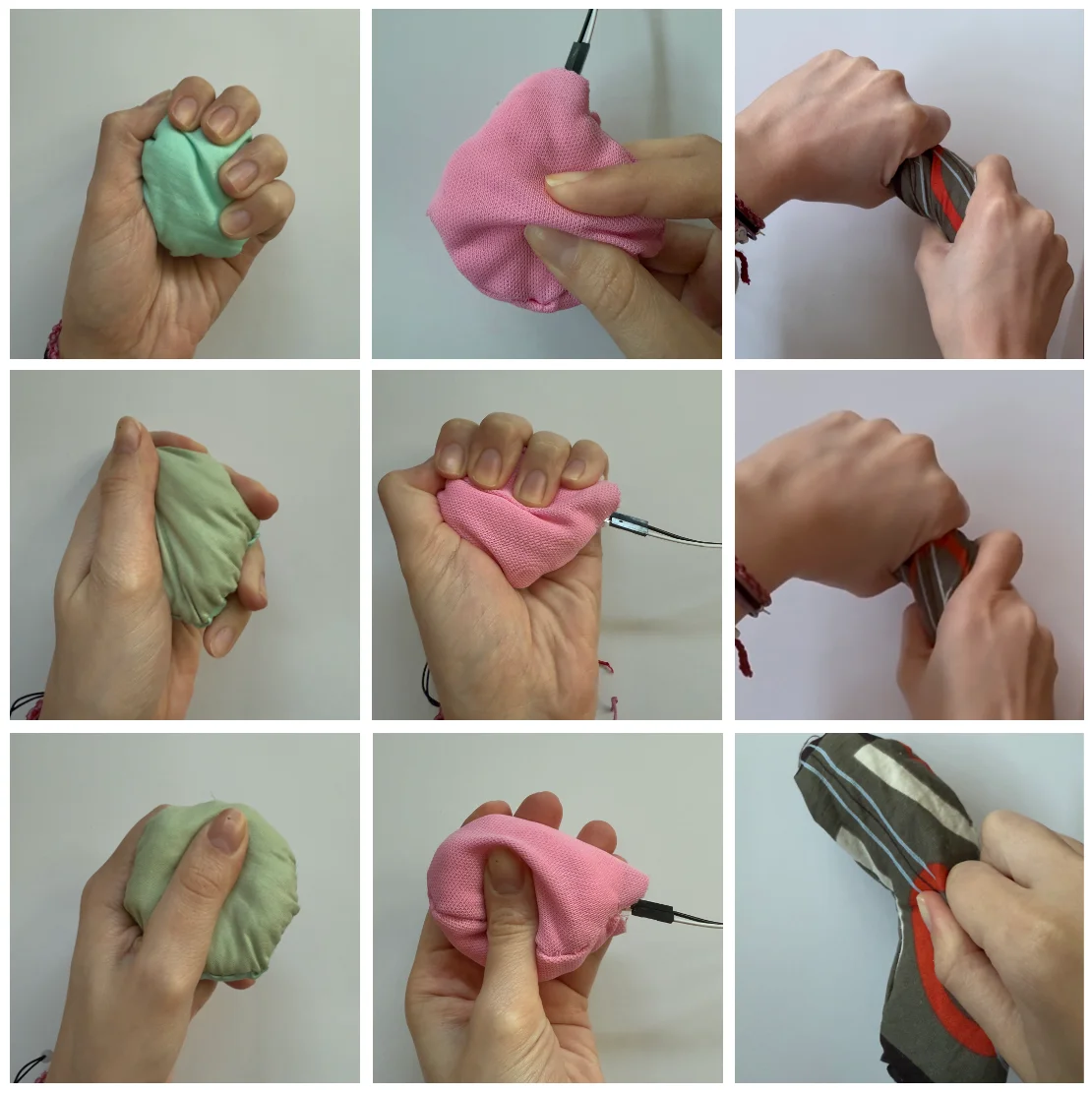
  • No confirmation a gesture had registered
  • Squeezing as fidget corrupted the data
  • FSR sensor couldn't reliably distinguish patterns
Nine-up grid of fabric squeeze prototypes in green, pink, and striped patterns being held and squeezed didn't work
Fabric prototypes, tested for grip and gesture.
Final solution

Three buttons, integrated into the form.

Buttons confirm instantly. The ring layout makes each one findable by touch, from a pocket.
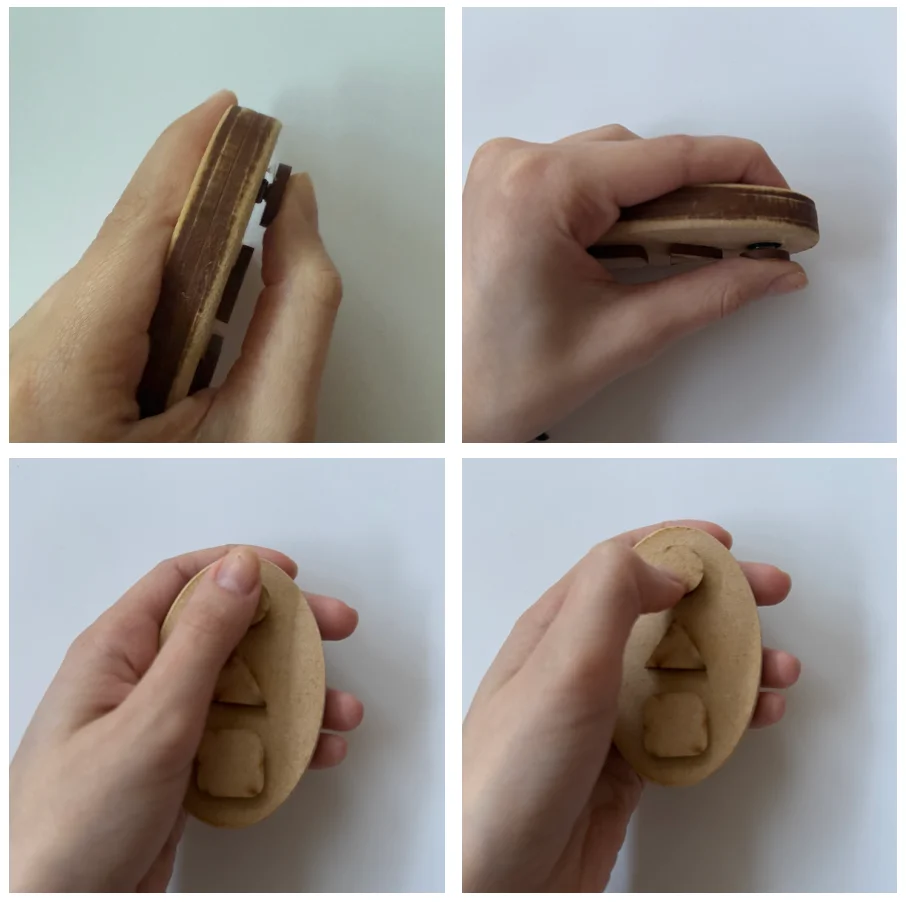
  • Short / long press differentiates severity
  • Raised ring edges guide fingers without looking
  • No accidental logging during ordinary handling
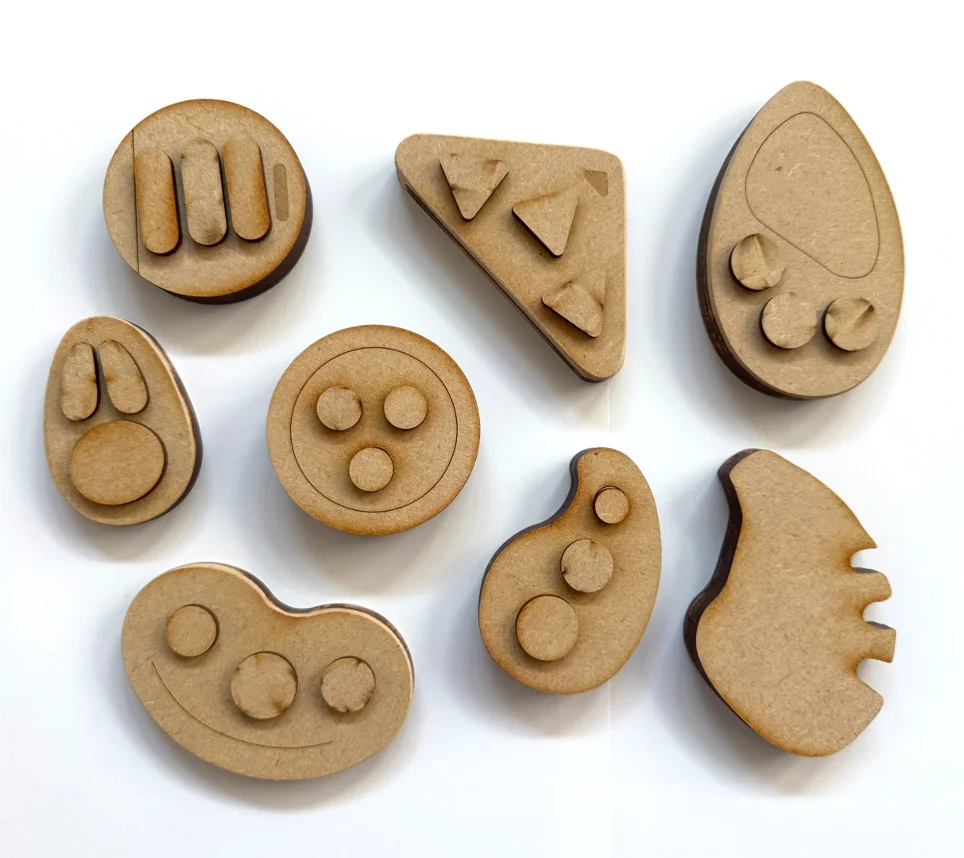
MDF prototypes of the button-based device showing edge profile and raised tactile button shapes
MDF prototypes, testing edges and button shapes.
§ 04 Decision 02

Three symptoms, no more.

Pain, anxiety, bowel: spontaneous, identifiable in the moment, the visible surface of deeper patterns. Enough for targeted questions, with no form to fill in.

Design principle

"Capture the minimum data that allows meaningful questions at end of day."
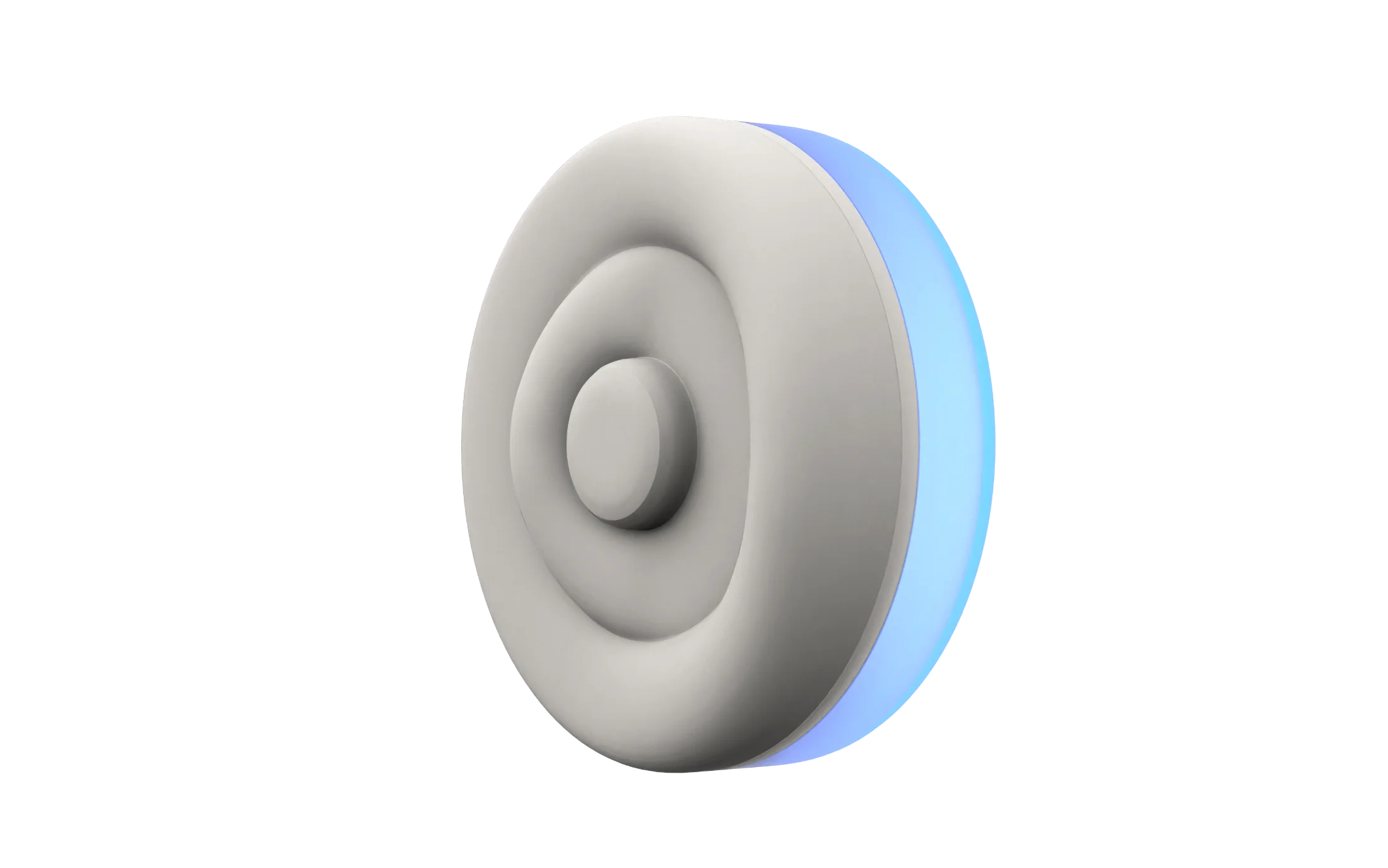
the final shape 3D render of the Onaka device showing three concentric rings — centre button, middle ring, and outer ring with blue NeoPixel glow
01 · Centre button

Pain

Short press = mild, long press = severe.

02 · Middle ring

Anxiety

Triggers a blue breathing pulse, 5s inhale / 5s exhale.

03 · Outer ring

Bowel movement

Press duration differentiates normal, loose, and hard movements.

§ 05 Concept & form how the ring emerged

From many directions to a silicone ring.

A calm object that lives in a pocket, presses without looking, feels nothing like a screen.
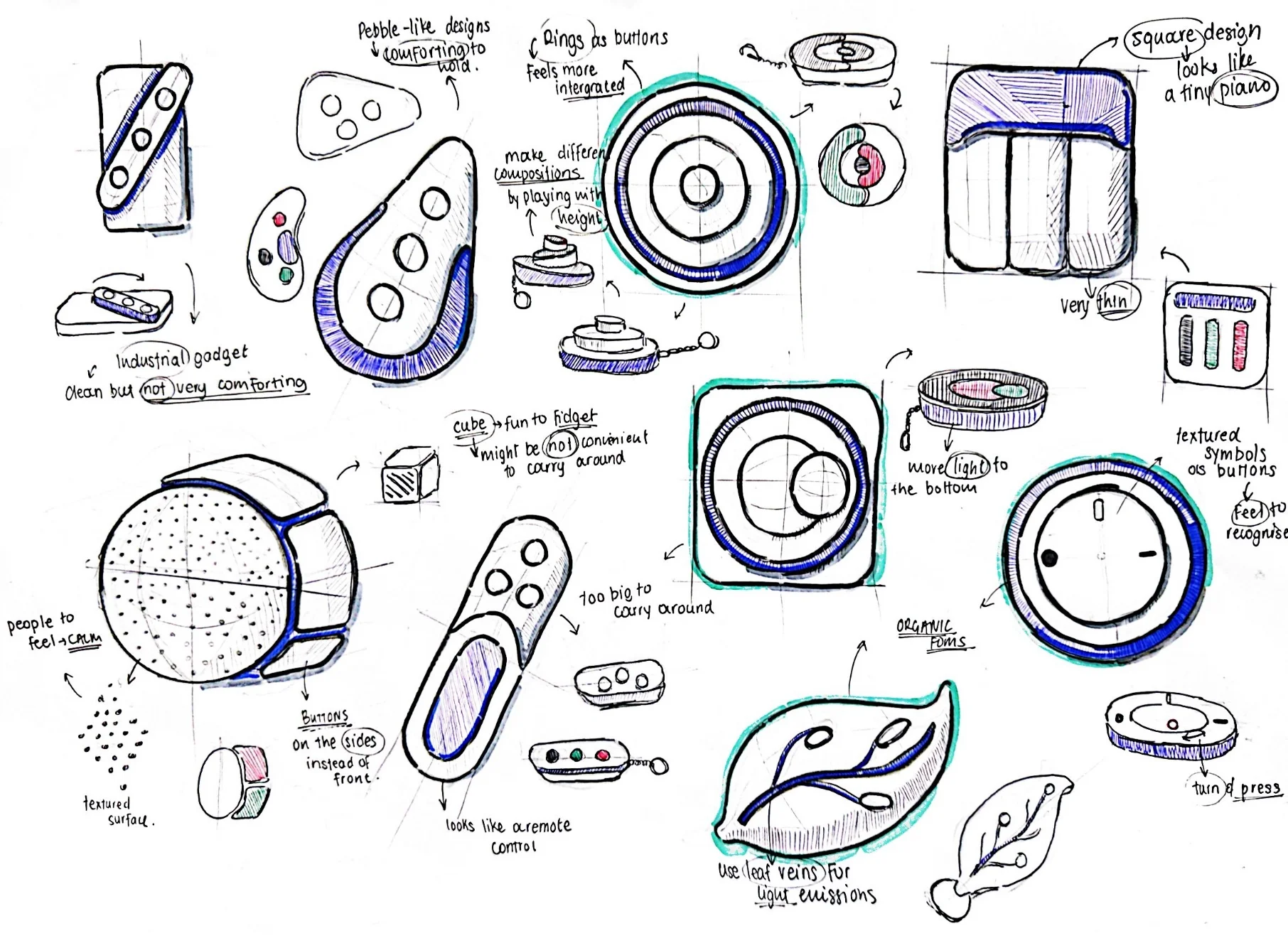
1 · Ideation

Many directions, all tactile.

Ripple disc, soft cube, pebble, leaf pod, each held to one rule: operable by touch alone, in a pocket.

Sketch grid of early concept directions, including ripple disc, soft cube, pebble, and leaf pod
Concept directions.
2 · MDF prototypes

Many forms, in the hand.

Laser-cut MDF and acrylic, wired with real buttons and lights, tested grip and accidental-press resistance.

MDF prototypes laid out, each a different form being held and pressed
MDF prototypes, wired for testing.
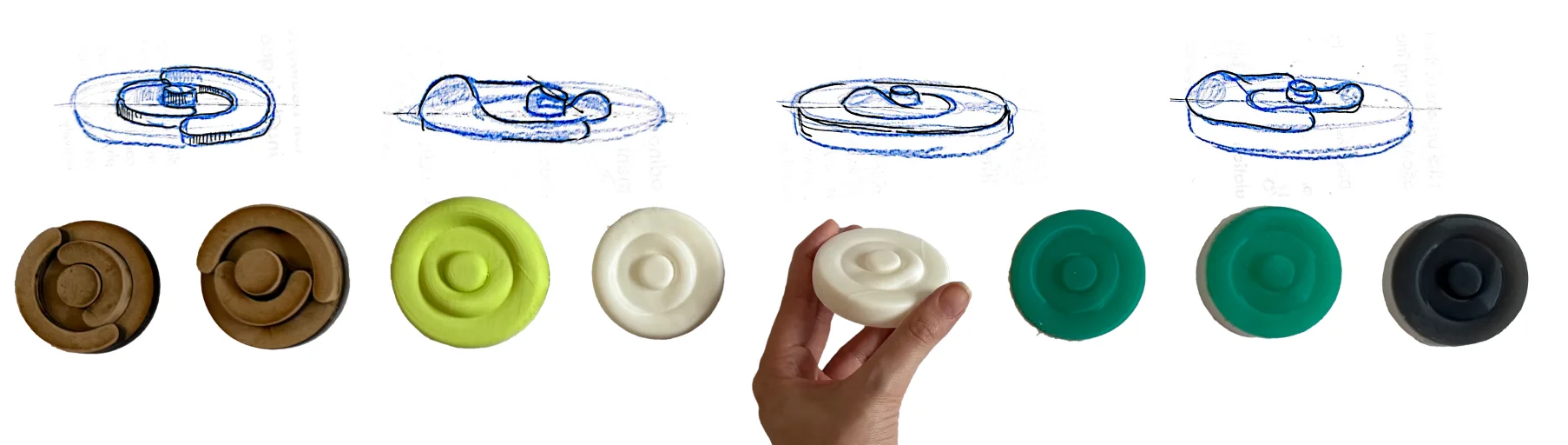
3 · The ring, in silicone

Three concentric rings, cast in silicone.

The disc-with-rings won: locatable by touch, no accidental presses, centre for pain, middle for anxiety, outer for bowel. Cast in matte silicone that reads as object, not gadget.

Iteration sequence from MDF and wood prototypes to 3D-printed and cast silicone discs in green, white, and black, with side-view sketches above each
MDF, 3D print, cast silicone.
§ 06 Building it for real electronics & path to production

A working device, pocket-sized.

Three microcontrollers in, the SparkFun Qwiic Pocket fit the 60 mm form with Wi-Fi. Runs on a 1200 mAh LiPo over Blynk IoT.
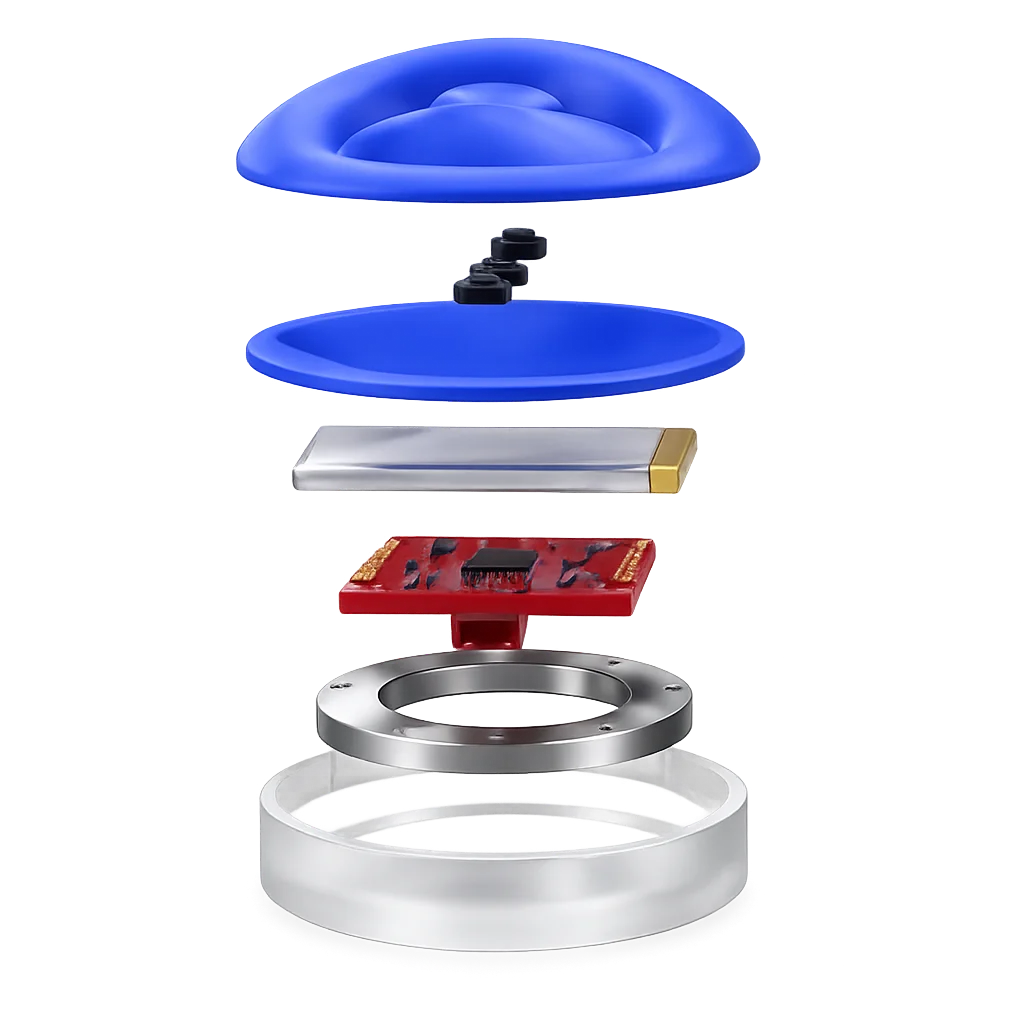
Exploded render of the Onaka device showing the silicone button interface, PLA stiffener, NeoPixel ring, SparkFun Qwiic Pocket microcontroller, and 1200mAh LiPo battery in the SLA resin base
Exploded view, silicone shell to SLA base.
01

Silicone shell + buttons

Two-part cast silicone over a PLA stiffener, skin-safe and water-resistant.

02

1200 mAh LiPo + USB-C

Connected via 2-pin JST; charges through USB-C in the SLA base.

03

SparkFun Qwiic Pocket

The smallest Wi-Fi board tried, after M5StickC Plus and Arduino Nano 33 IoT.

04

NeoPixel ring, 12 LEDs

12 LEDs pulse blue for anxiety and confirm every press.

05

Blynk IoT cloud

Each press pushes as an event to the app via auth token; a demo mode bypasses the cloud.

Path to production

PLA and SLA move to injection-moulded polypropylene in production, on a custom PCB.

Chapter B · The app

What a pocket object can't carry: reflection, history, a trail for the doctor.

§ 07 Decision 03

Testing the interaction model before designing the UI.

Four low-fi prototypes, four input philosophies, tested with 5 users. The winner defined the app.
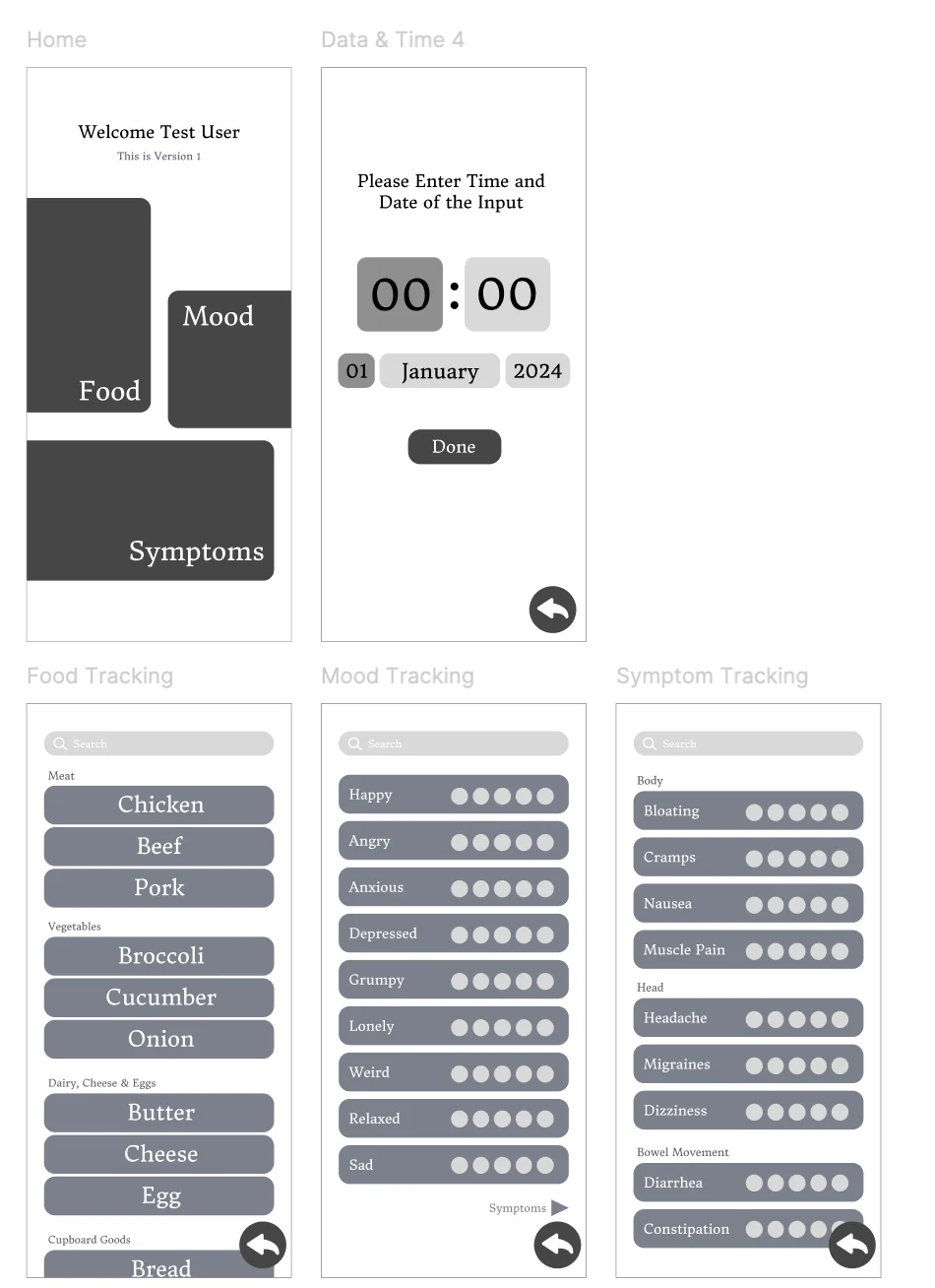
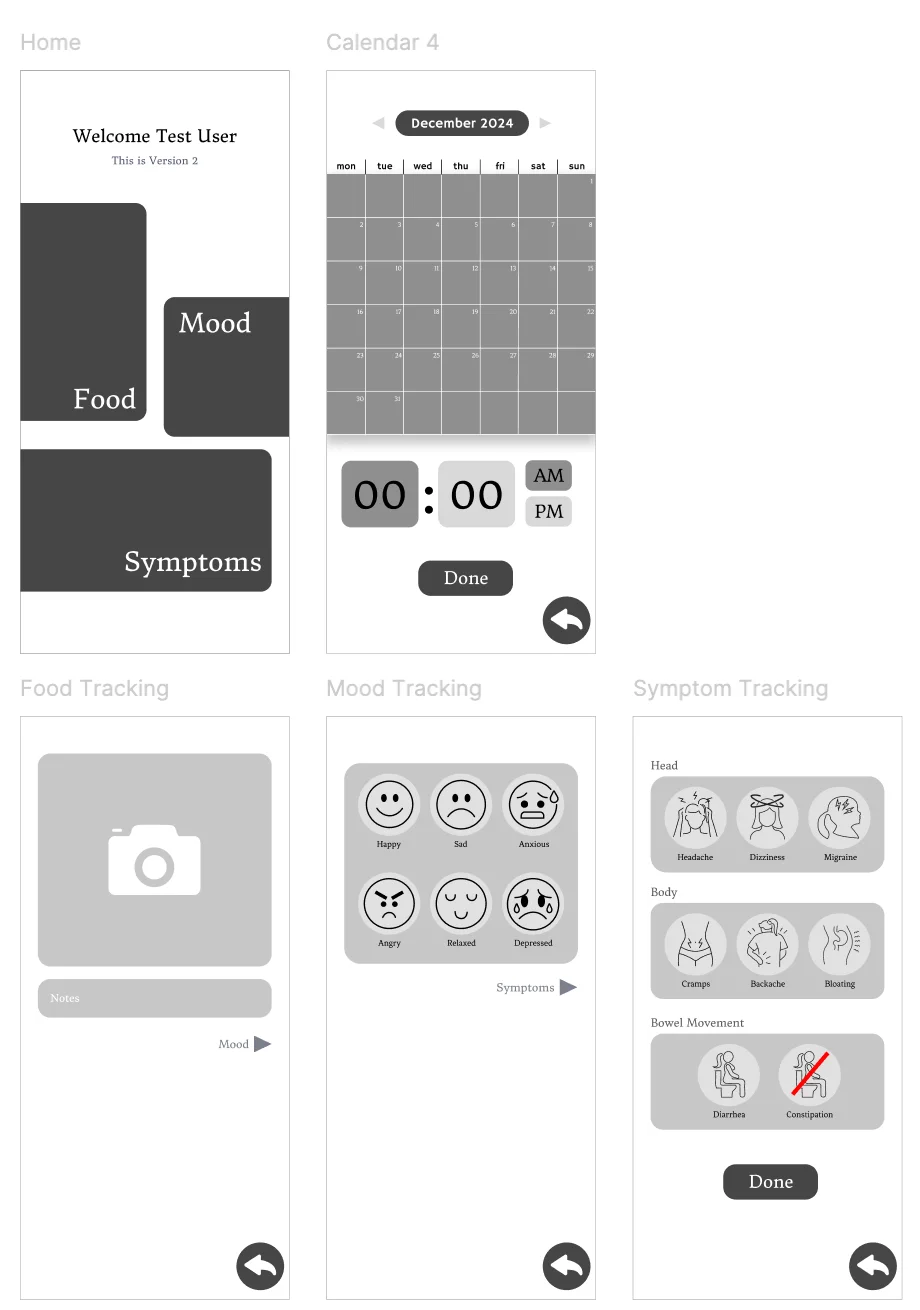
Method 01 · Winner Lists method prototypes — categorised picker lists for food, mood and symptom tracking

Categorised lists

Preferred, 3 / 5 participants
Why it won
Fastest, no typing, familiar. Worked when tired or in a hurry.
Method 02 Icons method prototypes — emoji-based mood faces and body-part illustrations

Icons & illustrations

Backup, 2 / 5 participants
Why it lost
Ambiguous icons; too playful for a medical condition.
Method 03 · 04 Free text and voice input prototypes — open type fields and voice modal

Free text & voice

Rejected, 0 / 5 preferred
Why it lost
Chore to type; voice rejected for shared settings.
What it changed

From "open input" to structured choice.

Every input got rebuilt as multiple choice: no blank fields, no typing, no voice capture. Voice survived only as the AI reading the question aloud.

App principle

"The device handles logging. The app exists for reflection, at the user's most tired moment of the day."

§ 08 The reflection system questions in, insights out

Eight to twelve questions, generated from what was logged.

Three question banks (bowel, pain, anxiety), plus an end-of-day wrap-up. Close-together symptoms get a linking question.

Conditional questions
Pain + Bowel Tap for the question ↻

"Did the pain lessen after going to the toilet?"

Anxiety + Pain Tap for the question ↻

"Did the anxiety arrive before the pain, or after?"

Anxiety + Bowel Tap for the question ↻

"Did stress feel like it changed what happened in the gut?"

What the answers become

Plain, actionable sentences. No graphs.

Answers become short, plain-English insights, prioritised by urgency.

Priority

Pain eased after bowel movements, three times this fortnight.

Pattern

Anxiety precedes pain by 30 to 60 minutes on weekdays.

Food

Bowel discomfort followed dairy, four times this month.

Advice

Try the breathing pulse next time anxiety arrives.
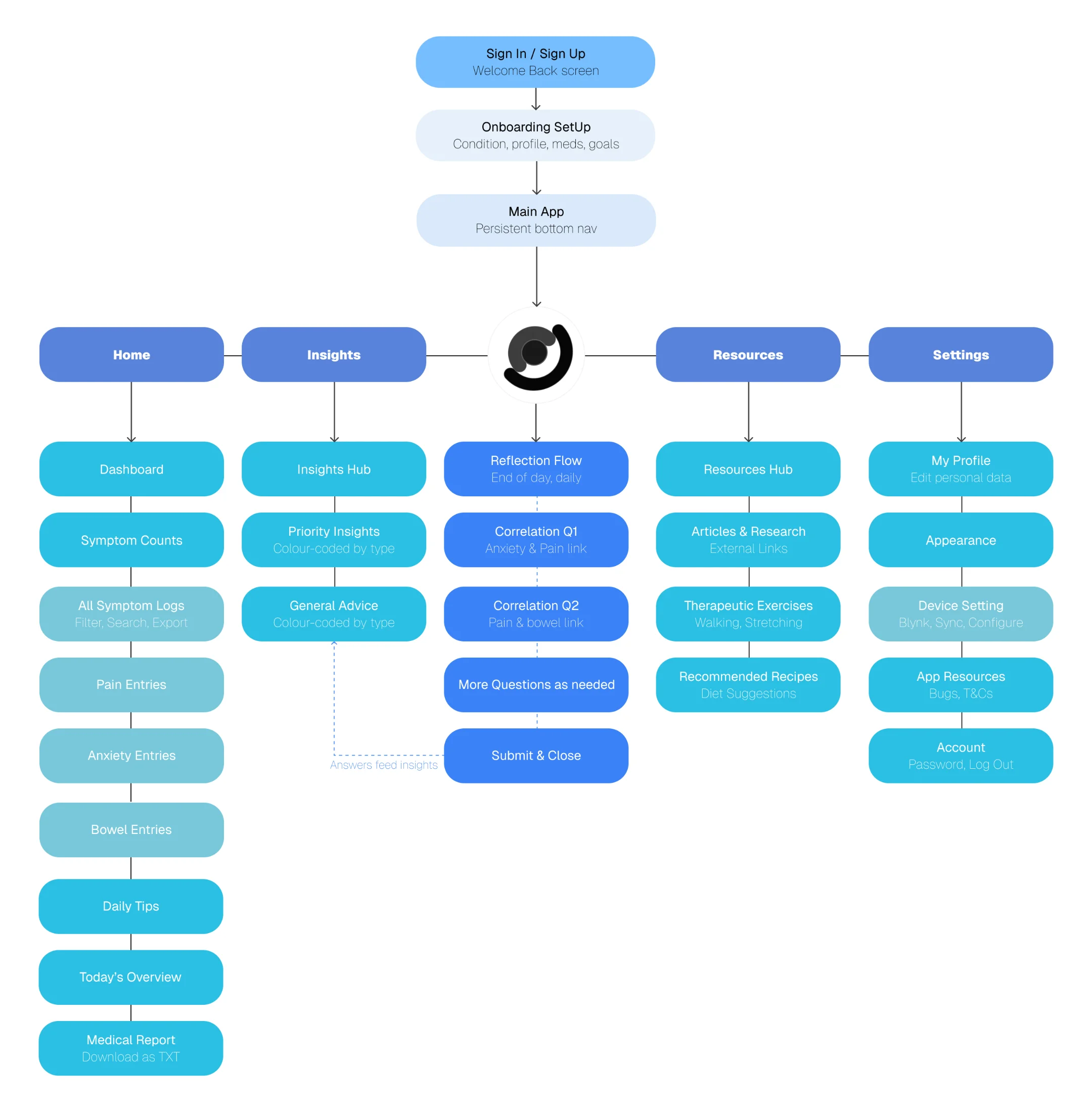
§ 09 IA + visual system the logo, at the centre

Four tabs, with a central button for the only screen that asks.

Sitemap of the Onaka app showing Sign-in/Sign-up leading to Onboarding Setup, then Main App with five children: Home, Insights, the central Reflection Flow, Resources and Settings. Each child branches into its sub-screens, with a dashed line showing reflection answers feeding back into Insights.
Site map: five-tab app, reflection at the centre.

Soft blues for calm, three accents for the symptoms.

Shades of blue, set against the clinical grey of GI apps and the pink of period-tracker conventions. Three warm accents mark the symptoms.
Base
Blue · deep
Blue· bright
Blue · green
Blue · cream
Symptoms
Pain · red
Anxiety · blue
Bowel · yellow
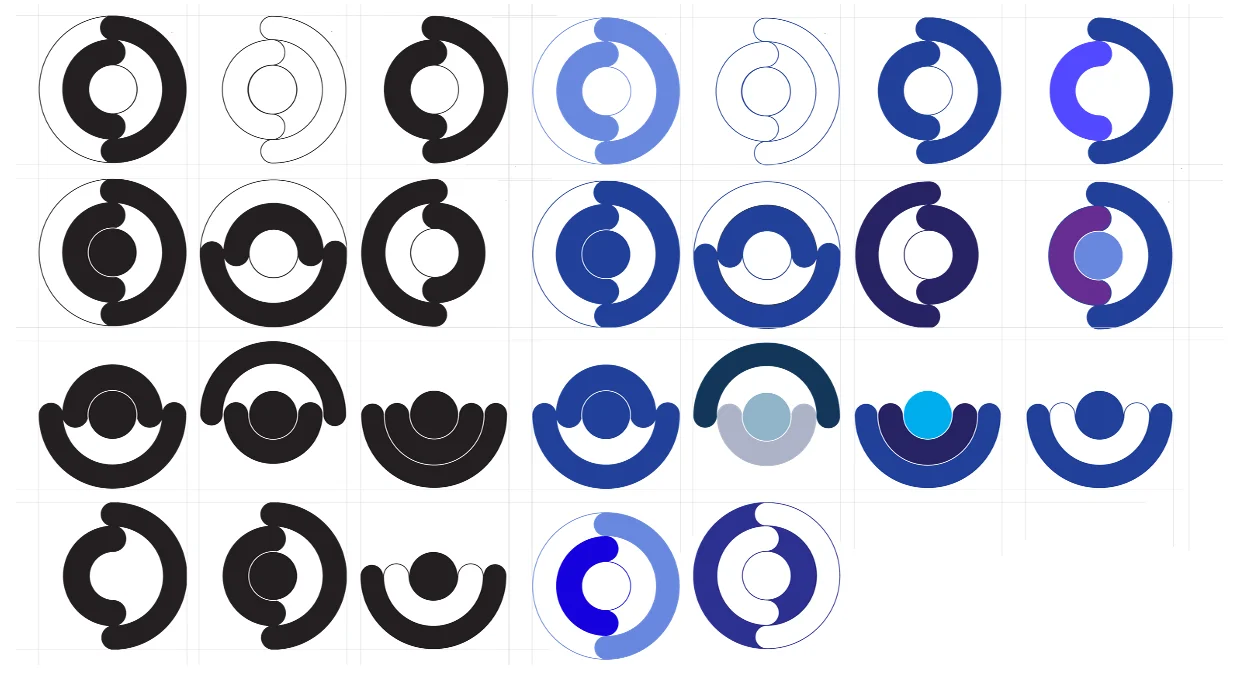
Logo iteration sheet — rows of concentric ring marks exploring positive and negative space, then in blue colour studies
Rings became the o-letter, then the name.

The logo named the product.

The rings became a circle that doubled as the letter o, which needed an o-name: onaka, Japanese for "tummy."
§ 10 Final screens the app, in motion

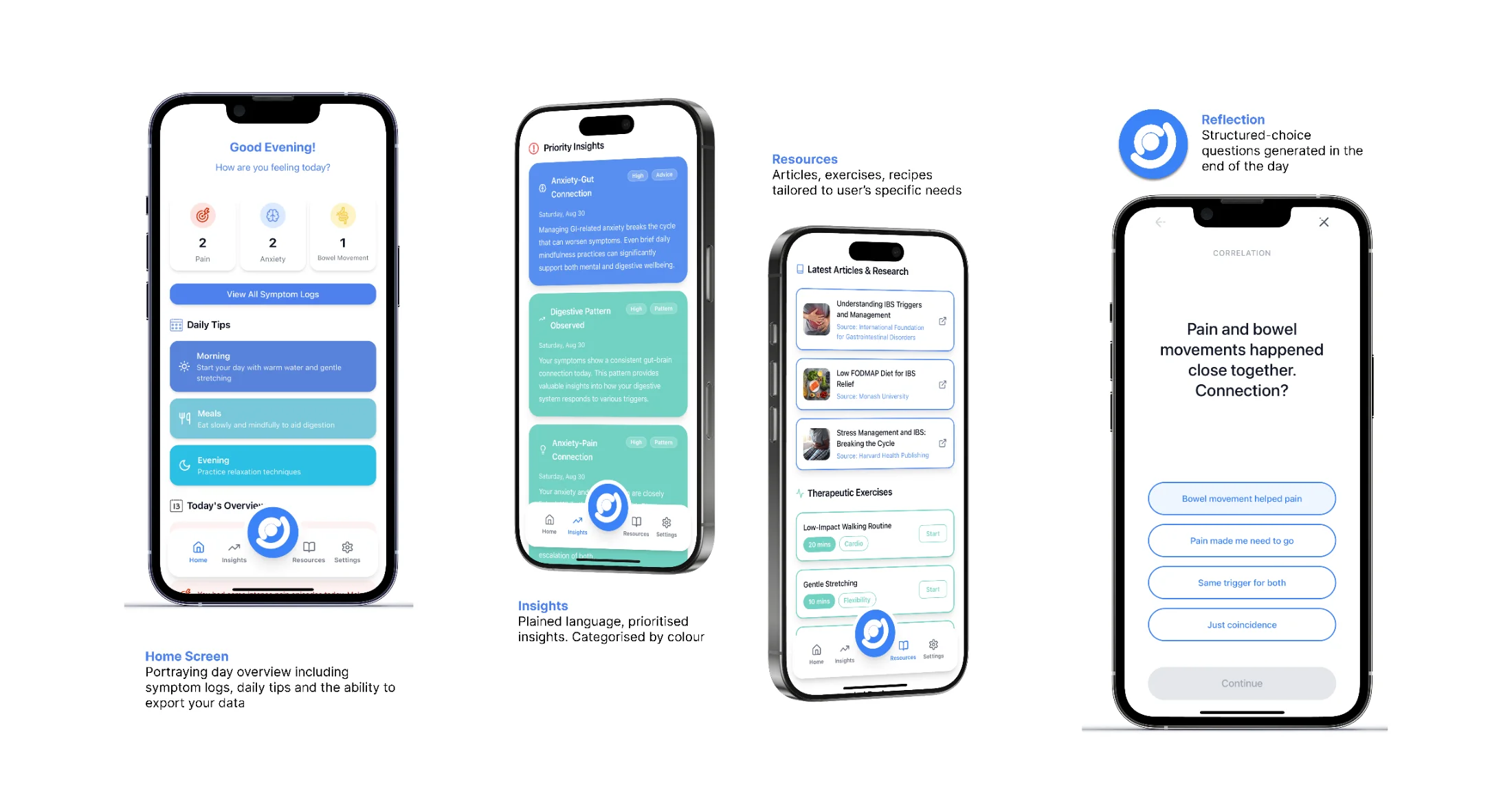
Built in Lovable. Connected via Blynk.

Four Onaka screens: Home Screen with day overview and symptom logs; Insights with plain-language, colour-categorised insights; Resources with articles and therapeutic exercises; Reflection with structured-choice end-of-day questions
Try the interactive prototype
§ 11 Final product all together now

Onaka, a system designed around calm.

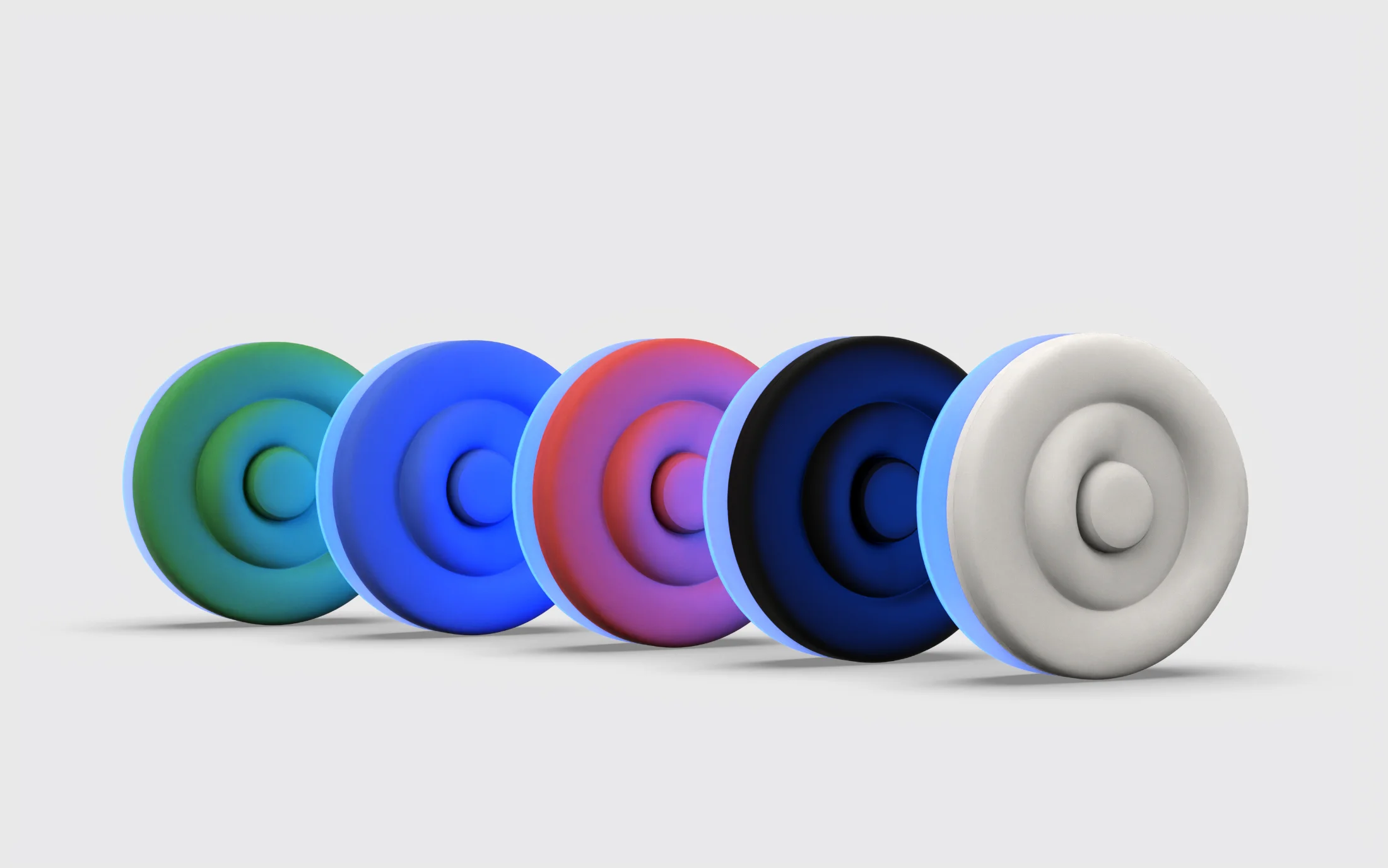
proudest of this The five colour variants of the Onaka device lined up, green to white, each with a blue glow
Five colourways, signature blue base glow.
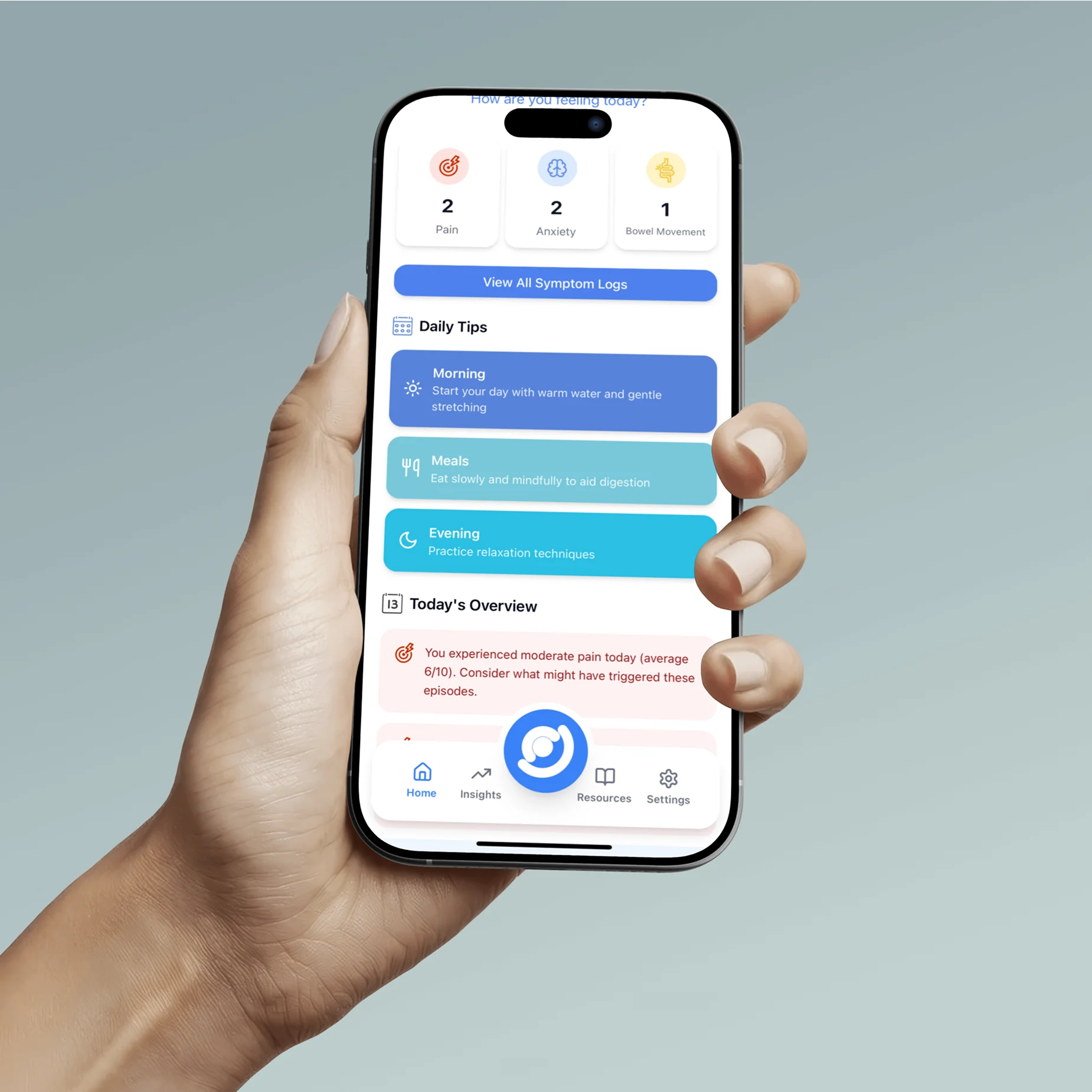
The Onaka companion app held in a hand, showing the home dashboard: today's symptom counts, daily tips and today's overview
Home dashboard: daily tips and today's overview.
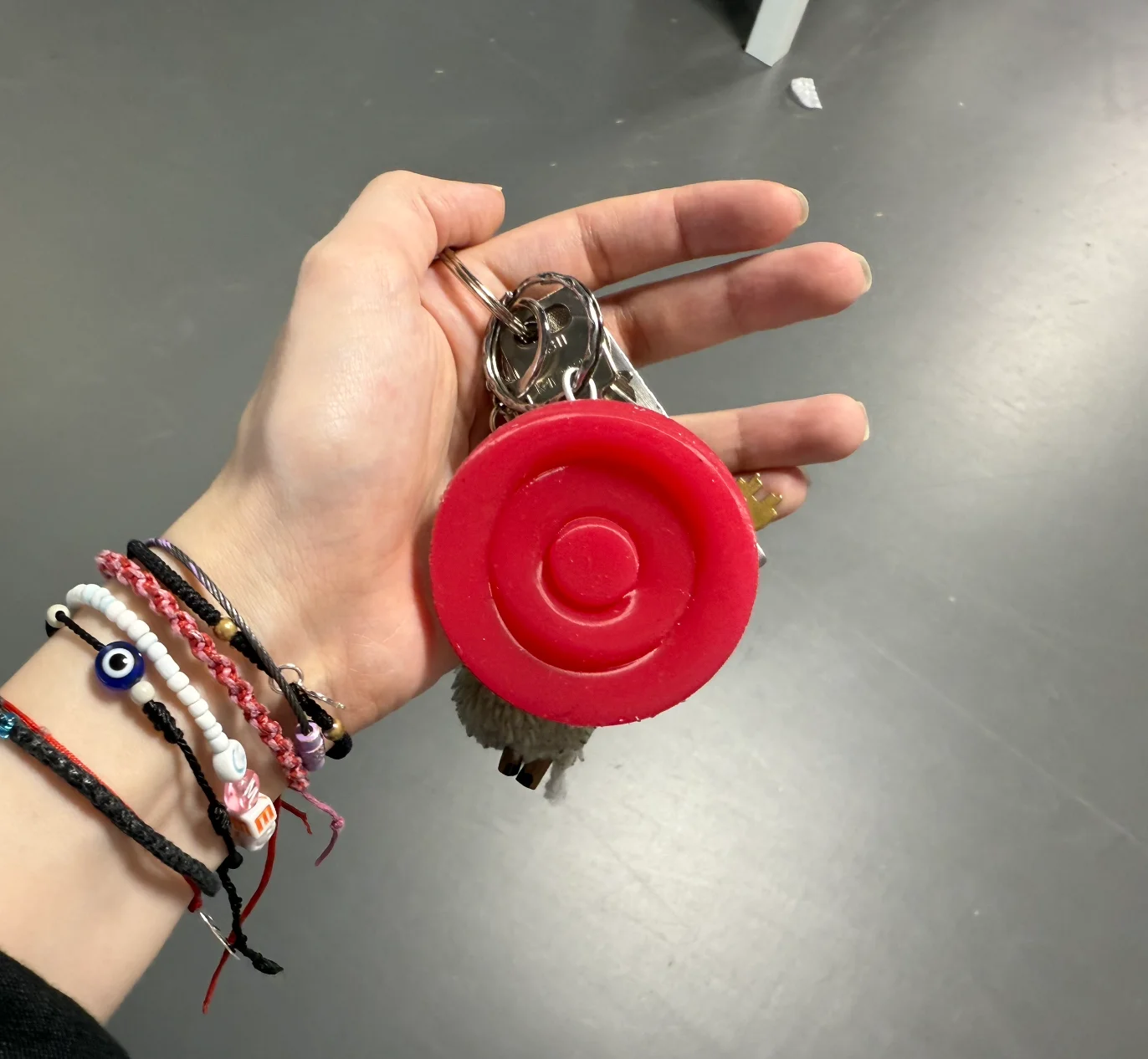
The red Onaka device on a keychain, held in a hand
Pocketable, on a keychain.
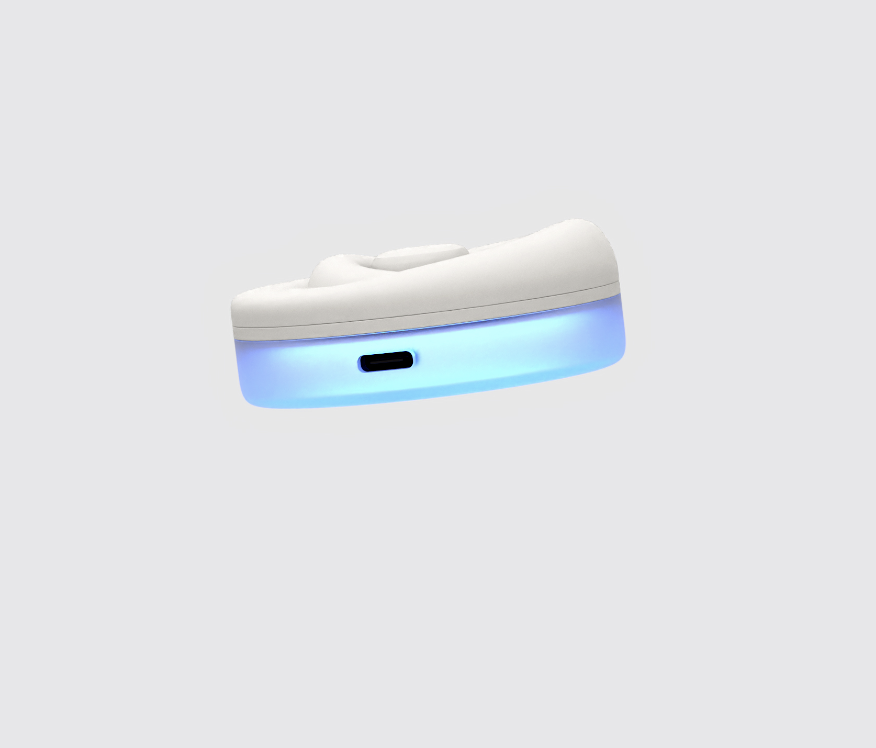
Side view of the white device showing the USB-C charging port and blue base glow
USB-C charging, glowing silicone base.
Demonstration video: device and app in use.