Project 02 · period.
Year Sept 2023 to May 2024
Context BA Final Project · University of Edinburgh
Role Sole designer · research, hardware, app

Helping women understand their cycles, not just record them.

A smart period calendar and companion app, designed together. Cycle tracking as a calmer, more educational ritual, anchored to a beautiful object, not a notification.

UX Research Industrial Design IoT App UX/UI Branding
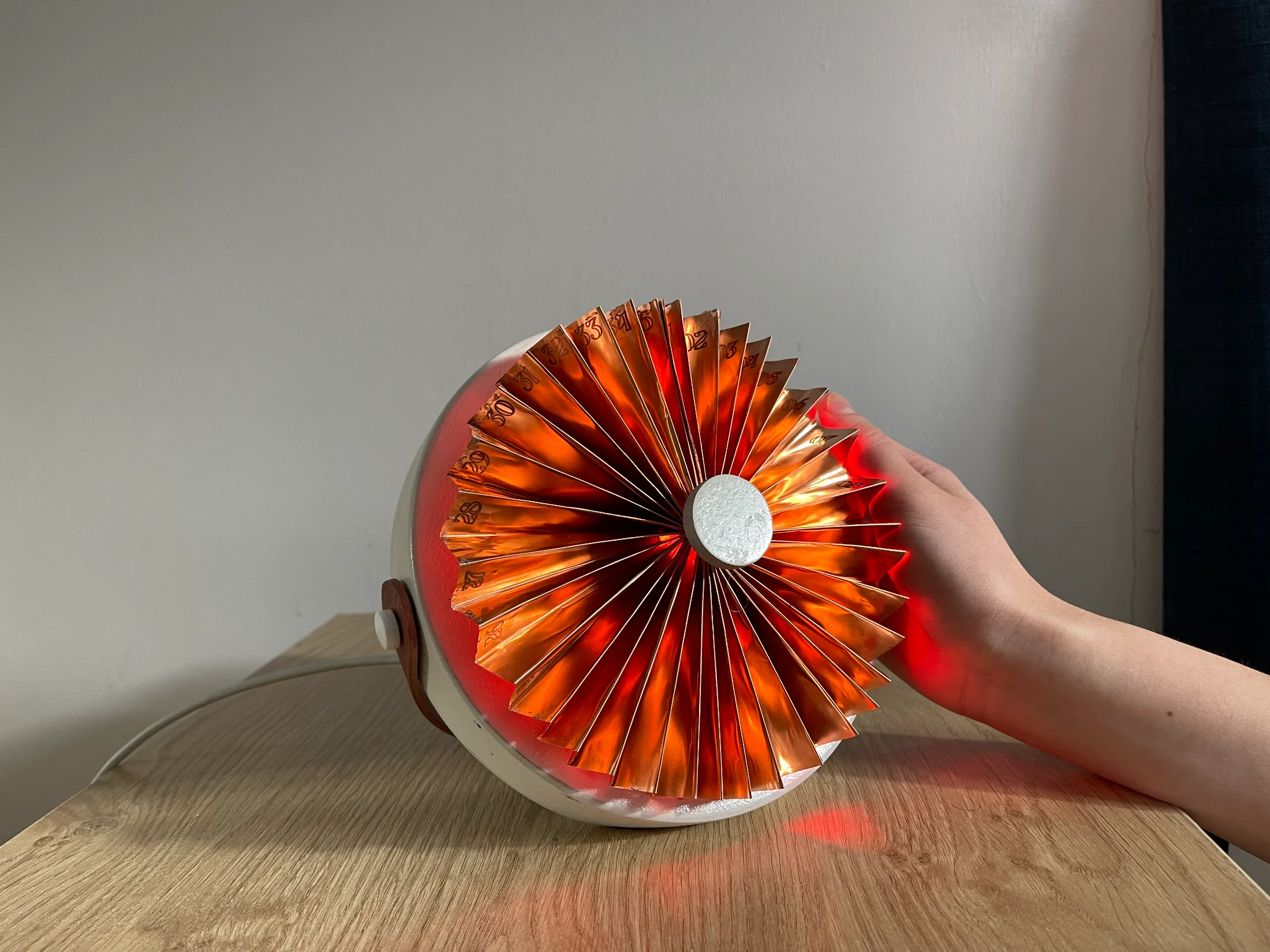
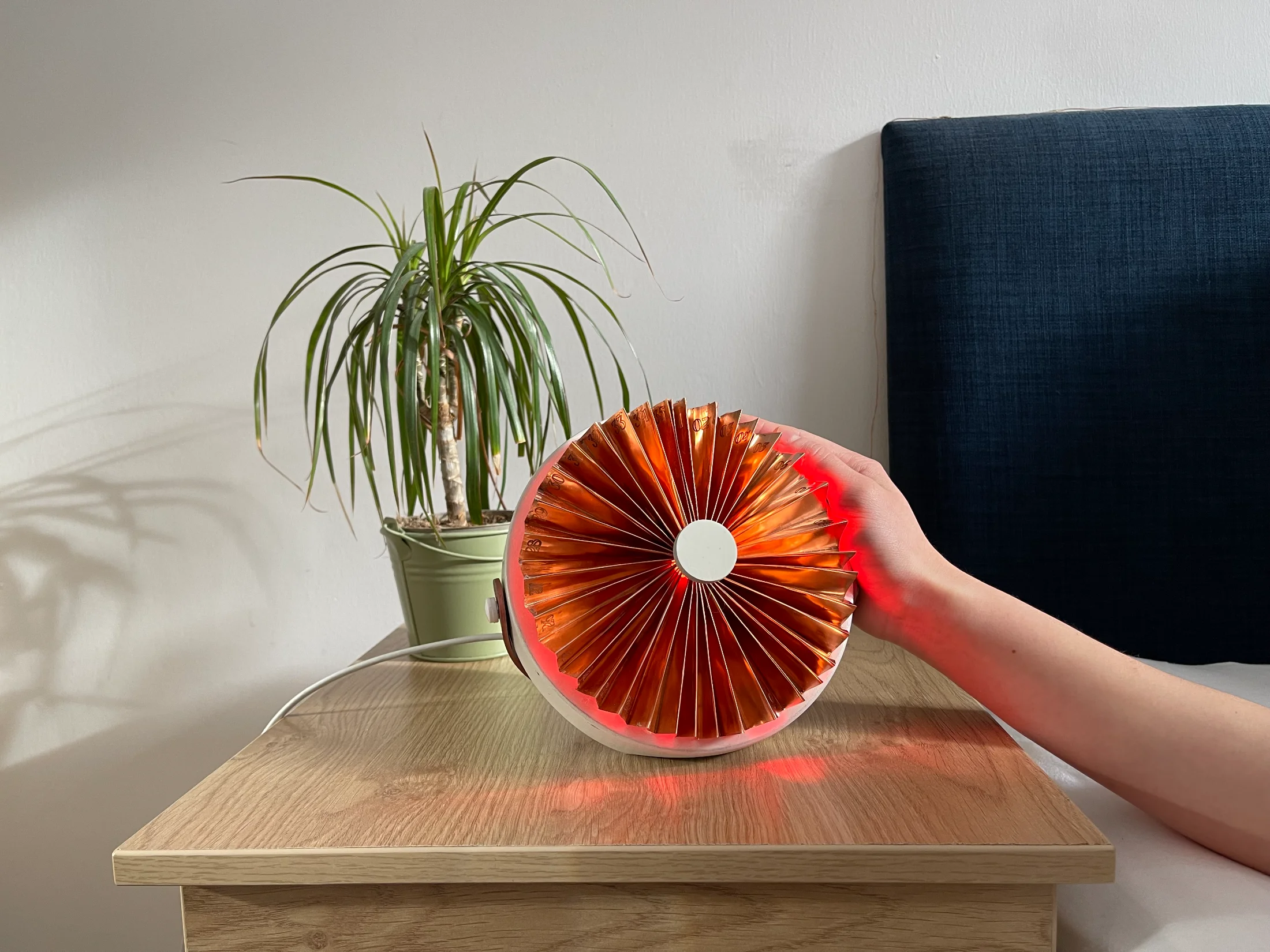
The period. device, a copper fan-shaped calendar glowing red on a bedside table
§ 01 The problem where it began

Half the world menstruates. Almost no products are designed for it.

Period tracking feels like data entry: pink interfaces, symptom checklists, ignored notifications. It rarely helps women understand their bodies, and it's easy to forget.

"I keep forgetting to input my period, and to check the app."
Survey participant · Edinburgh, 2024
~480×
Periods in a typical lifetime, ages 12 to 55
48%
don't always feel their app helps them understand their cycle
100%
wanted a less stereotypically gendered design
Before designing

Eight months of conversations with patients, doctors, and apps.

A · Lit review

Three peer-reviewed papers

HCI research on self-tracking, feminist design, and the identity gap in existing apps.

B · Workshops

Two co-design sessions

Defining "woman-centred design"; plasticine forms that feel calm and trustworthy.

C · Interviews

Gynaecologist + HCI PhD

Medical view on what to track; research view on visualising bodily data.

D · Survey

31 women, distributed via QR

QR posters in campus toilets for private completion, tracking habits and wishes.

E · Probe

Public AI opinion box

What women would and wouldn't want from an AI assistant.

"AI for understanding, not diagnosis. Doctors stay the doctors."
Synthesised from gynaecologist interview & AI probe (33 responses)
What the research told us Users want to understand the cycle, not just track it A bedside device is more memorable than an app icon Pink stereotypes are actively disliked
§ 02 How it works one loop, two media

One daily loop, across the bedside and the pocket.

Six moments, three on the device, three on the app. The hand-off between them is the design.
Device
ambient + ritual
01
Glance
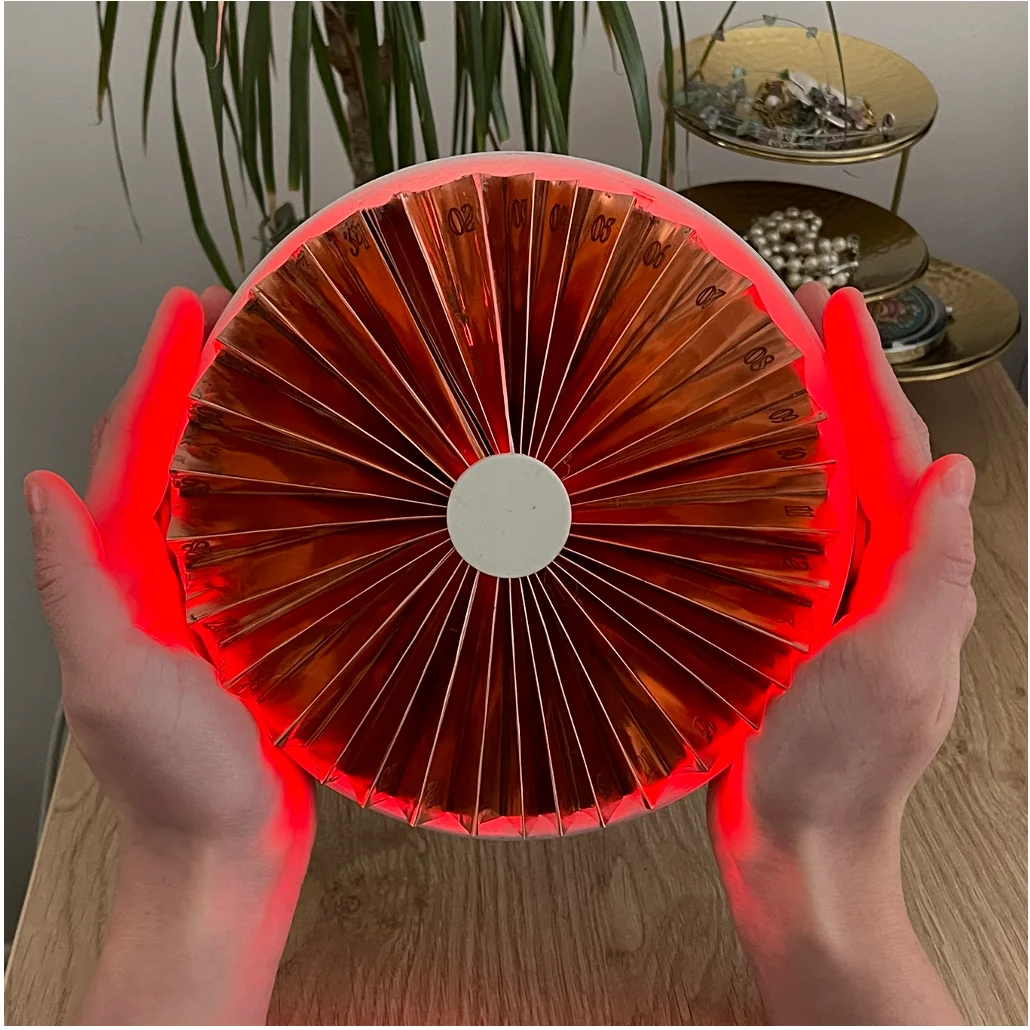
The fan glowing red on a bedside table

Colour shifts daily, readable across the room.
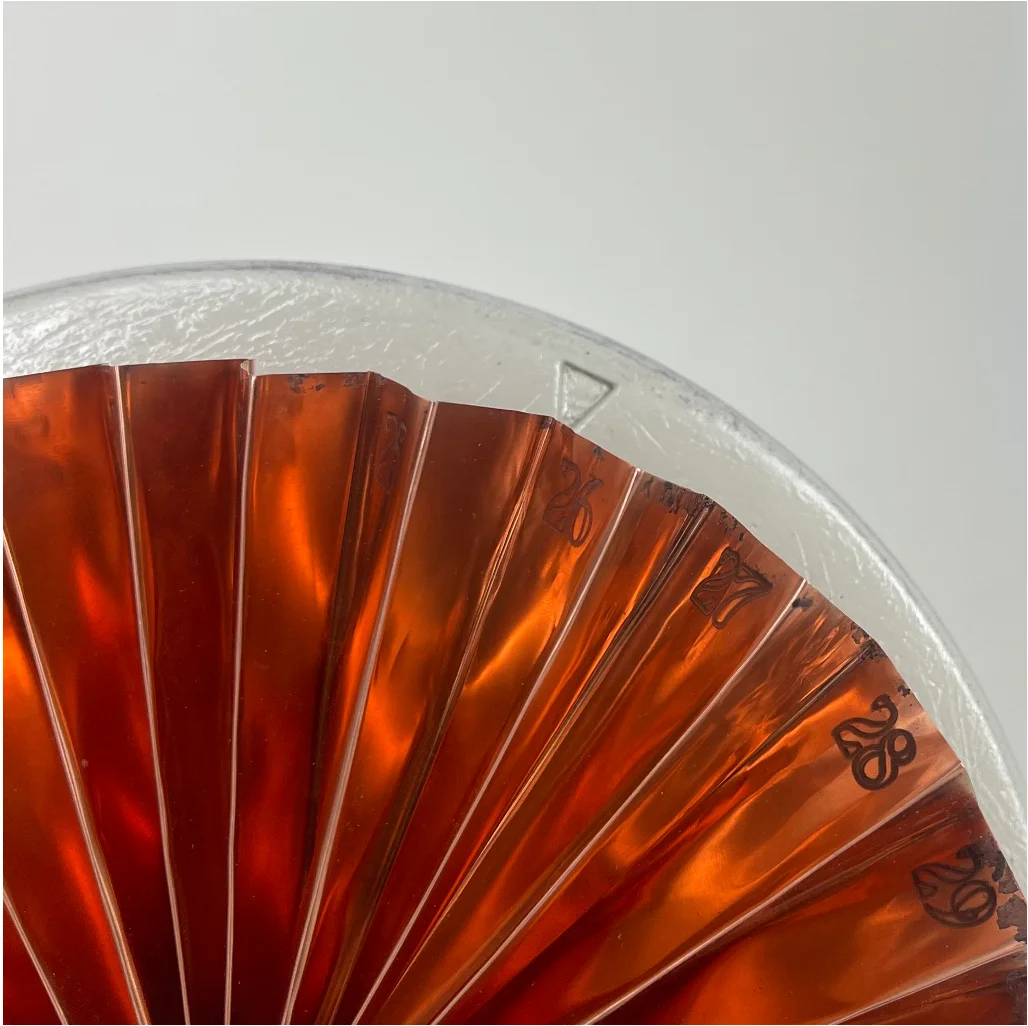
02
Fold
Fingers folding away unused days on the copper fan

Each fold is one day, tucks to fit any 21–35 day cycle.
03
Auto-turn
Close-up of the copper fan showing day numbers and rotating pointer

Turns one fold at midnight, stays current even when forgotten.
App
depth + history
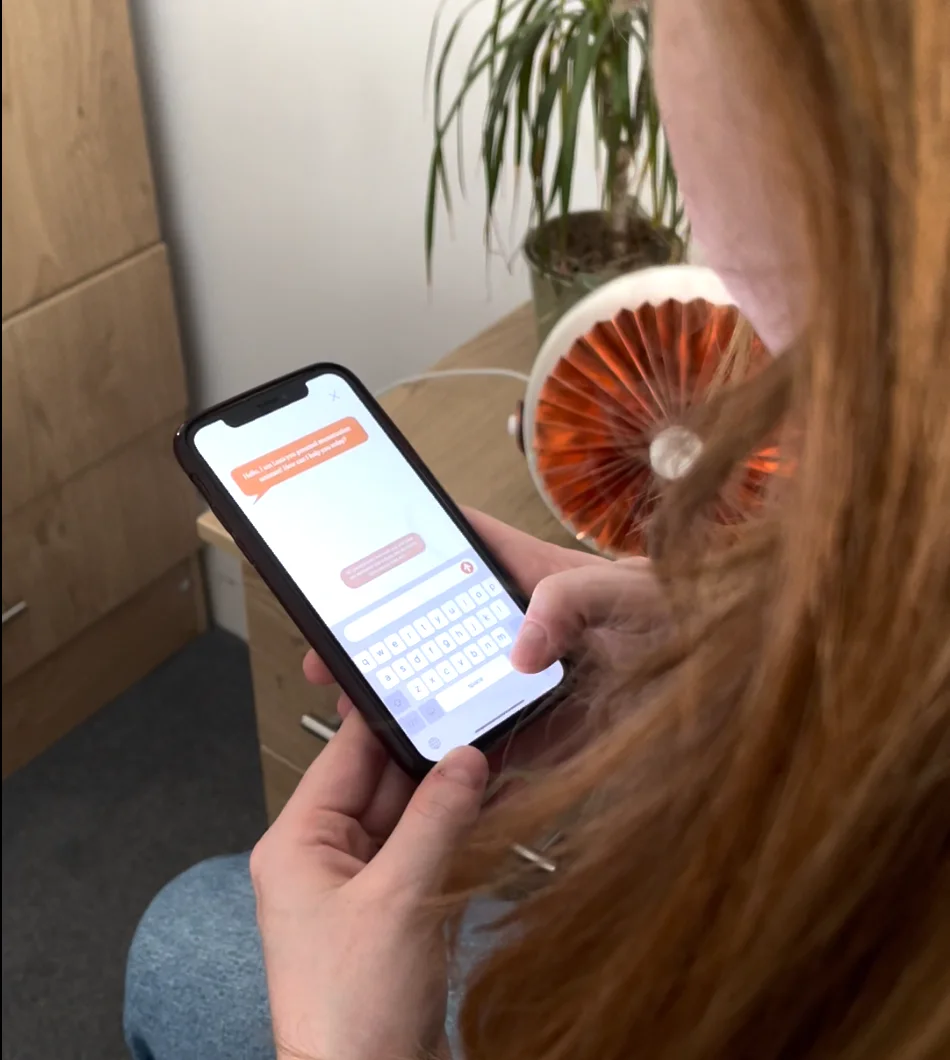
04
Ask device ↔ app
Typing a question to Luna in the app, with the copper device on the desk behind

Luna answers cycle questions: voice at the bedside, text in the app.
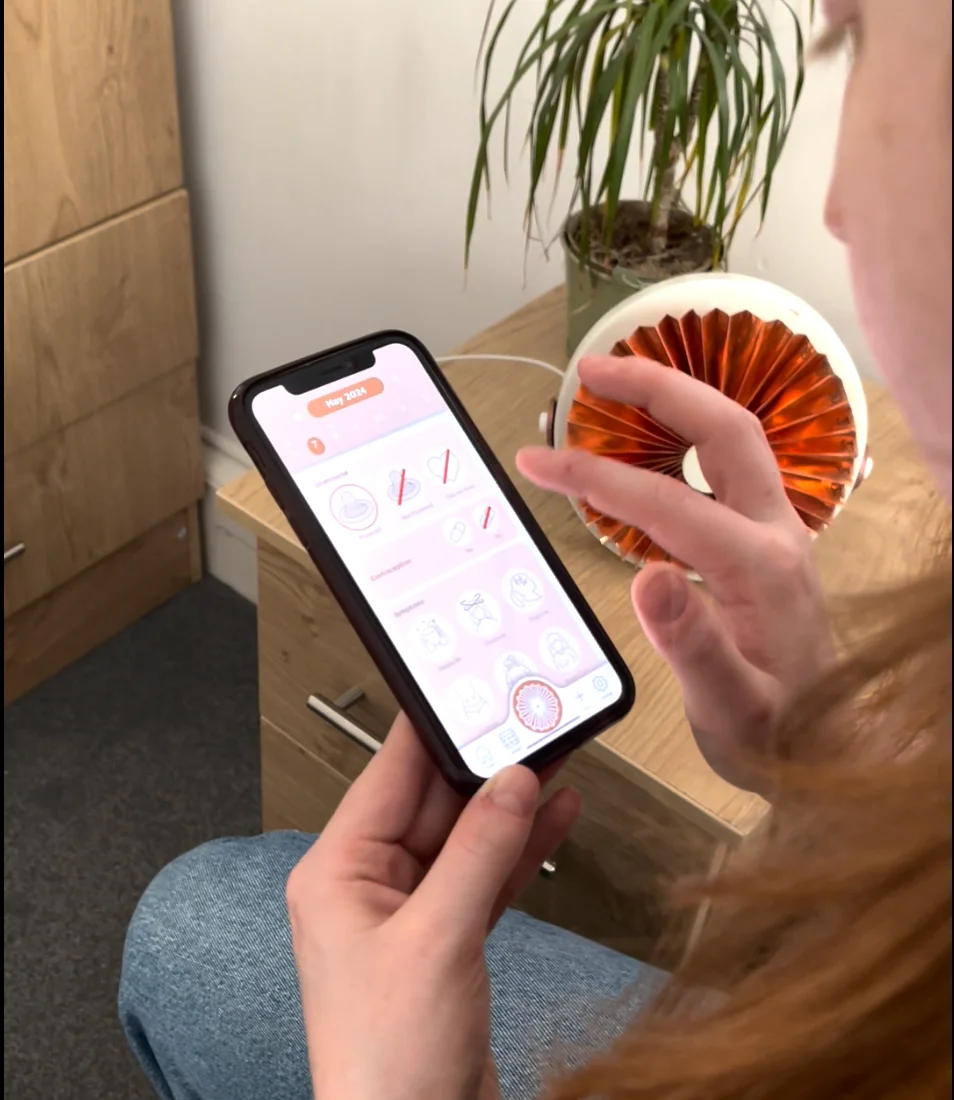
05
Log & learn
Logging symptoms on the phone while reaching for the copper device beside

Log symptoms, read what the phase means.
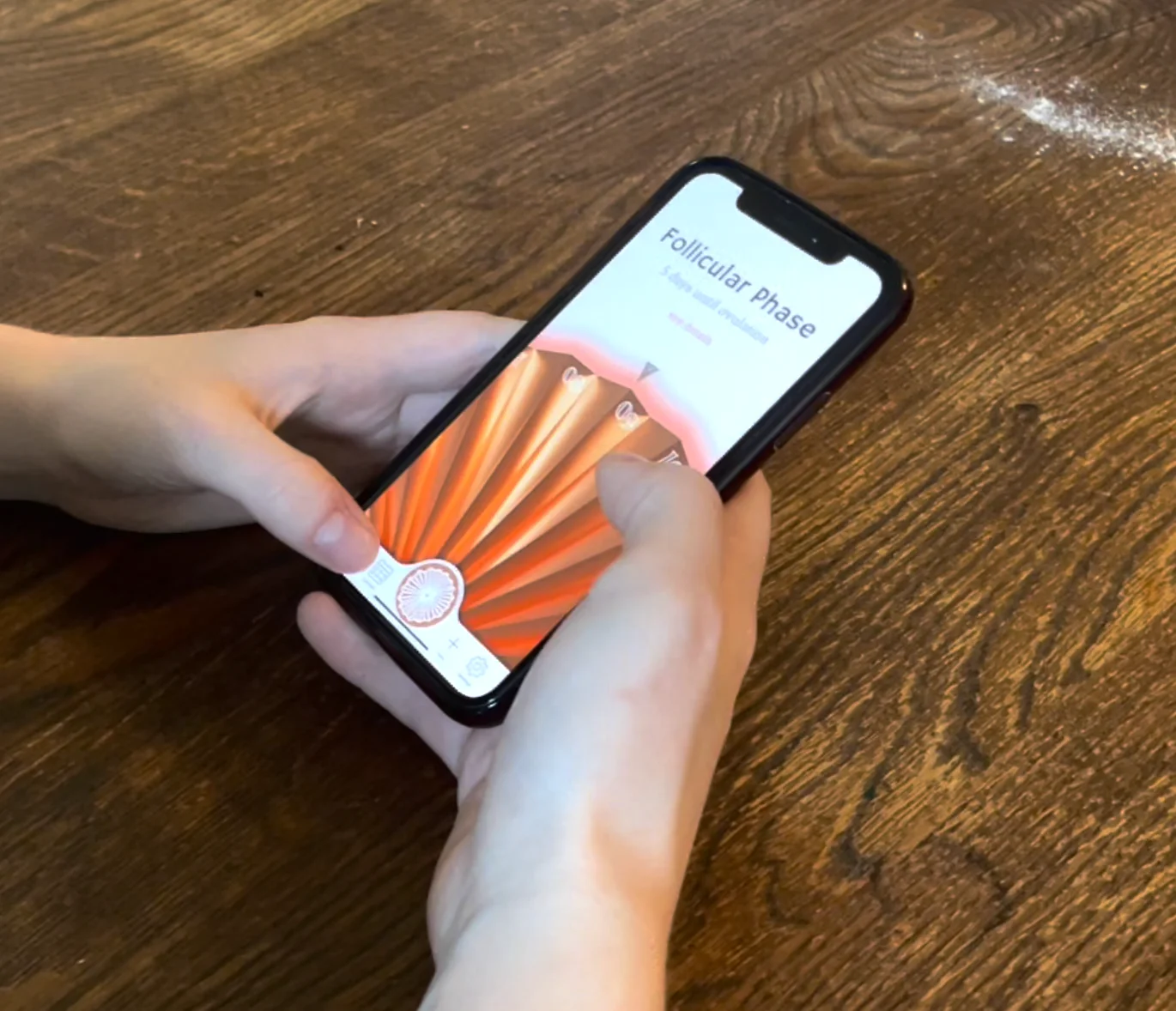
06
Carry
Two hands holding the phone away from the bedside, home screen open

Away from the bedside, the cycle goes with you.

Chapter A · The device

A fan-shaped calendar that visualises the cycle through colour, motion, and light.

§ 03 Decision 01 where the form lives

Why the app couldn't be the main thing.

Every existing tracker is app-first. The research said that's exactly why women forget to log.

The default move

Build a better tracking app.

The fastest, cheapest, most fundable answer: better notifications, friendlier copy, fewer pink hearts.

  • Notifications get muted within a week
  • App icons disappear into the third home screen
  • Solves the symptom, not the cause
The choice

Anchor the experience to a physical object.

The device sits where forgetting is hardest: the bedside. The app carries what an object can't: depth, history, portability.

  • Device for ritual: glanceable, ambient, present
  • App for depth: phase explanations, history, doctor export
§ 04 Concept & form how the fan emerged

From fourteen ideas to a fan.

Fourteen concepts, three prototype stages to copper. One rule: it has to look at home on a bedside or a wall.
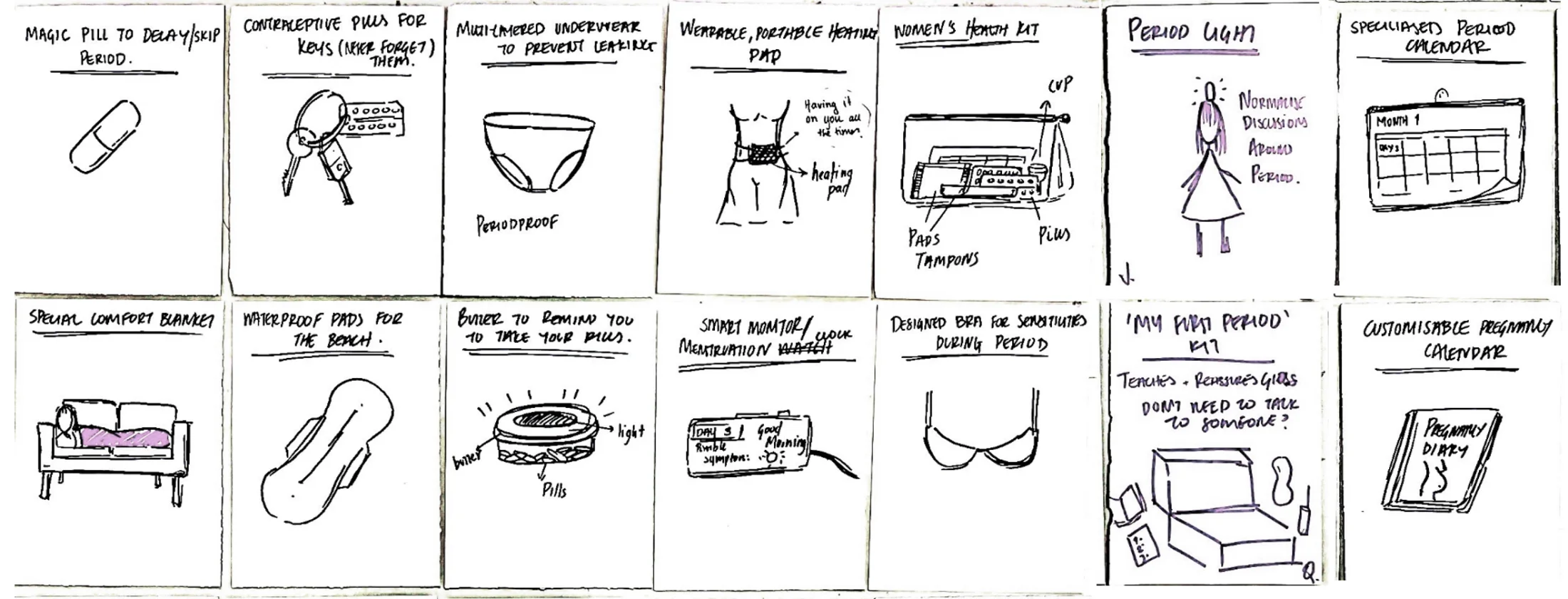
1 · Ideation

The calendar idea kept returning.

Period underwear, a heating bra, a pill reminder, a comfort blanket: the calendar won, physical and hard to ignore.

Hand-sketched grid of 14 early product concepts
Fourteen concepts.
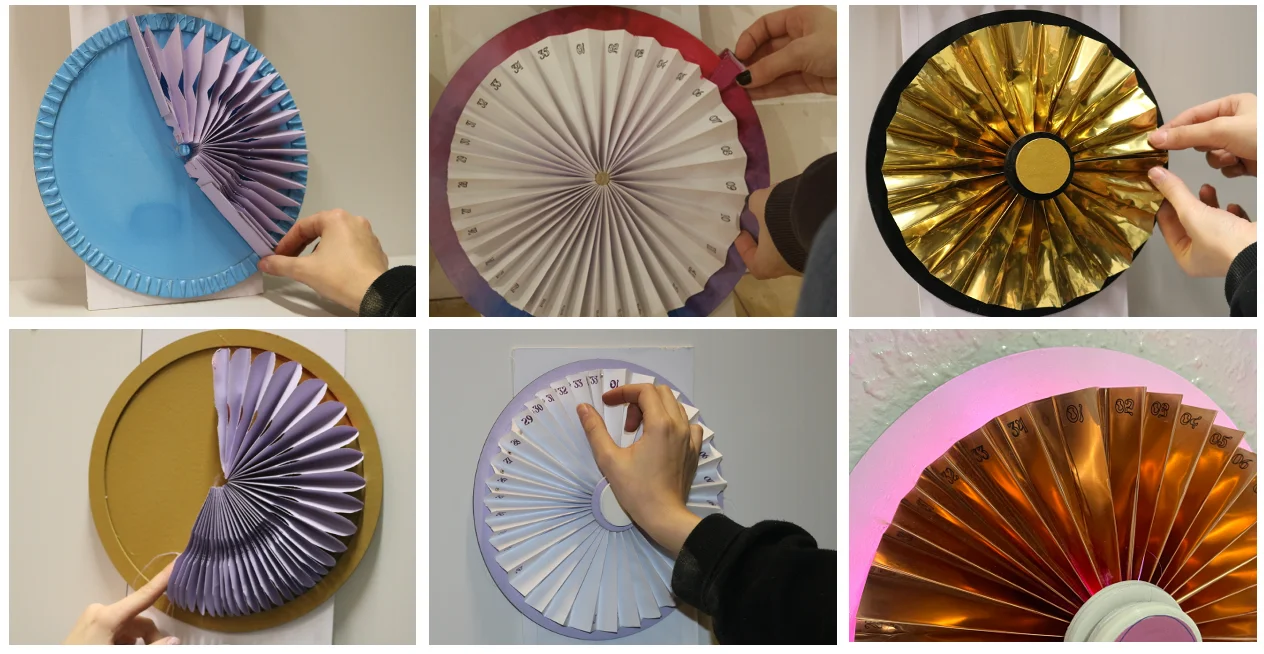
2 · Material

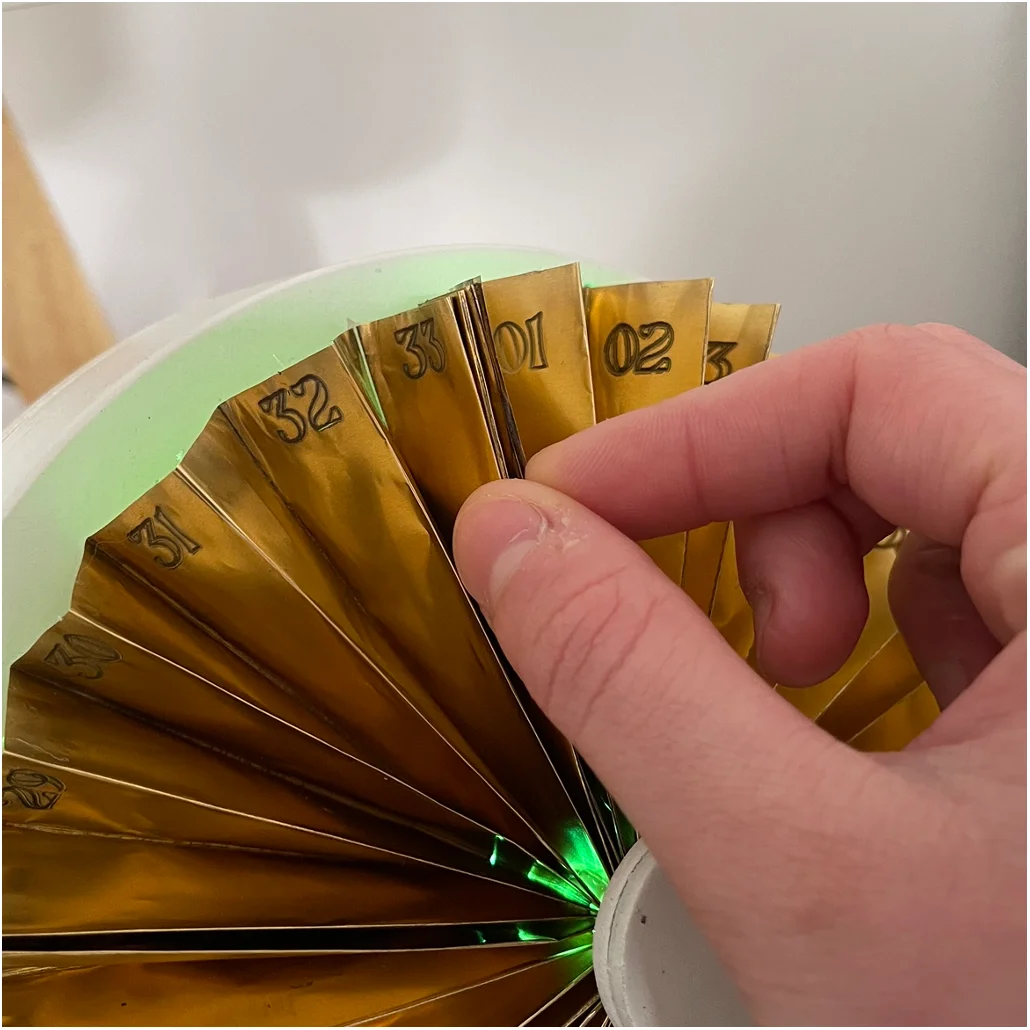
Paper to brass to copper.

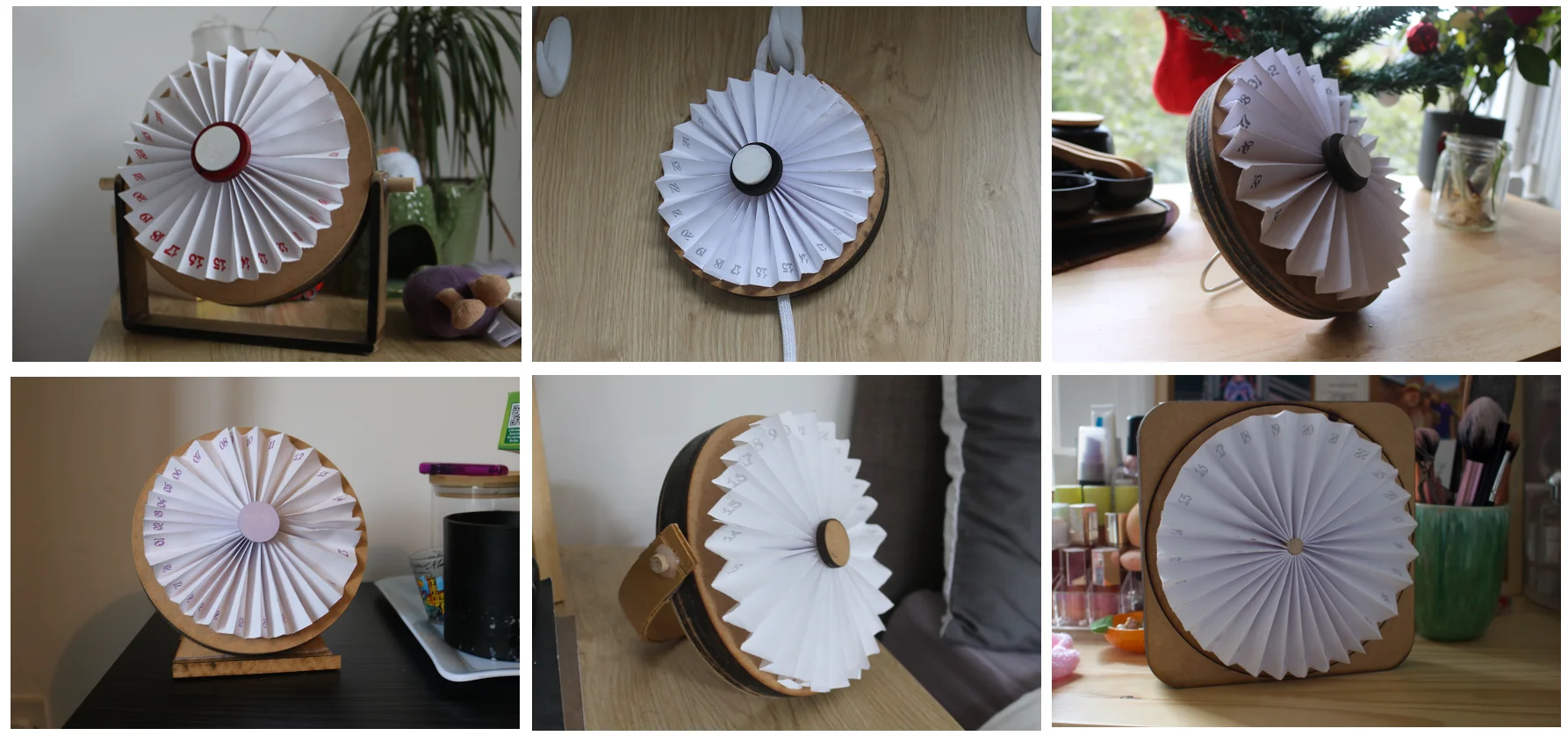
Paper handled the geometry but didn't survive use. Copper, engraved and magnetised, gave durability and a satisfying snap.

Purple paper and gold foil accordion fan prototypes at scale
Scale tests in paper and gold foil, then copper.
3 · Sit, or hang

One object, two affordances.

Each iteration solved one mode, broke the other. The answer merged both: a sanded flat base, a slide-out handle, a wall hook.

Close-up of the final device showing the sanded flat base resting on a surface and the integrated copper handle wrapping the body
Final form: sanded base, slide-out handle, wall hook.
§ 05 Decision 02 the form unlock

28 folds, not 28 days.

Cycles run 21 to 35 days; any rigid calendar erases someone.

The early prototypes

A calendar of fixed days.

Date strips, spinning discs, axis cards, each broke the moment a cycle ran short or long.
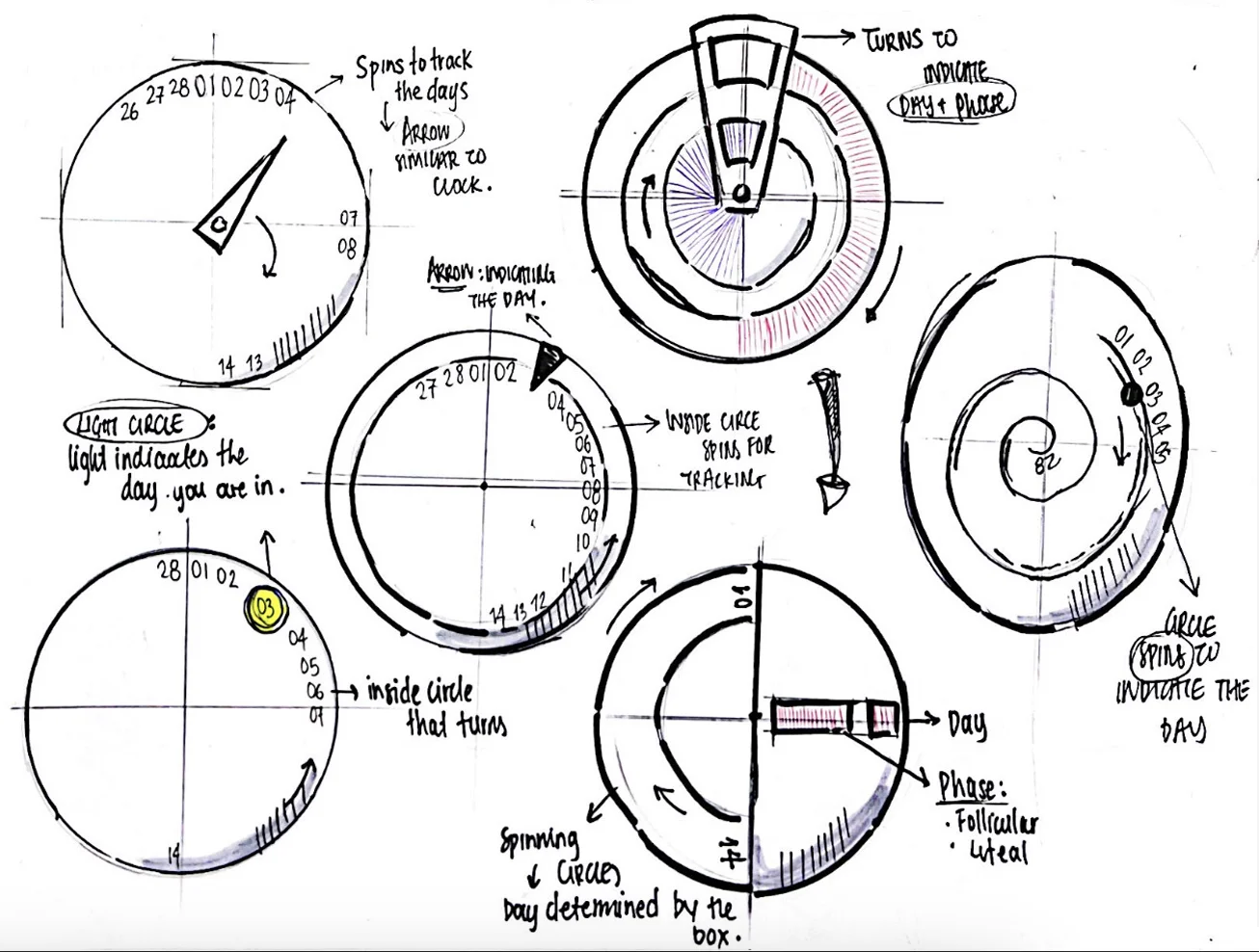
  • Locked to a 28-day assumption
  • Short cycles leave blank days; long ones run out of room
Sketch grid of early fixed-day calendar concepts: clock-style dial with day arrow, spinning inner circles for tracking, light-circle indicator, and a spiral day layout
Early sketches: clock-face dials, discs, light-circles, spirals, before the fan.
The unlock

Each fold is one day. Unused folds tuck away.

An accordion of 35 magnetised folds. The form adapts to the body, not the other way round.
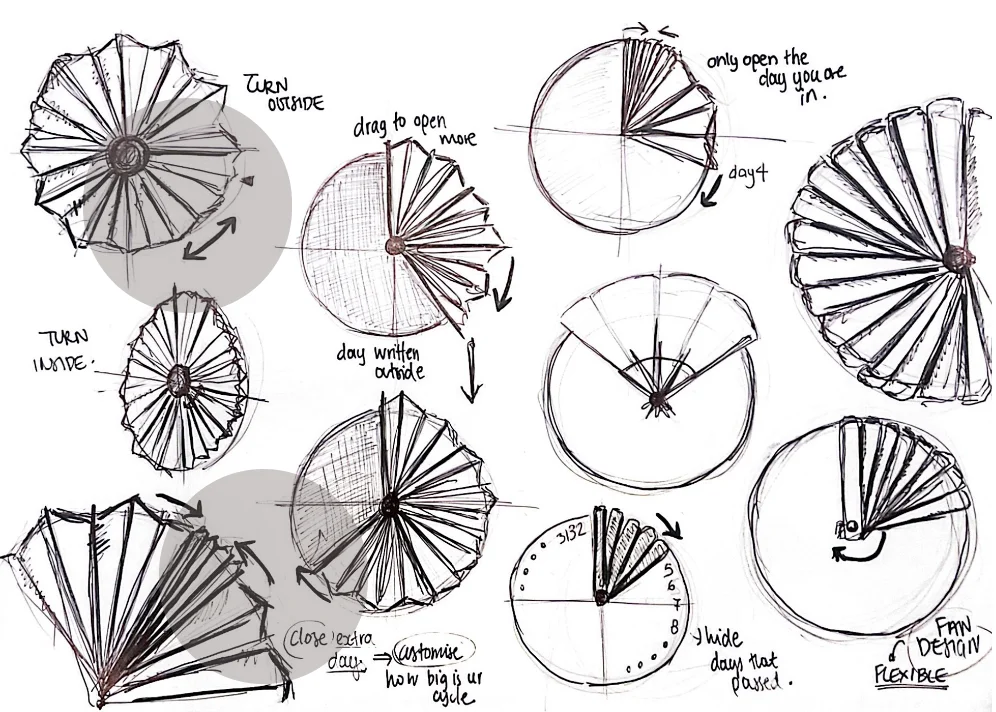
  • Fits any cycle from 21 to 35 days
  • Magnets give a tactile snap when folded
the unlock Sketch grid exploring fan-fold mechanics — turning inside vs outside, drag-to-open more, hiding past days, and flexible fan designs
Fan-fold explorations: inside or outside, drag to open, hide past days, customise to cycle length.
§ 06 Building it for real prototype + scale

A system that actually runs, costed to scale.

Two tracks: a Raspberry Pi prototype that genuinely works, and a manufacturing plan with a costed bill of materials.
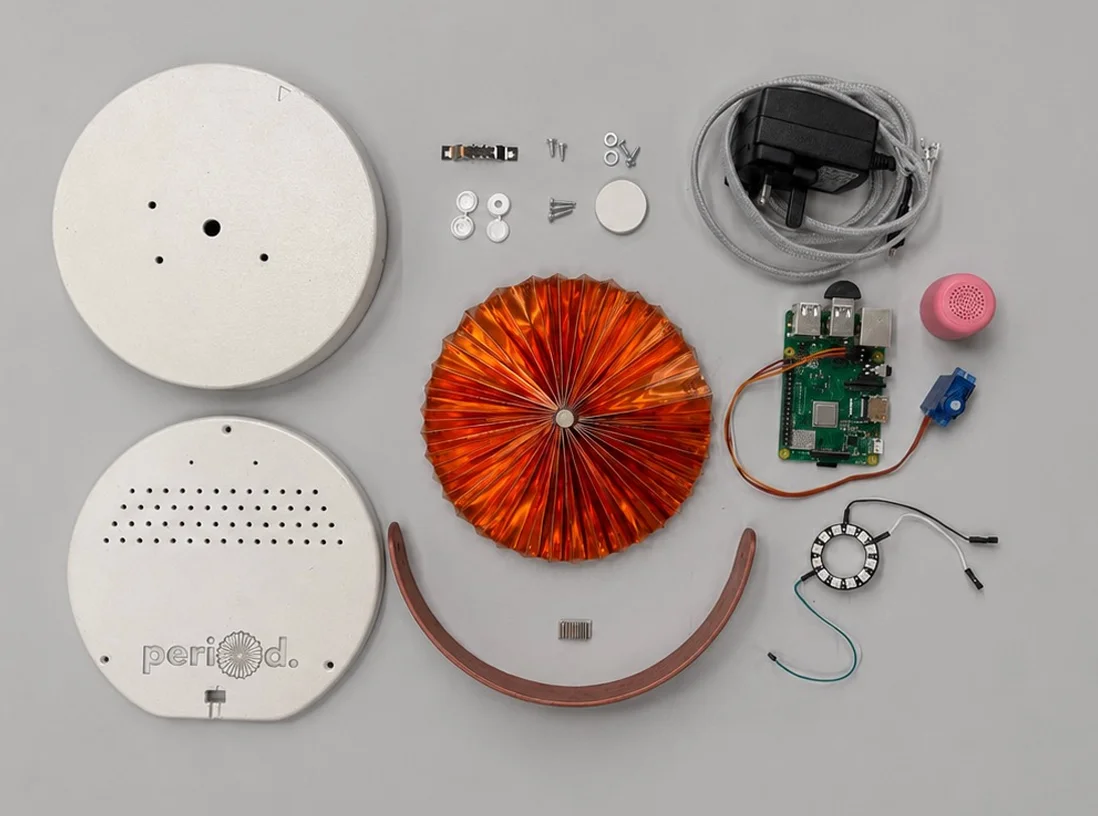
Flat lay of every component used to build the period. device: base, lid, copper fan, handle, Raspberry Pi, NeoPixel ring, servo, speaker, power adapter, and screws
Every part, thirteen components.
A · The working system

Raspberry Pi, end-to-end.

Built in Python. Tracks cycle day, drives a NeoPixel gradient, turns the fan via servo, takes voice input, replies via GPT-3.5, scoped to health, never diagnosis.

Raspberry Pi 4 NeoPixel 12-LED ring SG90 servo USB mic + speaker
The five core electronic components laid out left to right: Raspberry Pi, NeoPixel LED ring, SG90 servo motor, USB microphone, and speaker
Pi, NeoPixel ring, servo, mic, speaker.
B · The production system

CNC, lamination, custom PCB.

Birch plywood base (CNC-machined). Copper or brass fan, engraved and press-folded. Custom PCB, modelled on the Echo Dot teardown.

Birch plywood base
200 × 200 × 30mm
£3.00
Copper fan sheet
1400 × 75 × 0.8mm
£3.80
Custom PCB & microcontroller
incl. memory, audio SoC
£8.00
+ 9 more components
Total unit cost
retail target £50
£21.88
Chapter B · The app

What a bedside object can't carry: depth, history, and portability.

§ 07 Sketches & iteration deciding by hand

Pen on paper, before pixels.

One sheet of dense iteration. Margins hold self-critique: is it too busy, does home need a calendar, where should Luna live.
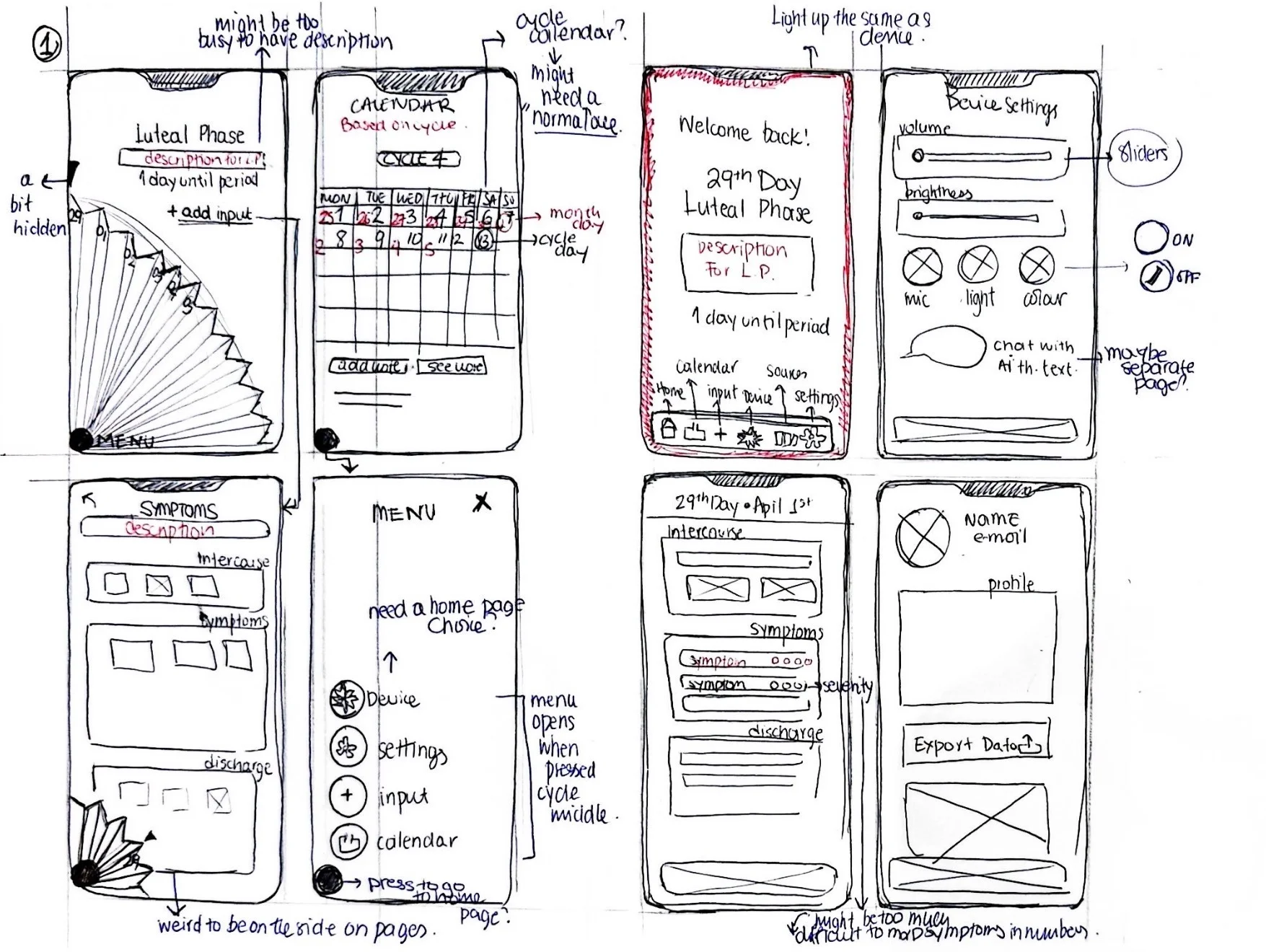
Sketch sheet of eight app-screen mockups in two rows — luteal phase home, calendar, alt home with bottom-tab nav, device settings, symptom input, side menu, daily input, and profile — with handwritten self-critique in the margins
Eight screen states, critiqued in the margins.
Raised

"Might be too busy to have description"

Resolved Phase descriptions move to a detail page, via a "see details" link.
Raised

"Need a home page choice"

Resolved Home is cycle status; the menu opens from the central fan button.
Raised

"Light up the same as the device"

Resolved App background tints to the user's gradient, syncing with the device.
§ 08 Decision 03 the fan, again

The fan, at the centre of every screen.

The question wasn't which navigation was cleaner. It was which was honest: a device with a companion app, not an app with an accessory.
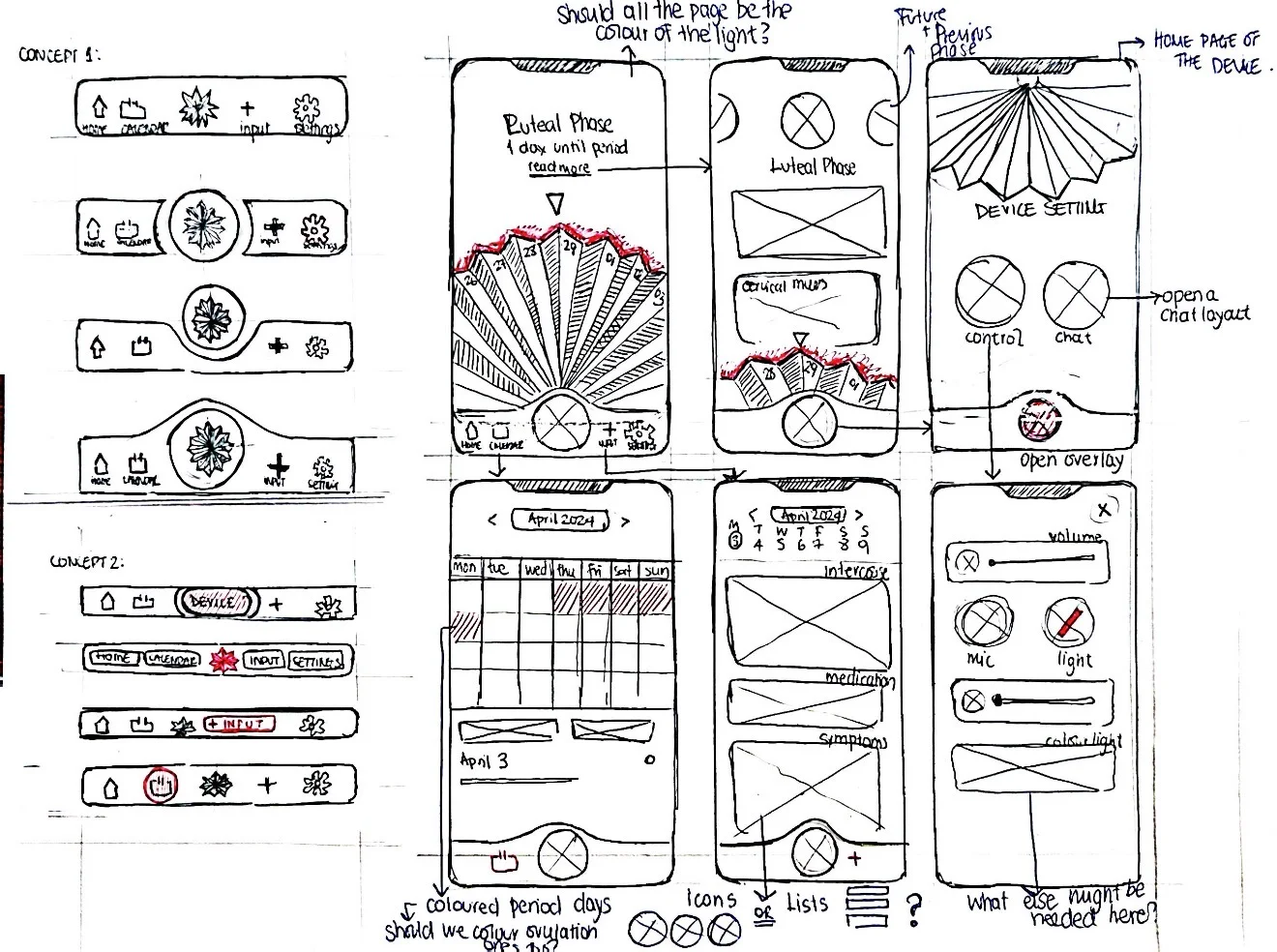
Sketch sheet exploring app navigation on the left — Concept 1 five-tab variations and Concept 2 with a raised central fan button — alongside six annotated phone-screen mockups on the right: luteal phase, device settings, calendar, input log, and device controls
Navigation concepts, left; screen mockups, right.

This concept won because the geometry told the story: the fan-shaped button anchors every screen, placing the AI assistant at the literal centre of the app.

Three themes, chosen on the device.

The NeoPixel ring offers three gradients that tint every screen to match. Pink is one option, never the default.
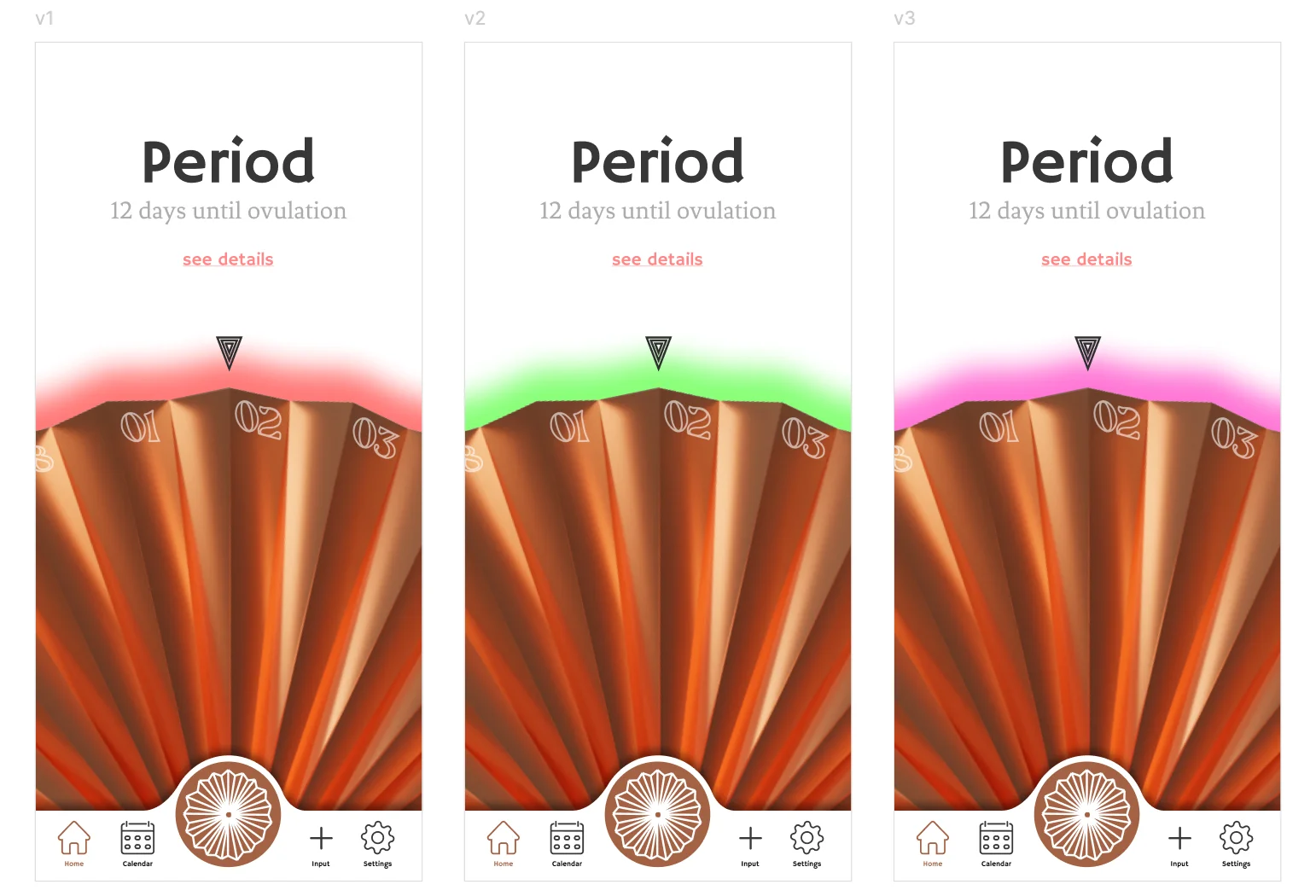
Red → Orange
Green → Yellow
Pink → Purple
Three iPhone screens showing the same Period view in white, pink, and peach background variants
Same screen, three palettes.
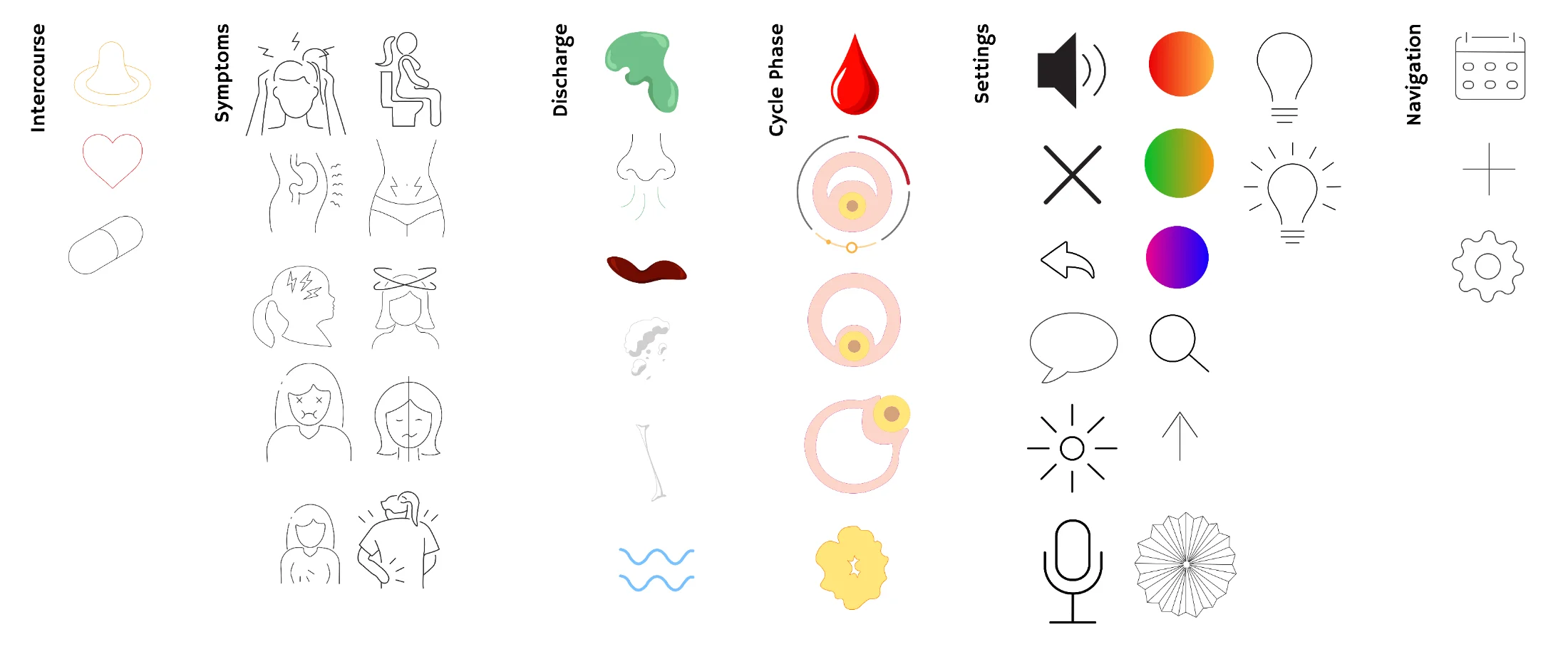
Custom icon library: symptoms, body states, cervical mucus types, gradient swatches, controls
Custom icons, by category.

A custom icon library.

Drawn line by line, not from a stock pack: forty-plus marks across symptoms, cycle states, and controls, one consistent stroke weight.
§ 09 Final screens the app, in motion

Built in Figma. Tested with real cycles.

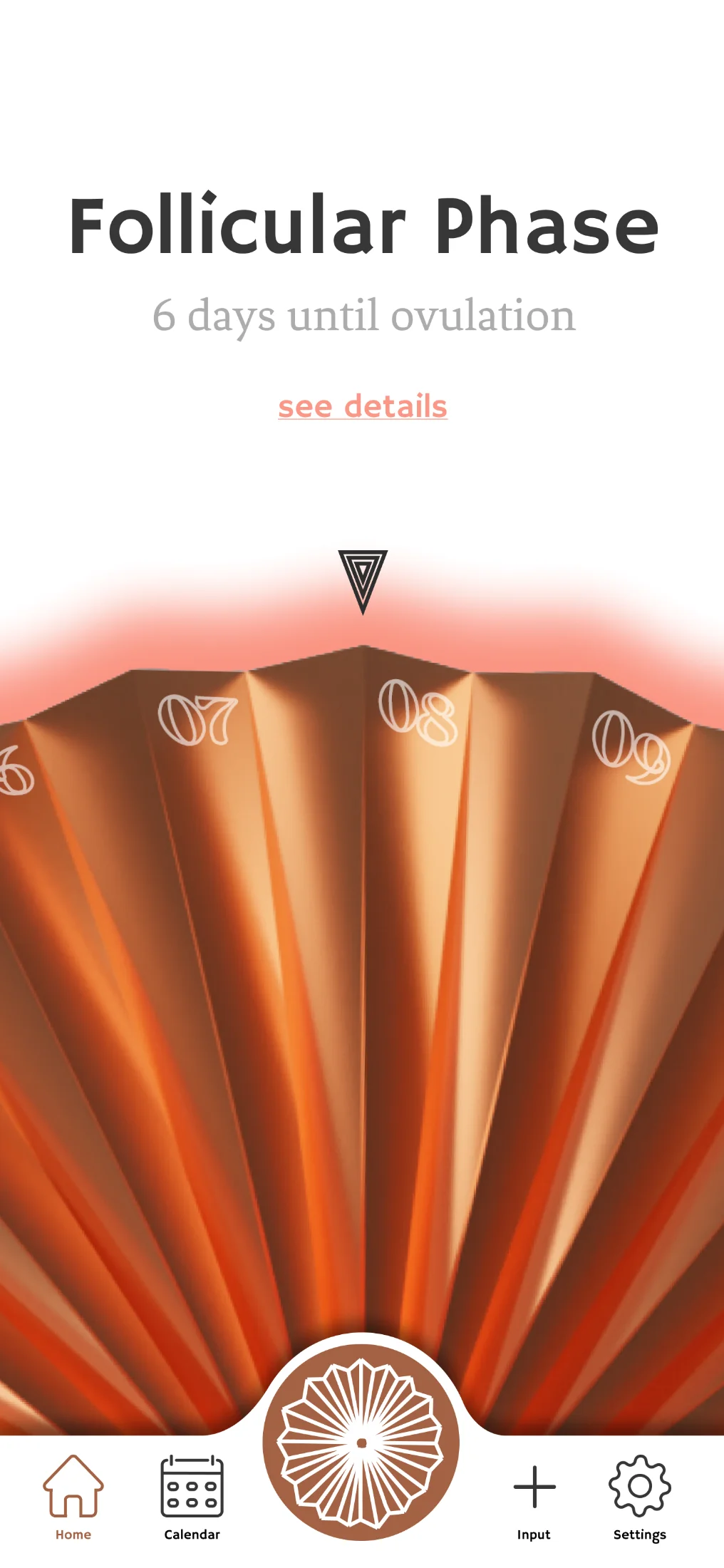
01 · Home
Home screen showing the Follicular Phase with 5 days until ovulation
Phase named first, countdown second. Logging is one tap.
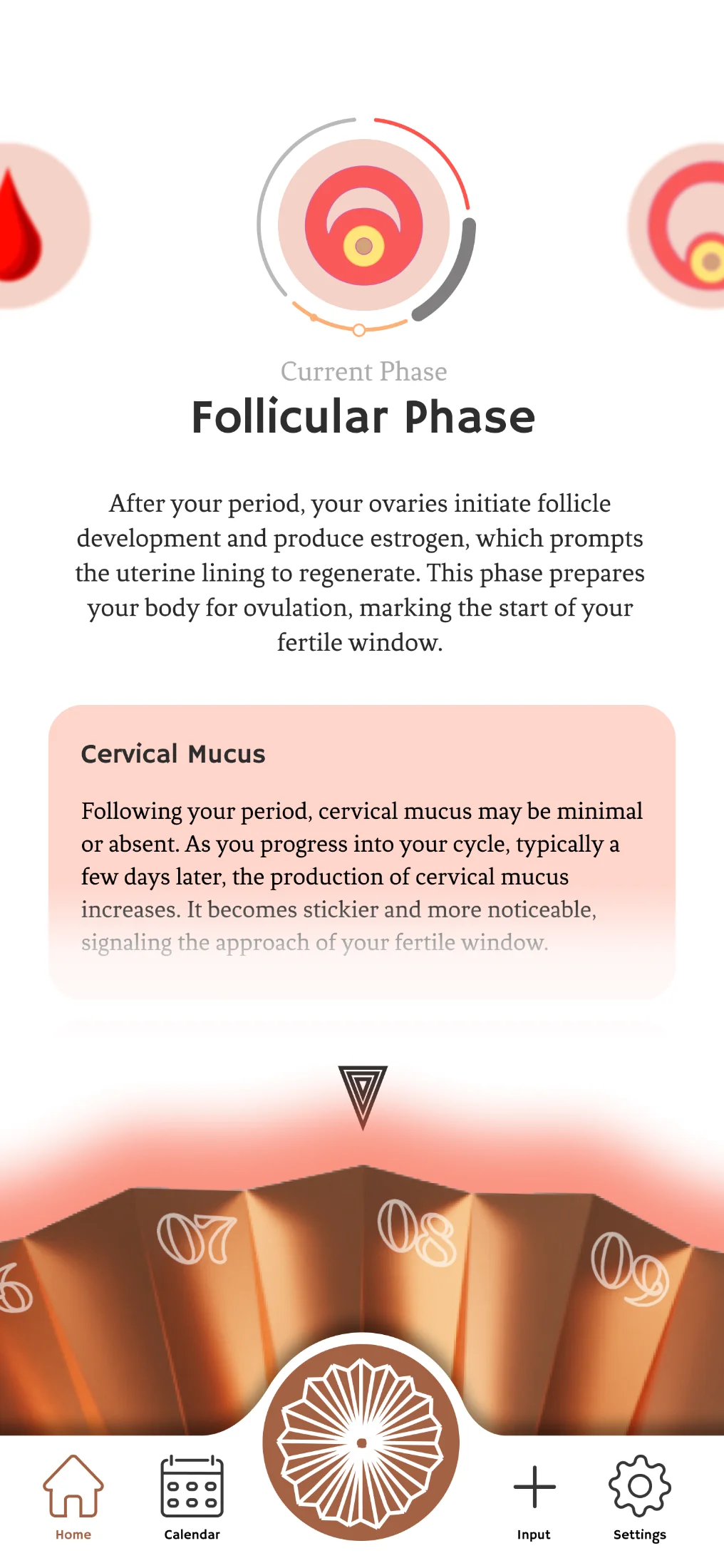
02 · Phase detail
Period phase detail screen with explanation and possible symptoms
Plain-language explanation, symptoms, self-care.
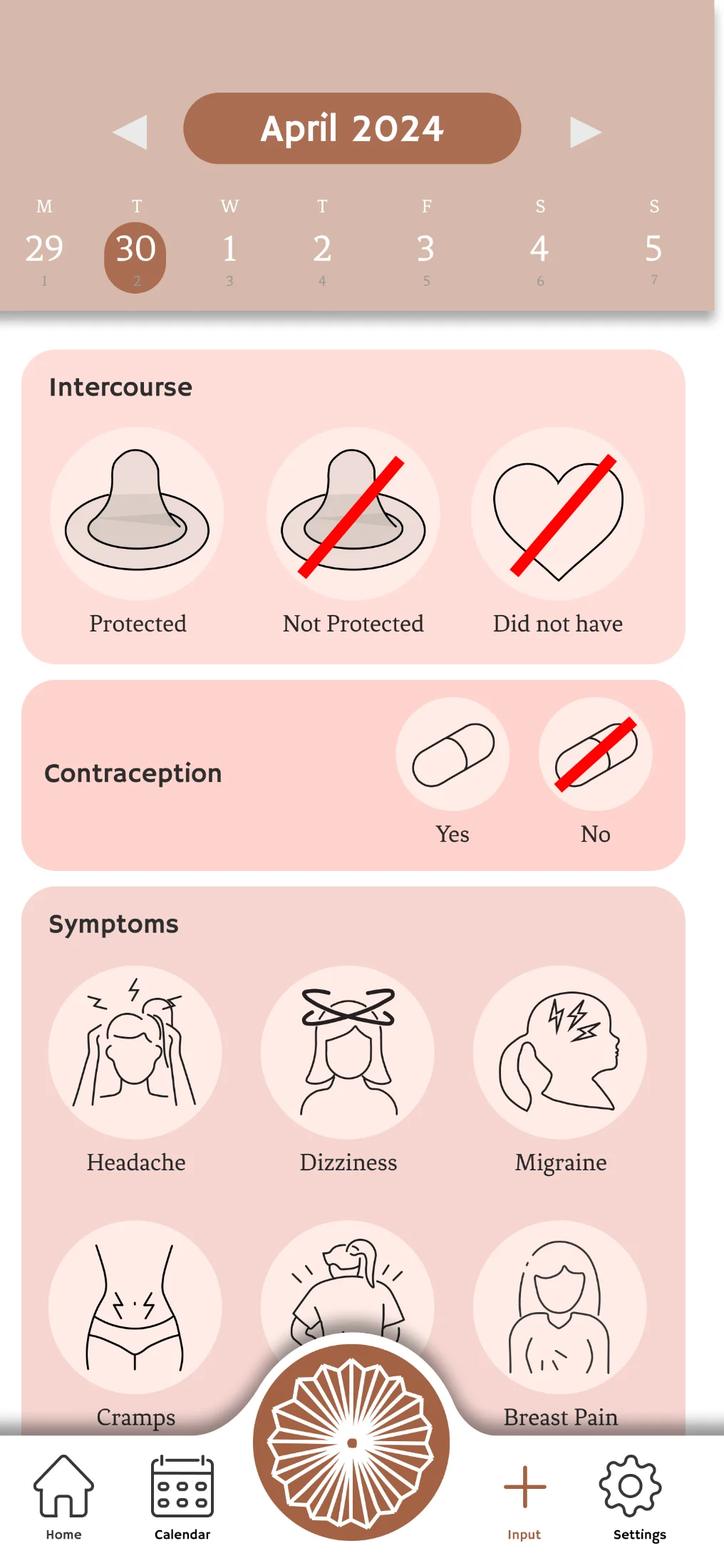
03 · Input
Input screen for logging symptoms, intercourse, contraception
Log symptoms, intercourse, contraception.
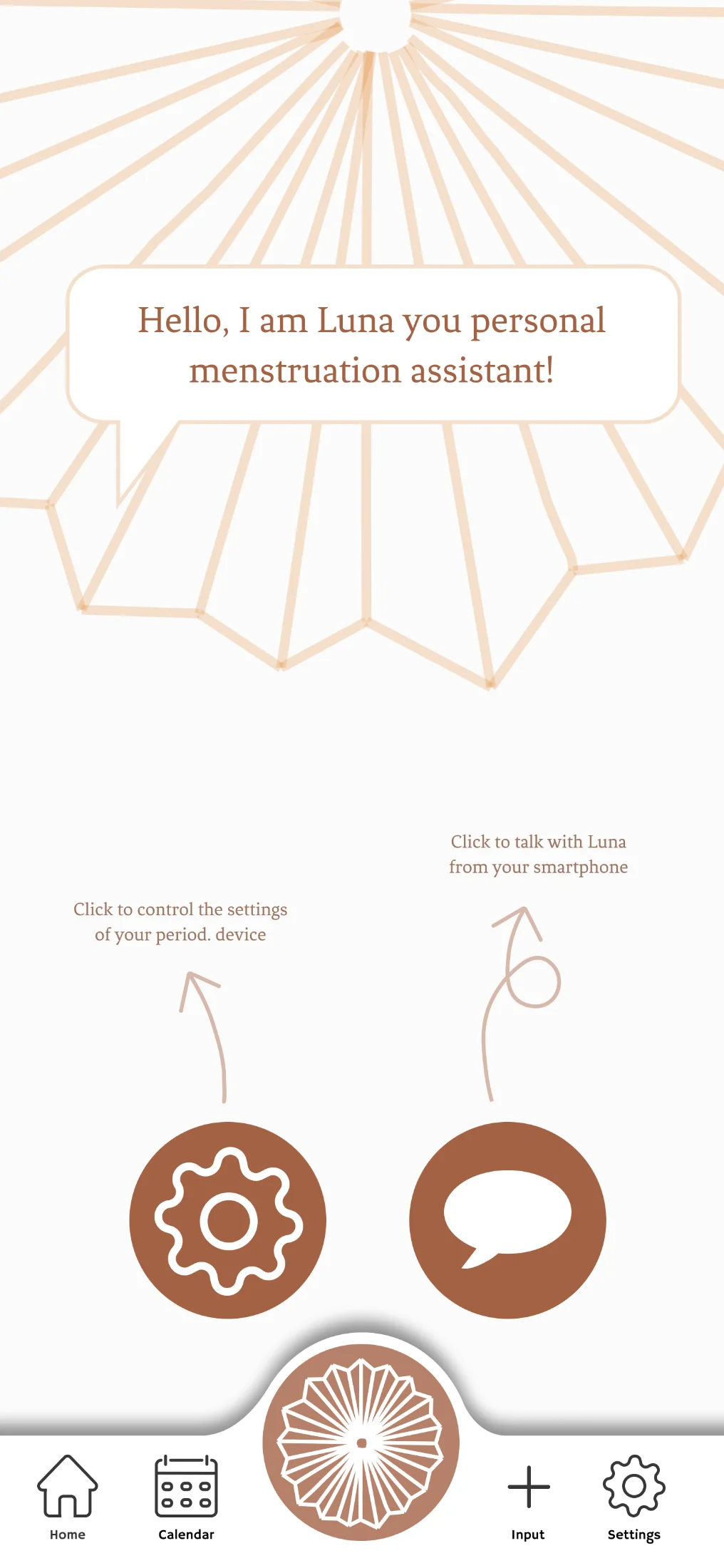
04 · Luna, written
Luna AI assistant introducing herself in the app with options to access device settings or chat
The voice assistant, available as text.
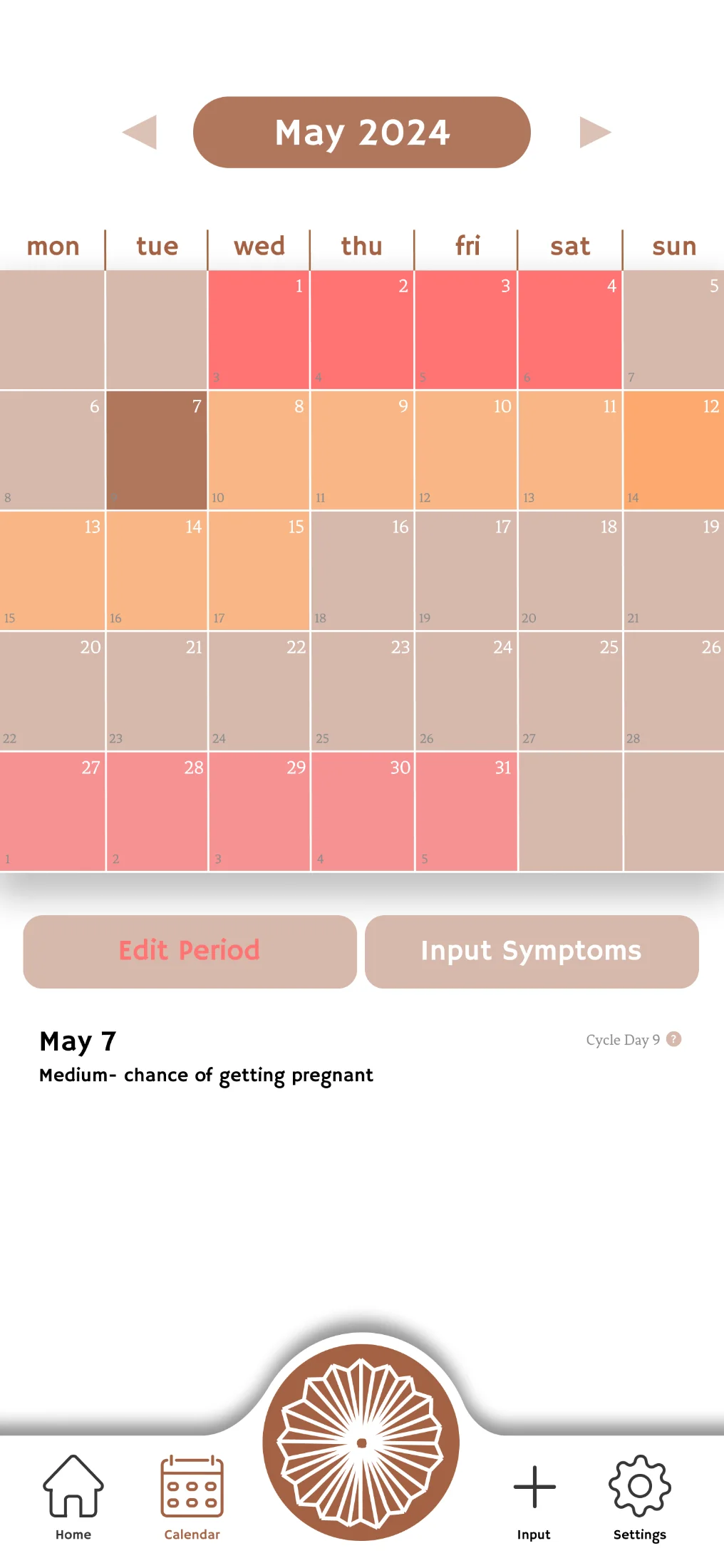
05 · Calendar
Tracker / calendar view showing logged days across the cycle
Cycle history at a glance, exportable.
06 · Device settings
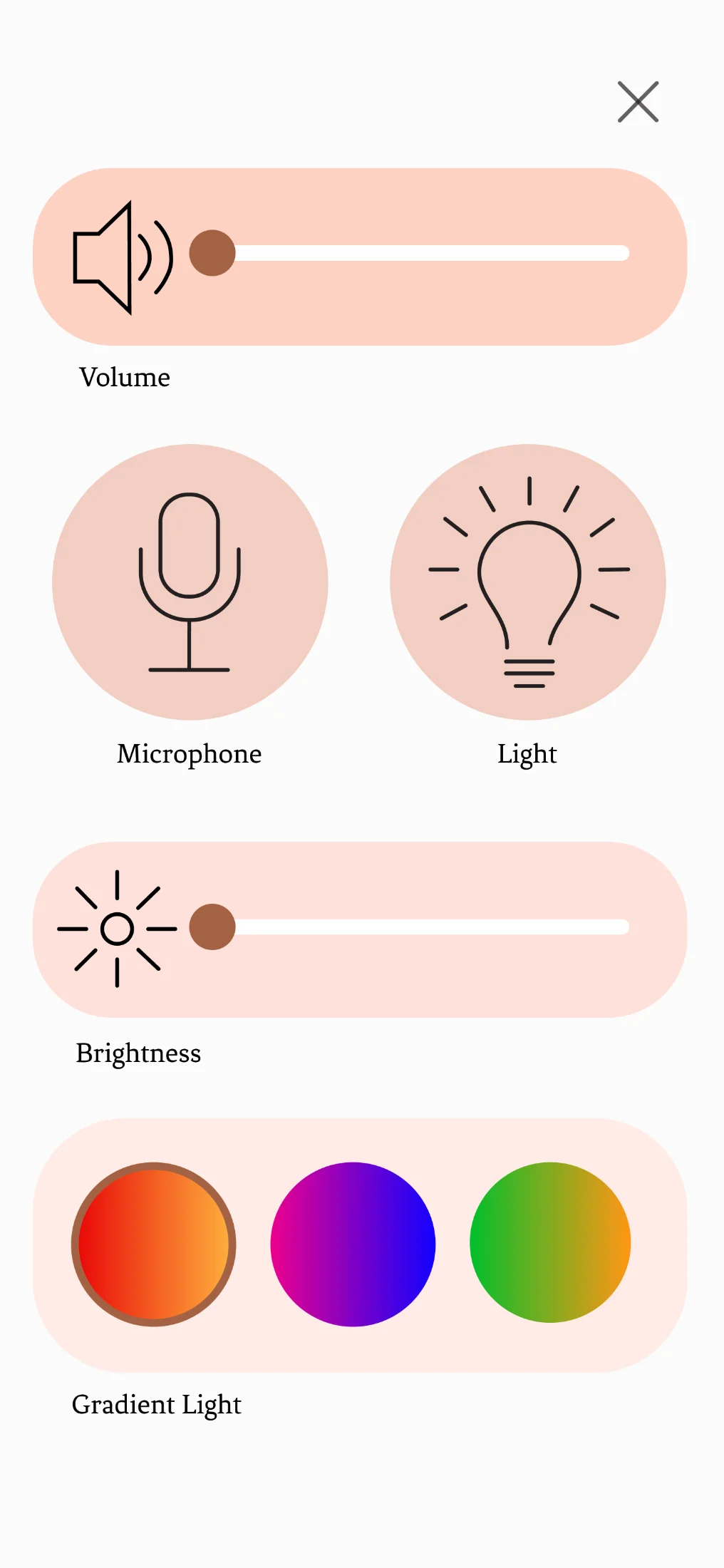
Device control screen showing volume, microphone, brightness, and gradient colour selection
Volume, mic, brightness, gradient.
Try the interactive prototype
§ 10 Final product two finishes, one object

Two finishes. Same object.

Copper and brass, so the device fits any bedroom palette, and the first decision is the user's.
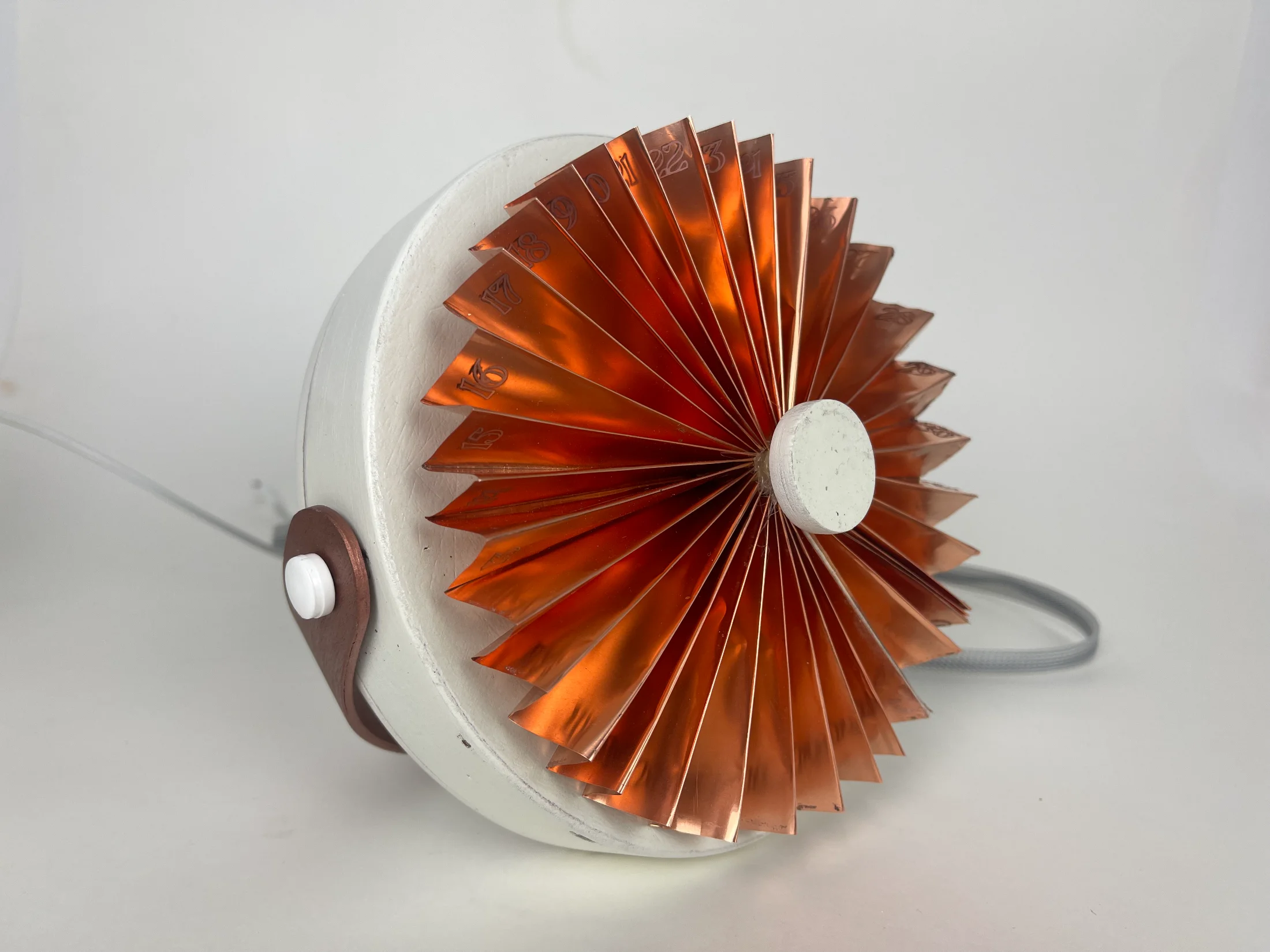
two finishes Final period. device in copper finish, photographed in studio
Copper, red-orange gradient.
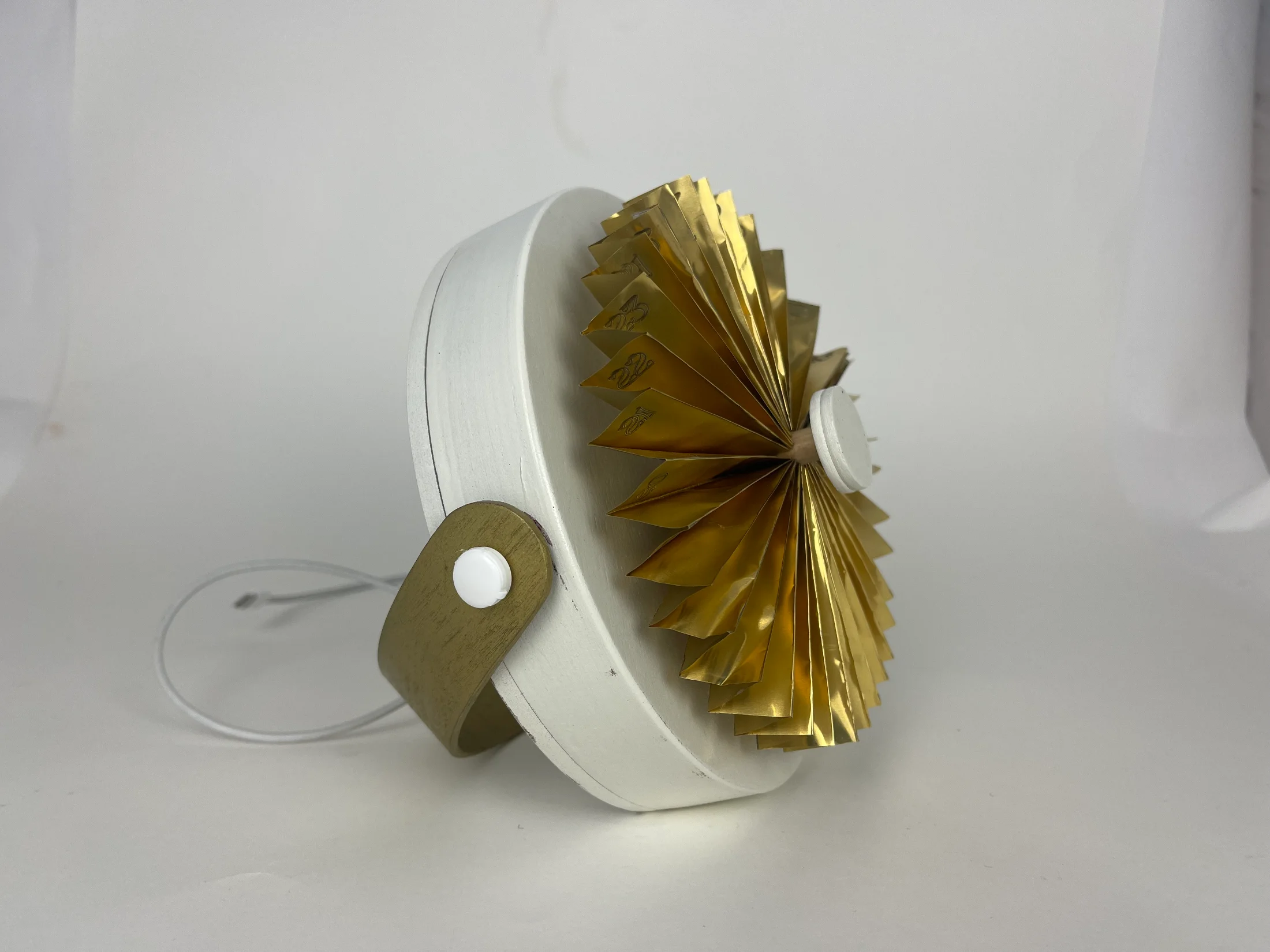
Final period. device in brass finish, photographed in studio
Brass, green-yellow gradient.
Side view of the copper device on a wooden bedside table with a hand resting on its right edge, glowing red
Copper, hand touching fan.
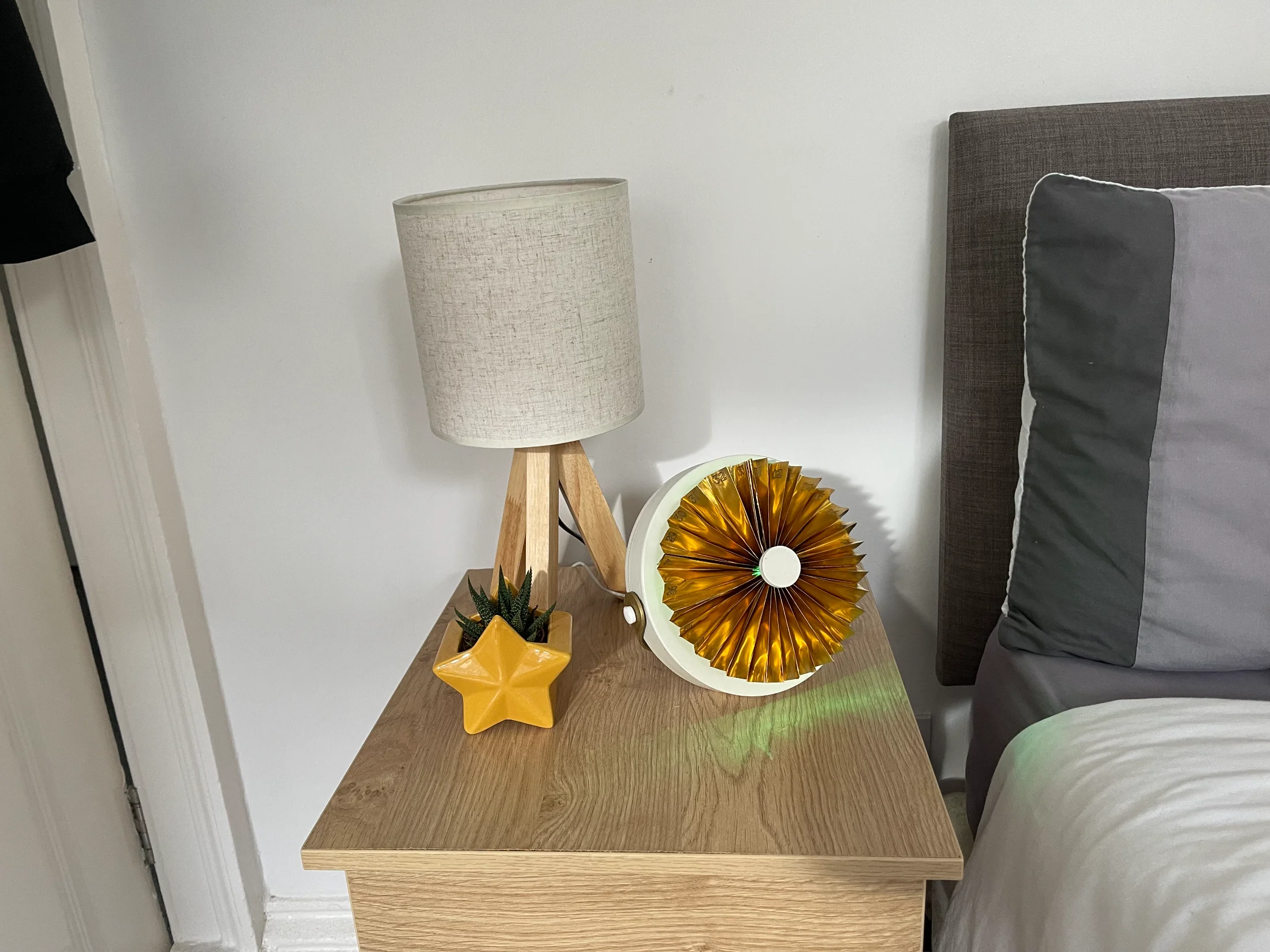
The brass device on a wooden bedside table next to a tripod lamp and a star-shaped planter, glowing green
Brass, beside the lamp.
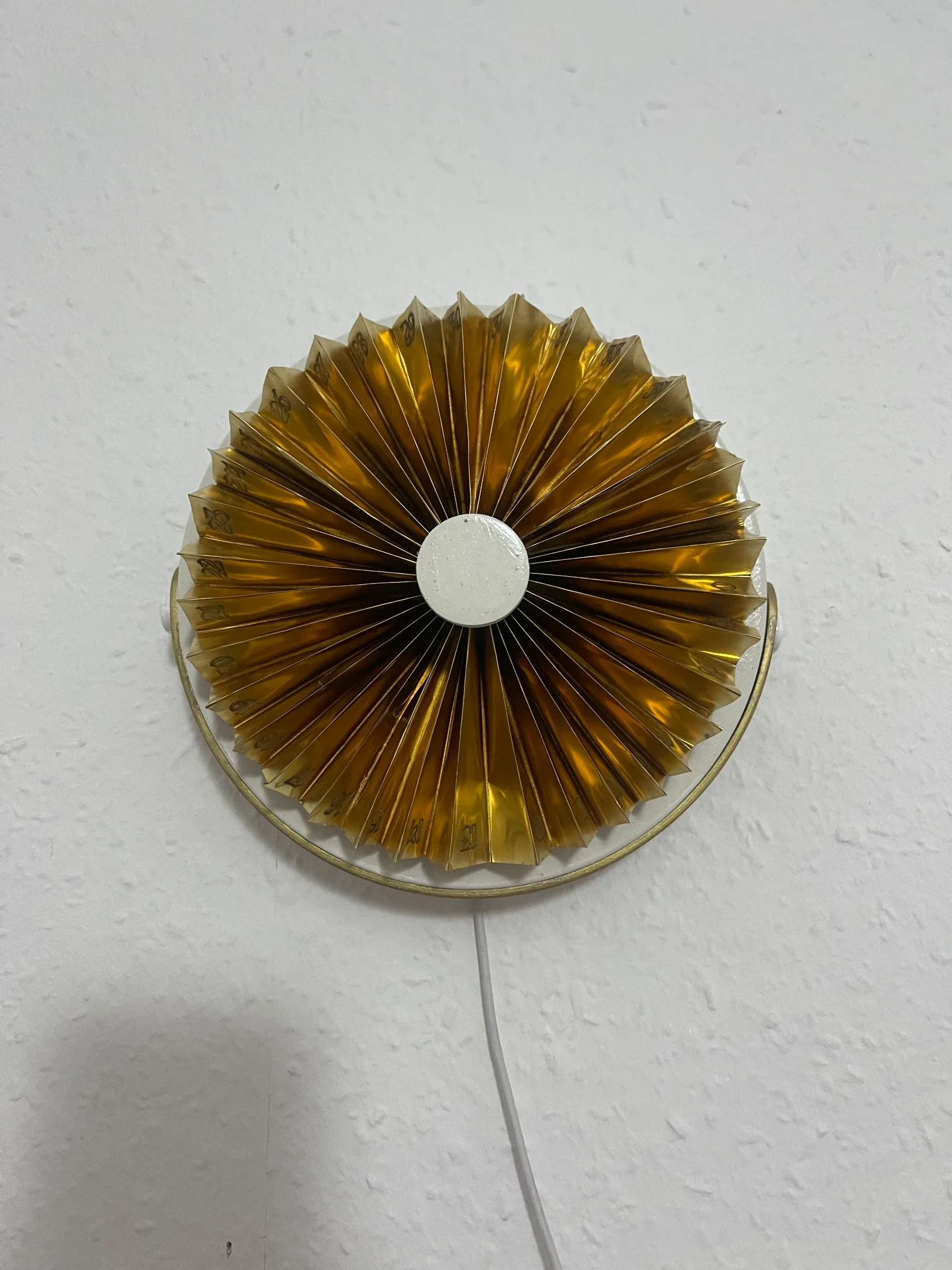
The brass device wall-mounted on a textured white wall, viewed straight on, with the power cable dropping below
Wall-mounted, brass.
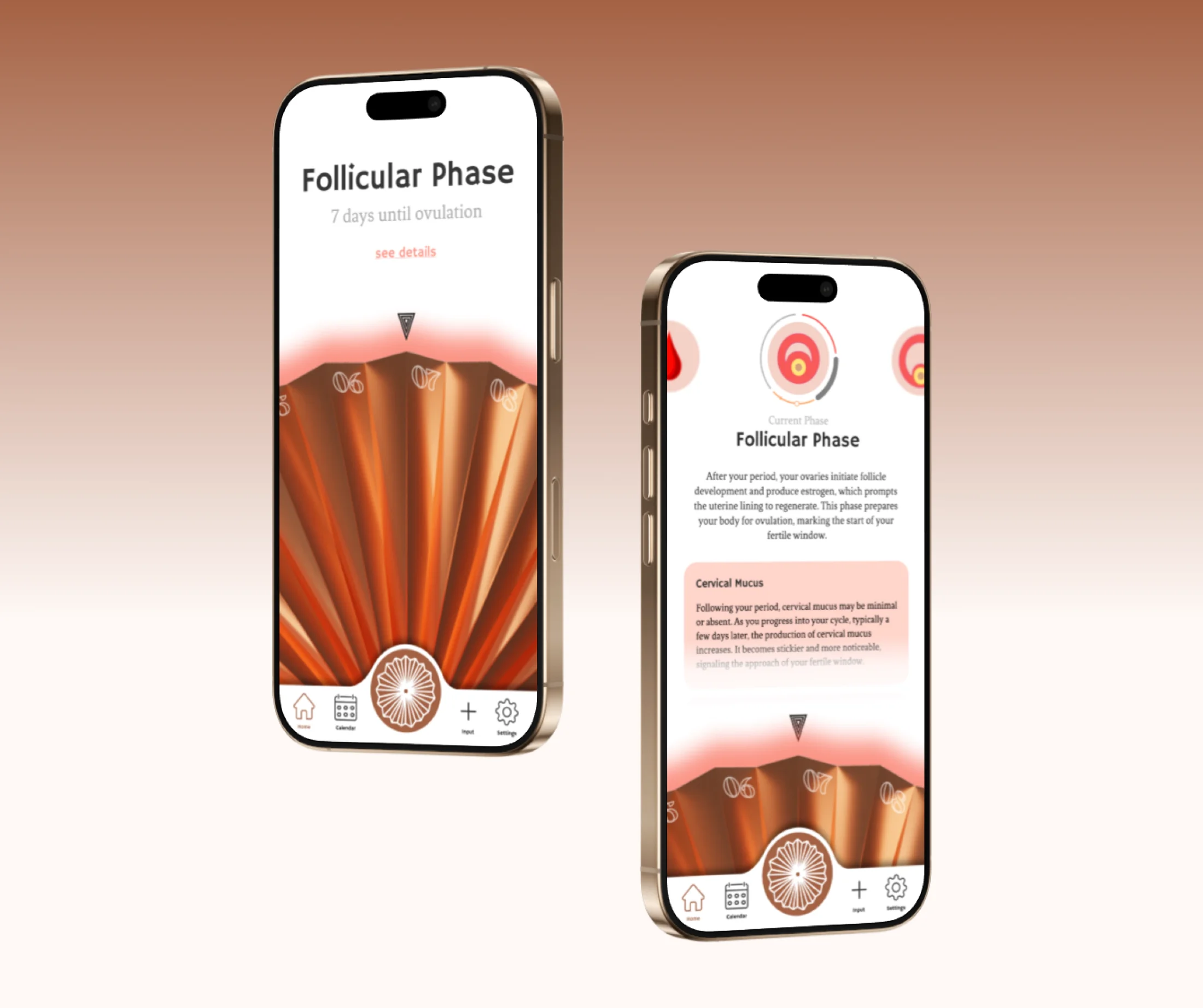
Two phones showing the period. companion app on the Follicular Phase screen — the home view with days until ovulation, and the detail view explaining the phase and cervical mucus
The companion app: Follicular Phase.
"Aesthetic that doesn't compromise functionality."
Workshop synthesis on woman-centred design